3-6
Controls - Cab
X6 - P/N 6525032M1
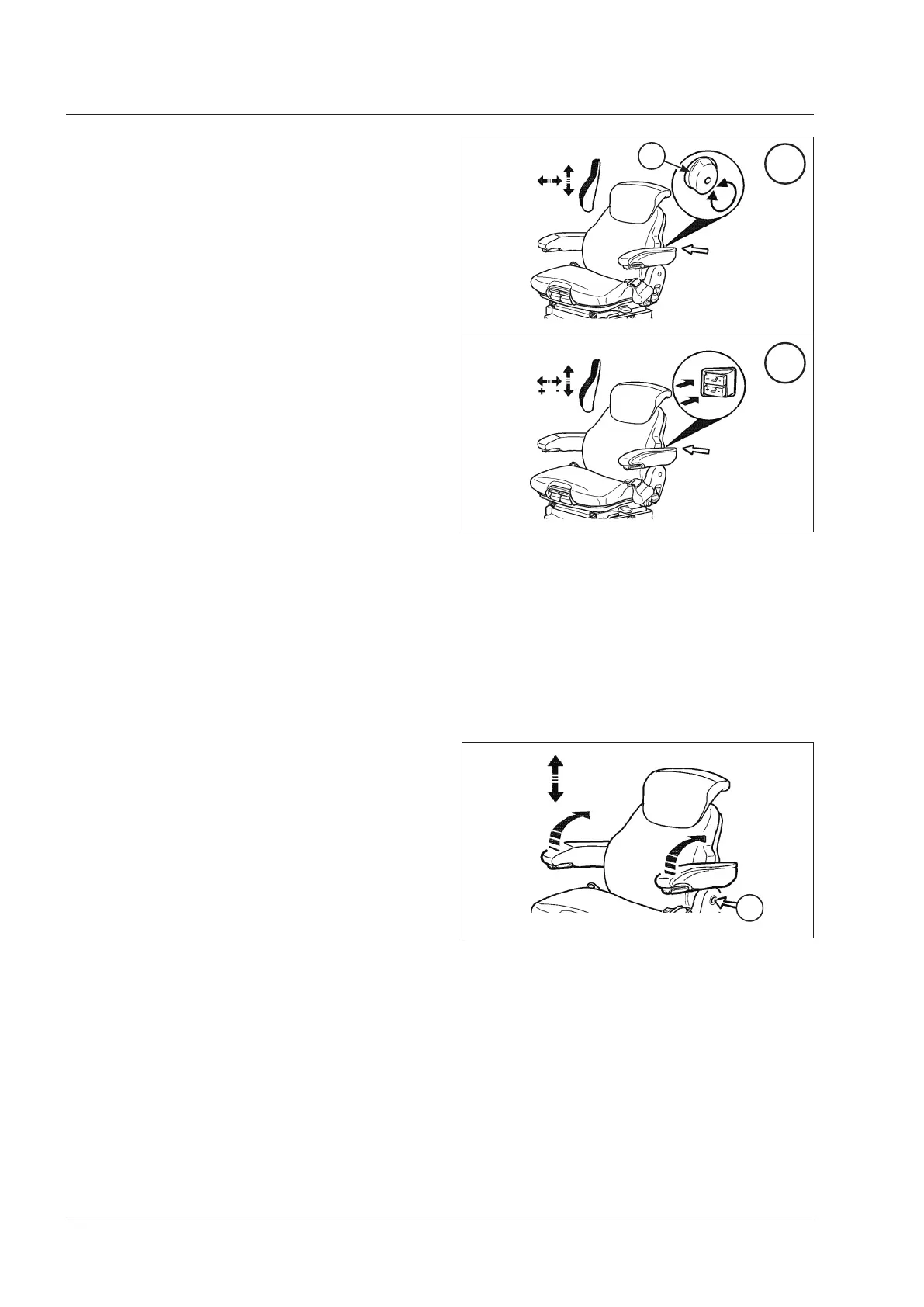
9. Height adjustment of armrests
(Fig. 3-10)
The armrests can be tilted back and adjusted in their
height as required by the operator.
To adjust the height of the armrests:
• Remove the protective panel (1).
• Loosen the nut behind the panel.
• Raise or lower the armrests to adjust their height (5
positions are possible).
• Tighten the nut and fit the protective panel (1) back
again.
Fig. 3-10
1
Fig. 3-9
8. Manual or electric adjustment of the lum-
bar support (if equipped) (depending on model)
(Fig. 3-9)
The lumbar support can be adjusted to increase comfort
and operator's efficiency.
Manual adjustment (Fig. 3-9A)
Turn the knob (1) to the left or to the right to reduce or
increase the curve in the back rest cushion.
Electrical adjustment (Fig. 3-9B)
The lumbar support can be adjusted individually in the
lower and higher section of the back rest by means of
the switches (1) and (2).
On each switch, press “+” to increase or “-” to decrease
the curve of the lumbar support.
The maximum curve is reached when the back rest
reacts no more when pressing “+”, in this case release
the switch.
A
B
1



 To Next Page