www.ayyeka.com | +1 (310) 876-8040 | info@ayyeka.com 103
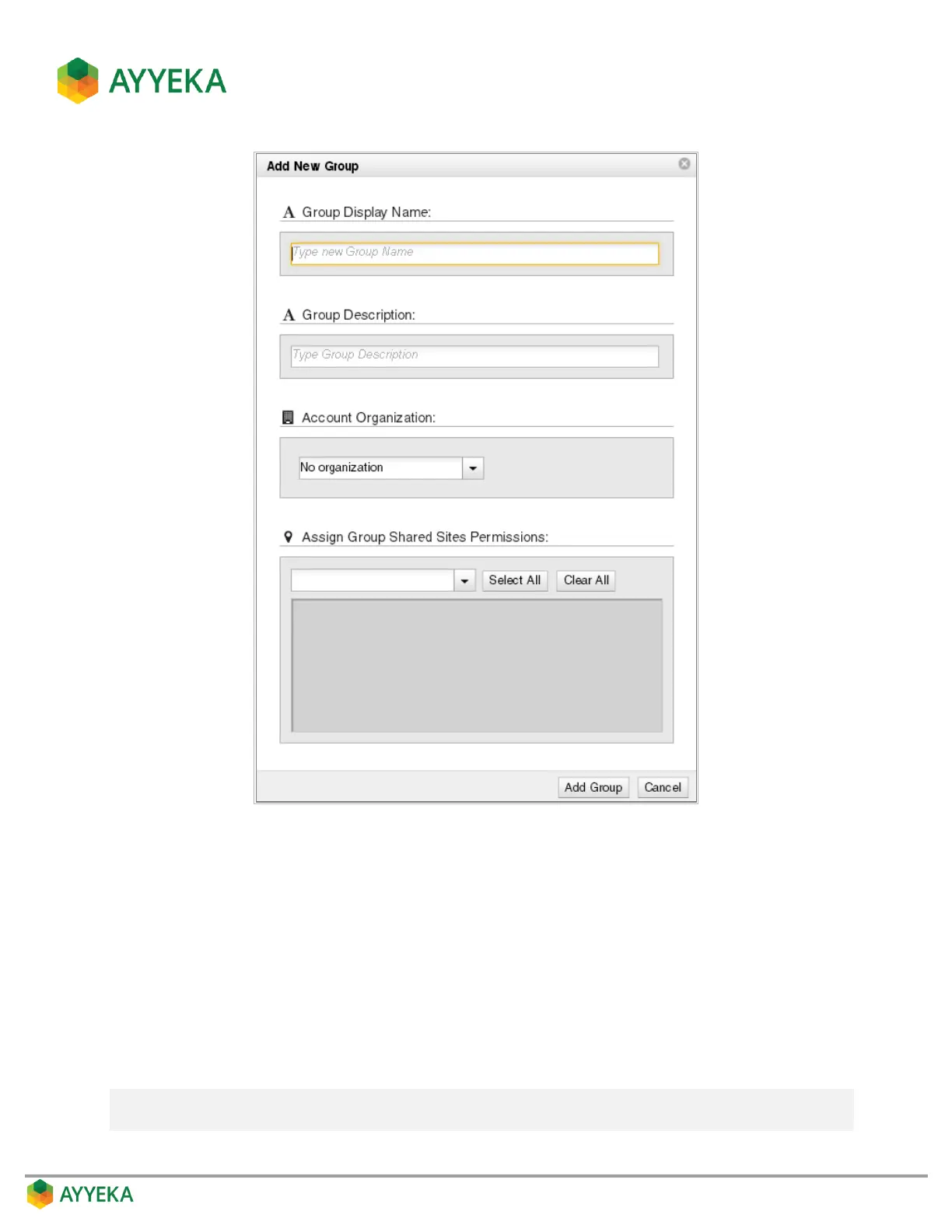
Figure 87: Add New Group window
4. In the Add New Group window:
a. Enter a group name.
b. Optionally enter a description.
c. In the Account Organization field, specify which owners can manage this group.
Select No organization if you want this group to remain at the account level. In this case, only
the account owner can manage the group.
Select a specific organization if you want to associate this group with a specific organization. In
this case, both the account owner and the specific organization’s owner can manage the group.
Note: If the group was created at the organization level, the group is automatically associated
with that organization, and there is no option to select a different organization.



 To Next Page