www.ayyeka.com | +1 (310) 876-8040 | info@ayyeka.com 117
USING THE AYYEKA API
Ayyeka provides programmatic access to your Ayyeka Wavelets' information using a simple and secure REST or
SOAP based web services API. To use the Ayyeka REST API or SOAP API, you need basic familiarity with software
development, REST or SOAP web services, and Ayyeka's user interface.
Using the Ayyeka REST API
Account and organization owners, as well as account and organization administrators, can access the Ayyeka
REST API.
Gaining Access to Ayyeka Data via the REST API
The process of gaining access to Ayyeka data via the REST API includes the following steps:
1. Register your application as an API client with Ayyeka. Refer to Step 1 – Creating an API Client.
2. Get an access token. Refer to Step 2 – Getting an Access Token for a REST API Call.
3. Authenticate with the REST API using the provided access token. Refer to Step 3 – Authentication with REST
API using the Access Token.
Step 1 – Creating an API Client
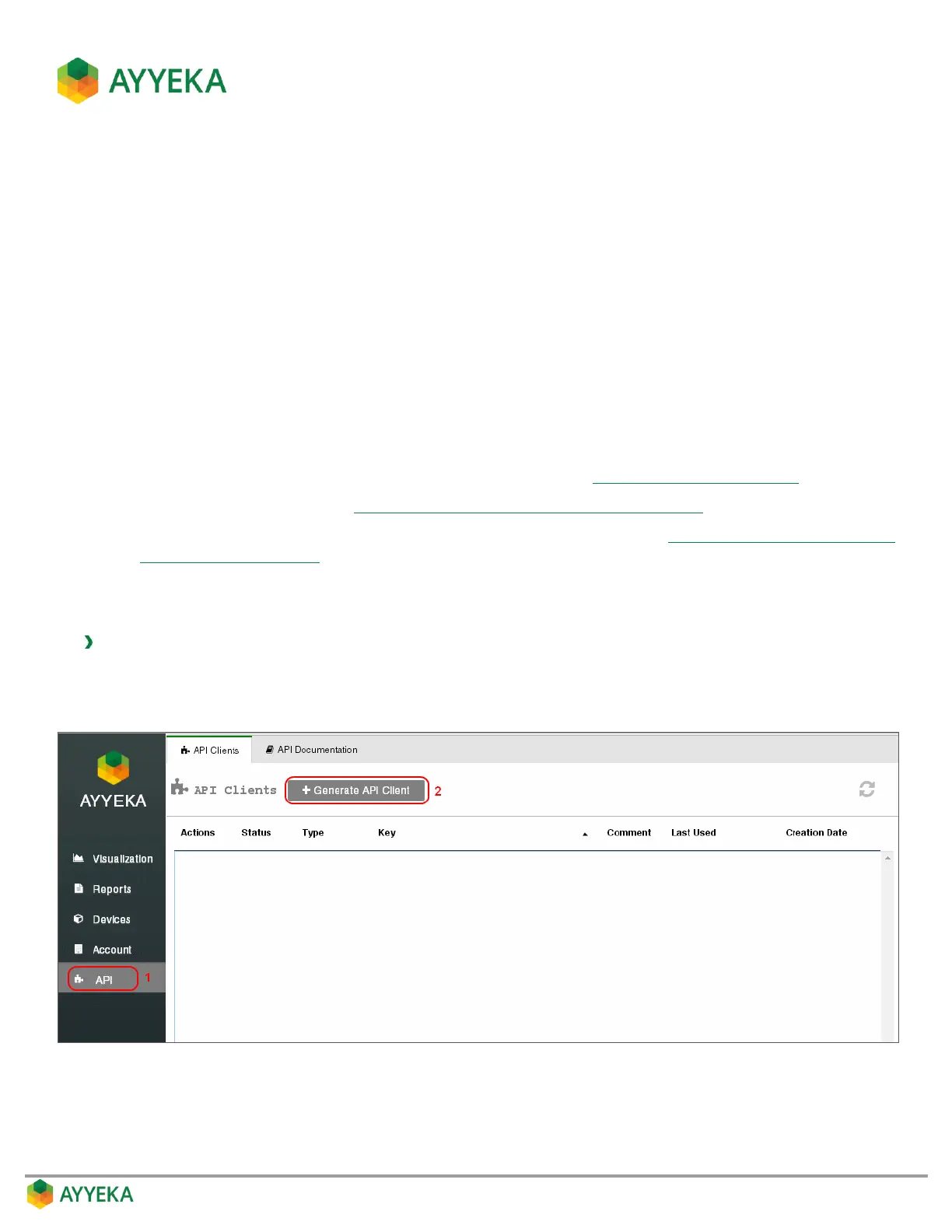
To create an API client:
1. Click API in the sidebar.
2. Click + Generate API Client.
Figure 109: Selecting to generate an API client



 To Next Page