www.ayyeka.com | +1 (310) 876-8040 | info@ayyeka.com 58
Hiding a Data Stream
An account owner can hide a stream from other account users. A hidden stream is only visible to account owners.
At any time, the account owner can un-hide a hidden stream and make it visible again to all account users.
To hide a stream:
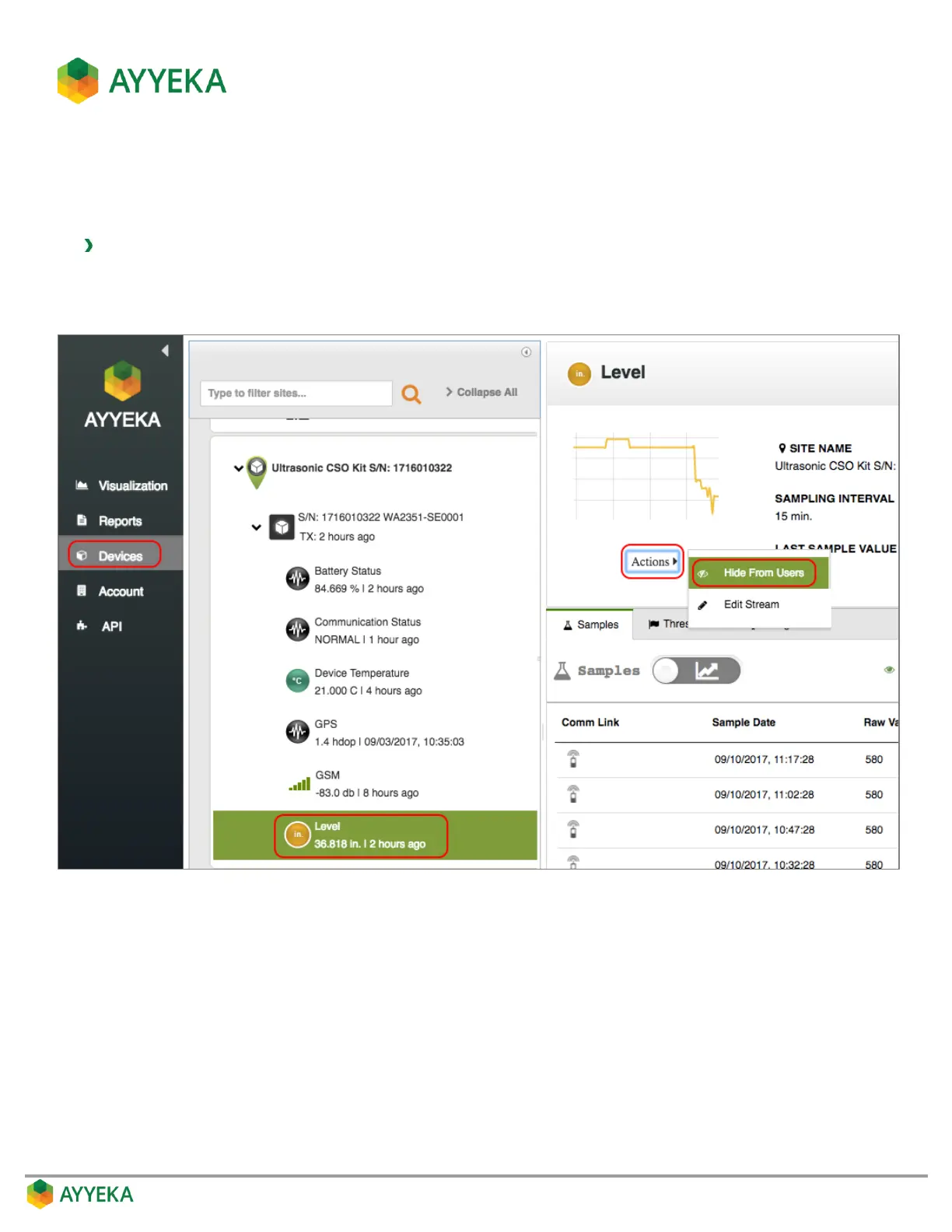
1. Click Devices in the sidebar, and click the stream name in the Sites Tree pane.
2. In the right pane, click Actions underneath the graph, and select Hide from Users.
Figure 48: Selecting to Hide a Stream
A confirmation window appears.



 To Next Page