www.ayyeka.com | +1 (310) 876-8040 | info@ayyeka.com 38
MANAGING DEVICES
You can view and change device settings such as the device transmission rate, and view varied device history and
health information.
To view and edit device settings:
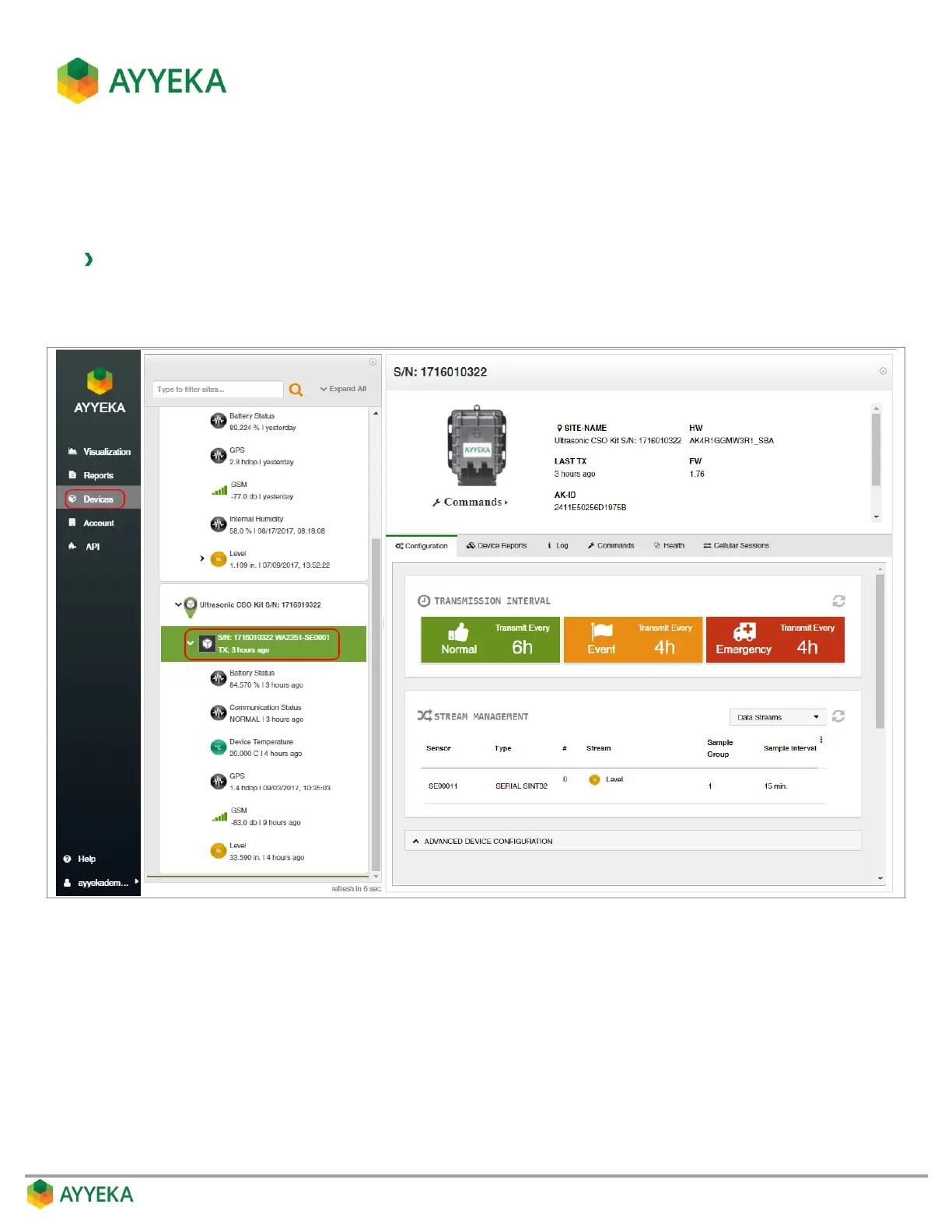
1. Click Devices in the sidebar.
2. In the Sites Tree pane, click the device name.
Figure 24: Selecting a device
Device information and configuration options appear in the right pane. This includes:
The device’s serial number, part number, its site name, last transmission time, hardware version and
firmware version, Ayyeka ID and ICC ID (=ID of the SIM card).
The ability to send various commands to the device.
Stream management information – an overview of the mapping of physical streams to logical
channels.



 To Next Page