www.ayyeka.com | +1 (310) 876-8040 | info@ayyeka.com 83
Discovering a Stream’s Association with a Sample Group
If you wish to change a stream’s sampling interval, you must first find out whether it is associated with Sample
Group 1 or Sample Group 2 group, or with neither of them.
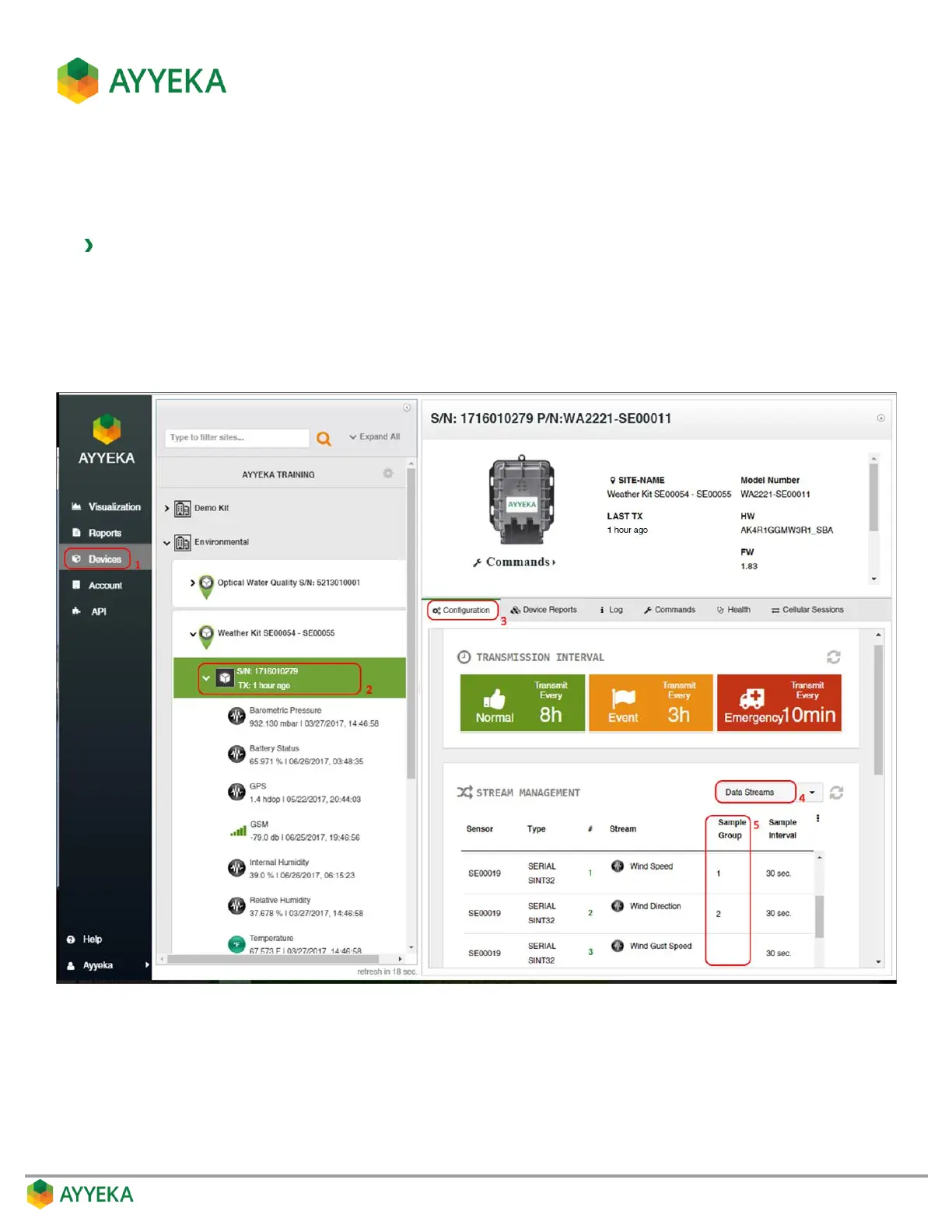
To discover a stream’s association with a sample group:
1. Click Devices in the sidebar.
2. In the Sites Tree pane, click the device name.
3. In the right pane, click the Configuration tab.
The Stream Management table is displayed.
Figure 65: Viewing a stream’s Sample Interval Group
4. In the Stream Management table, make sure that Data Streams is selected in the top right drop-down
box.
5. In the Stream Management table, the stream’s Sample Group value indicates the following:
1 – The stream is associated with Sample Group 1.



 To Next Page