www.ayyeka.com | +1 (310) 876-8040 | info@ayyeka.com 82
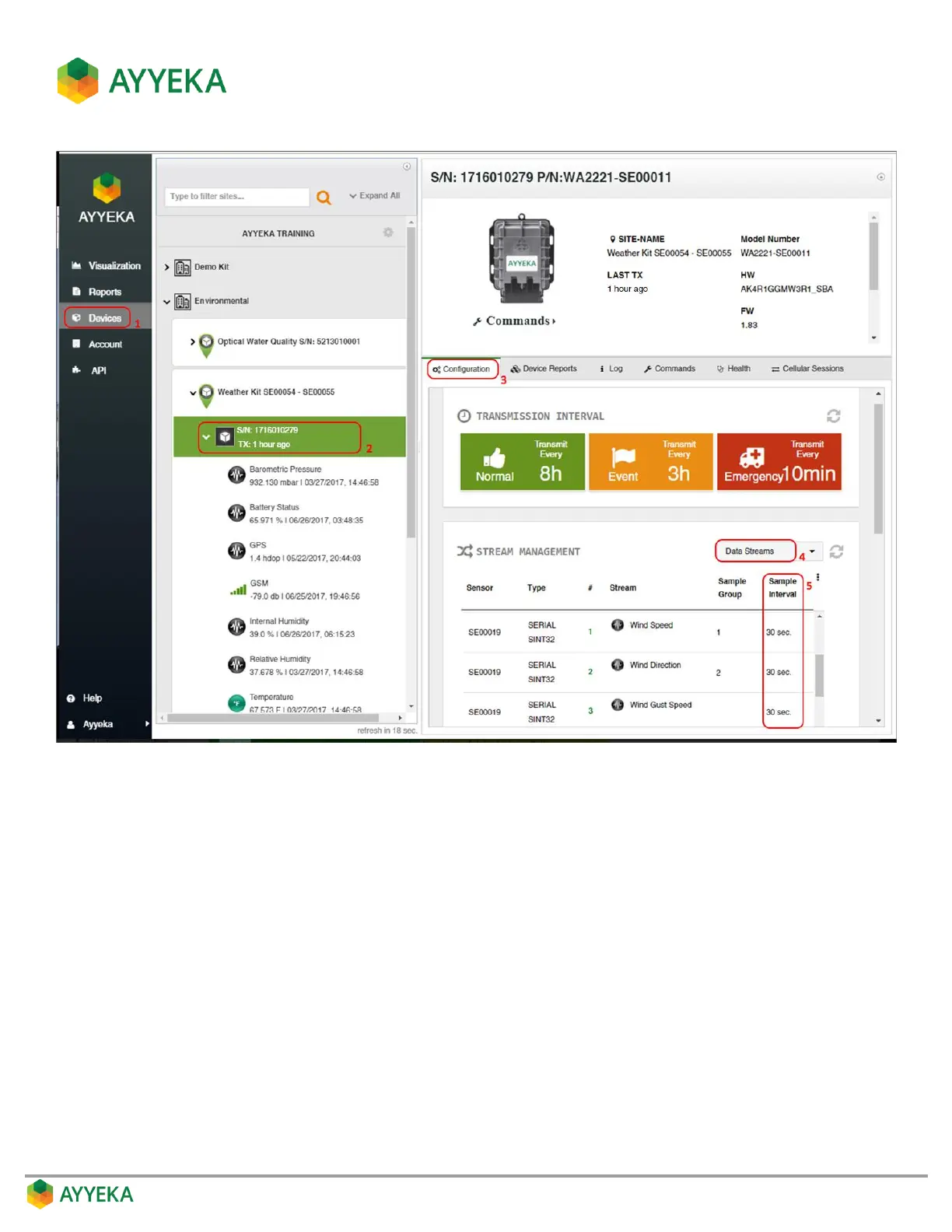
Figure 64: Viewing a stream’s sample interval
4. In the Stream Management table, make sure that Data Streams is selected in the top right drop-down
box.
5. In the Stream Management table, check the stream’s Sample Interval value, displayed in minutes. For
example, Figure 64 shows that the sampling interval of the Wind Speed stream is 30 seconds.



 To Next Page