www.ayyeka.com | +1 (310) 876-8040 | info@ayyeka.com 122
Using the Ayyeka SOAP API
Account and organization owners, as well as account and organization administrators, can access the Ayyeka
SOAP API.
Gaining Access to Ayyeka Data via the SOAP API
The process of gaining access to Ayyeka data via the SOAP API includes the following steps:
1. Register your application as an API client with Ayyeka. Refer to Step 1 – Creating an API Client.
2. Get an access token. Refer to Step 2 – Getting an Auth Token for SOAP API Authentication.
Step 1 – Creating an API Client
Refer to Step 1 – Creating an API Client.
Step 2 – Getting an Auth Token for SOAP API Authentication
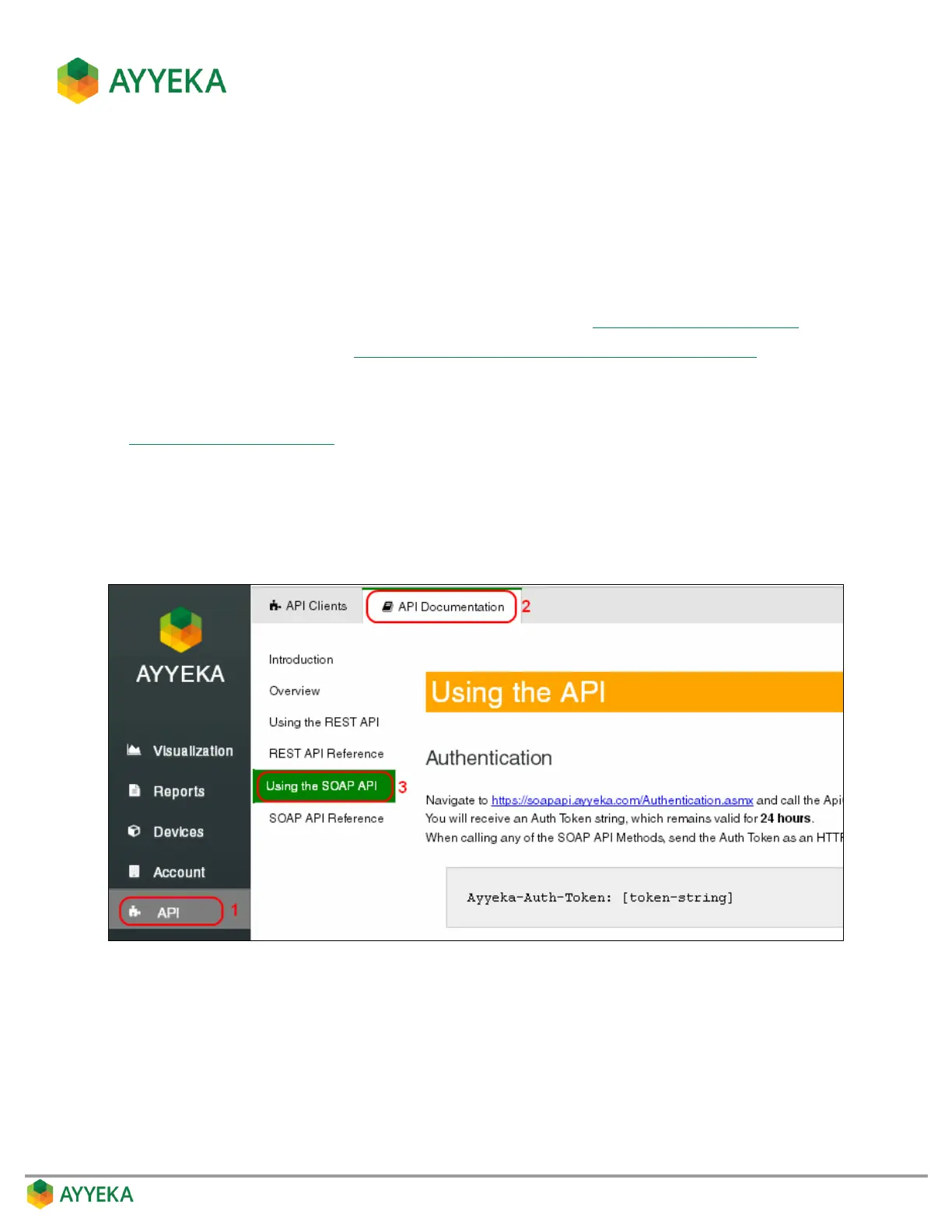
Follow the instructions in the Using the SOAP API window of the Ayyeka UI.
To access the page, click API in the sidebar, then select API Documentation > Using the SOAP API.
Figure 116: Using the SOAP API window



 To Next Page