www.ayyeka.com | +1 (310) 876-8040 | info@ayyeka.com 77
4. In the top two fields of the Bad Samples Filter Configuration window, set the minimum (left field) and
maximum (right field) values for raw data.
5. Click Update old samples to retroactively update old samples according to the new minimum and
maximum values. You can update samples up to two weeks back.
Changing the Conversion Formula
You can change the formula used to convert raw data into engineering units if the formula being used is linear.
To change the formula for converting raw data to engineering units:
1. Click Devices in the sidebar, and click the stream name in the Sites Tree pane.
2. In the right pane, select the Configuration tab.
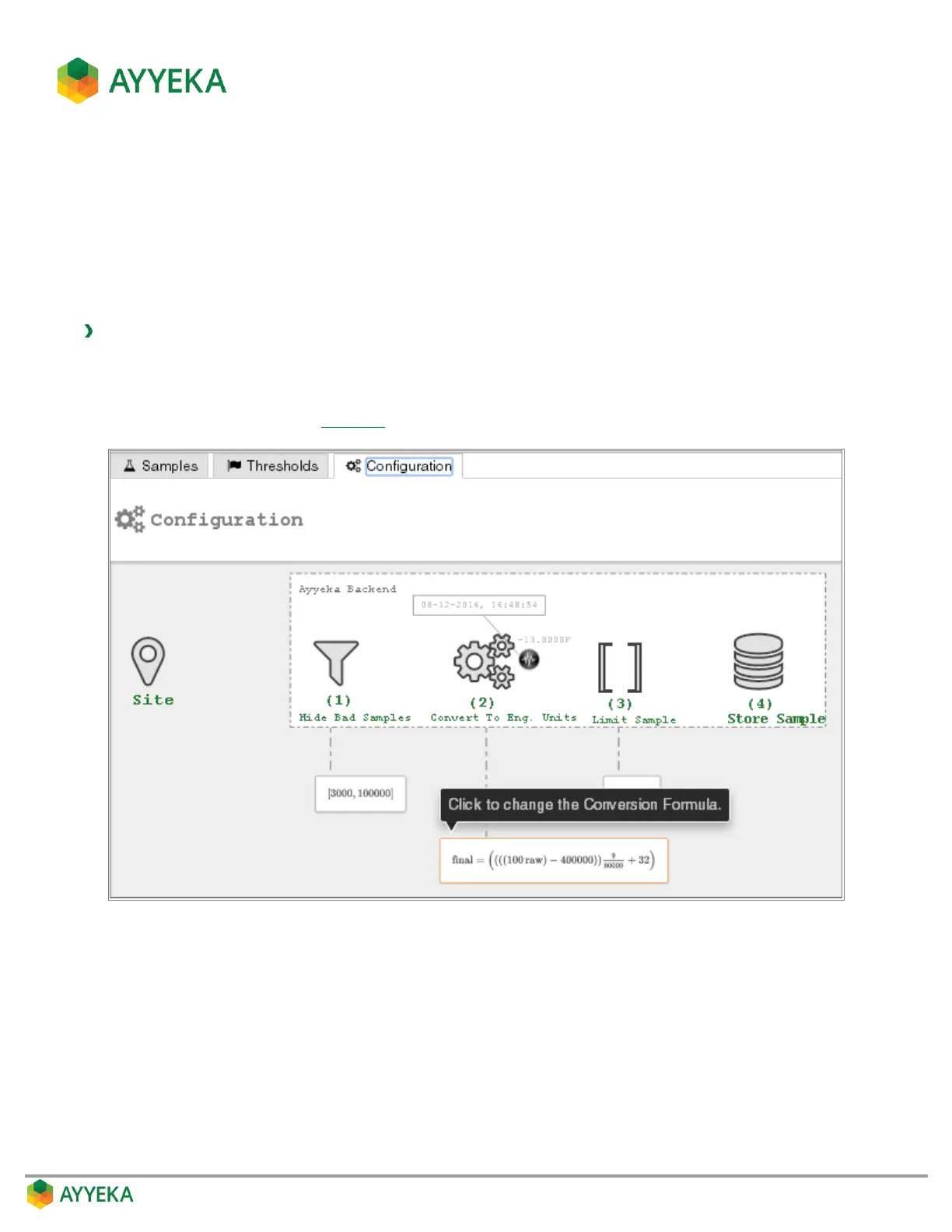
3. In the Configuration tab (Figure 57), click the frame under (2) Convert To Eng. Units.
Figure 60: Selecting to change the conversion formula



 To Next Page