www.ayyeka.com | +1 (310) 876-8040 | info@ayyeka.com 76
Hiding Bad Samples of Raw Data
You can set the minimum and maximum values for raw data. Raw data that is outside this range will be discarded.
This is useful in cases where you know that values outside this range are not real values, caused for example by
the sensor being disconnected from the Wavelet device.
To hide bad samples of raw data:
1. Click Devices in the sidebar, and click the stream name in the Sites Tree pane.
2. In the right pane, select the Configuration tab.
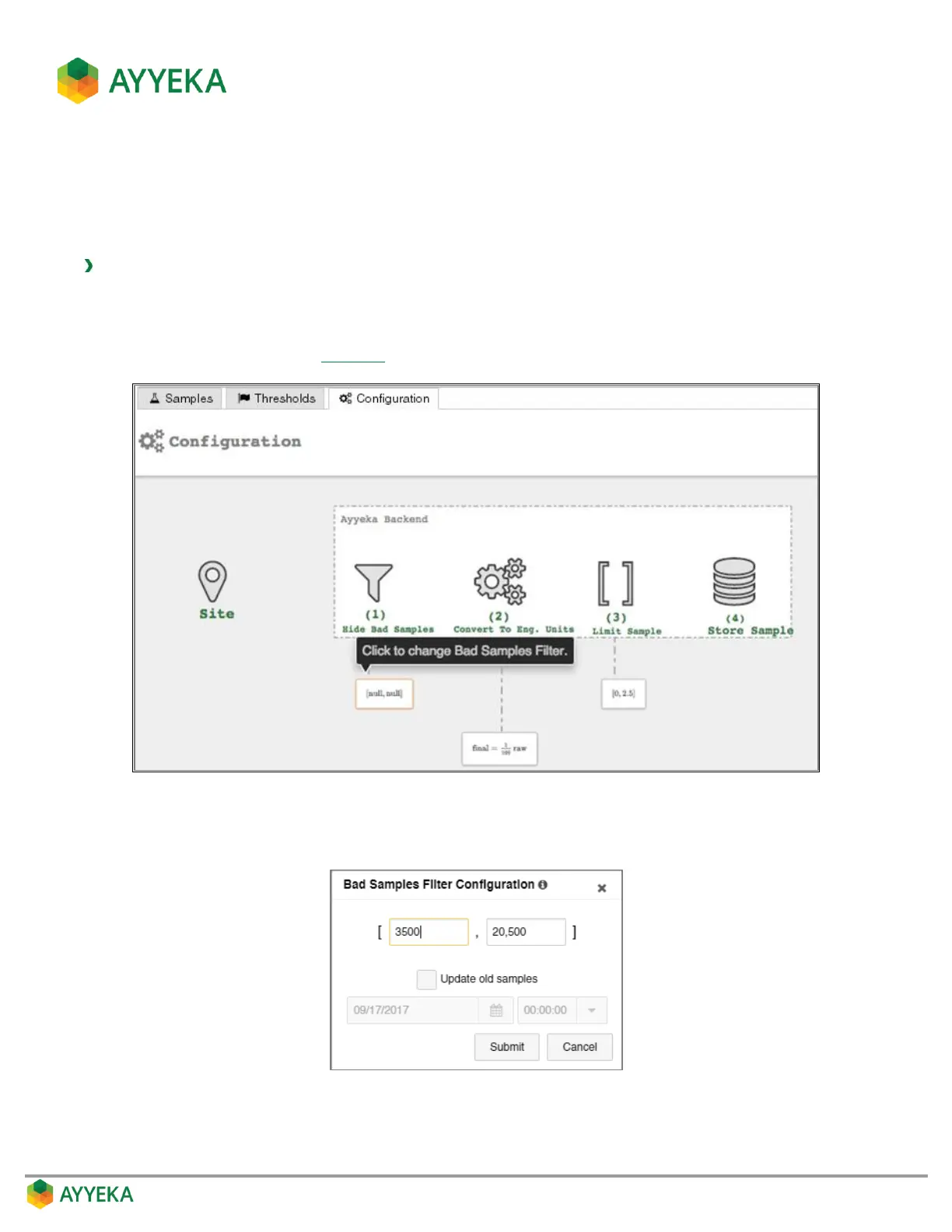
3. In the Configuration tab (Figure 57), click the frame under (1) Hide Bad Samples.
Figure 58: Selecting to change the Bad Samples filter
The Bad Samples Filter Configuration window appears.
Figure 59: Bad Samples Filter Configuration window



 To Next Page