www.ayyeka.com | +1 (310) 876-8040 | info@ayyeka.com 105
Removing a User from a Group
To remove a user from a group:
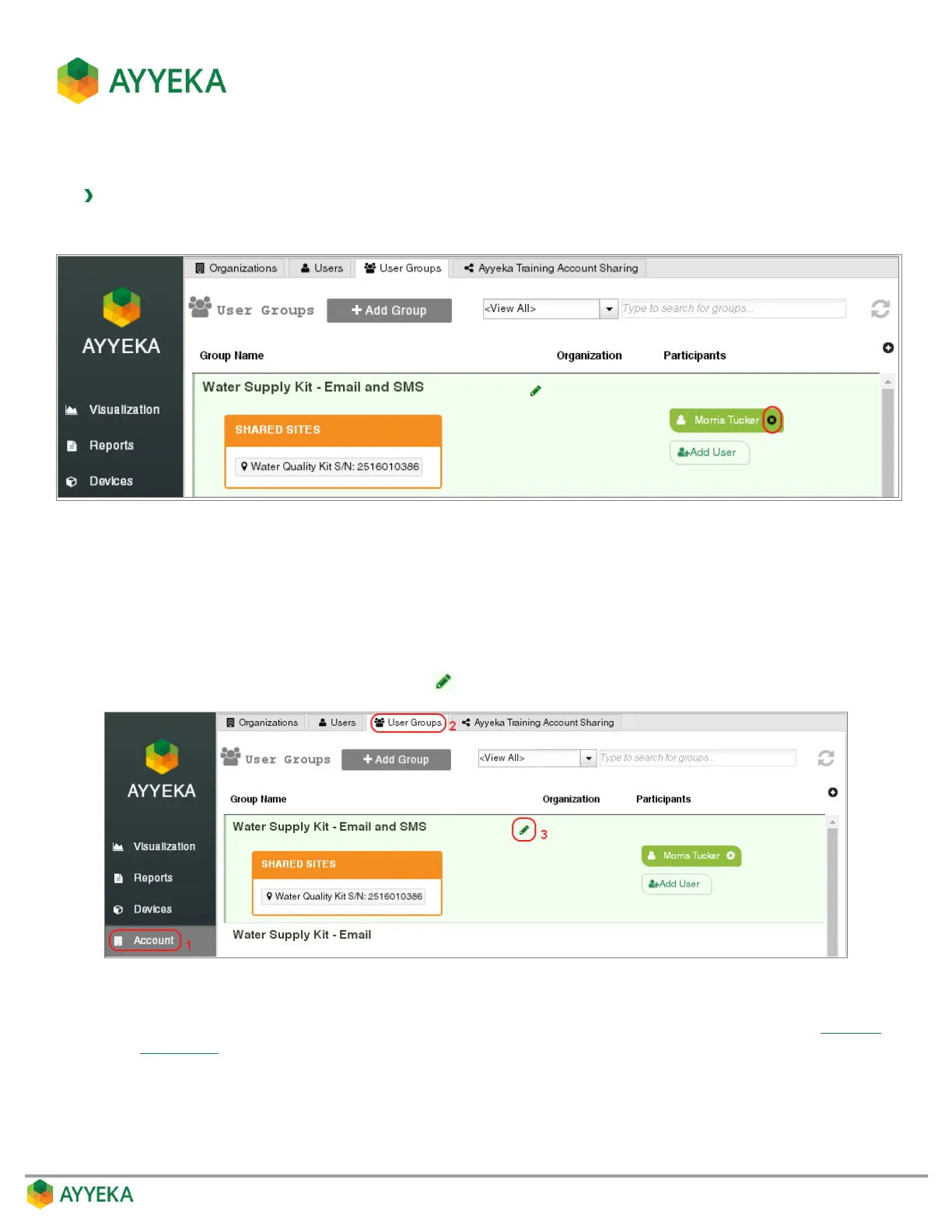
1. In the Account > User Groups tab, click the x to the right of the user name.
Figure 90: Selecting to remove a user from a group
2. Confirm the removal.
Editing a Group
1. In the Account > User Groups tab, click to the right of the group name.
Figure 91: Selecting to edit a group
2. In the Edit Group Properties window that appears, edit the group’s properties, as described in Adding a
User Group.



 To Next Page