www.ayyeka.com | +1 (310) 876-8040 | info@ayyeka.com 93
Inviting a New User
A user with an Account Owner role can add new users at either the account or organization level, while a user with
an Organization Owner role can add new users to his organization only.
To add a new user at the account or organization level:
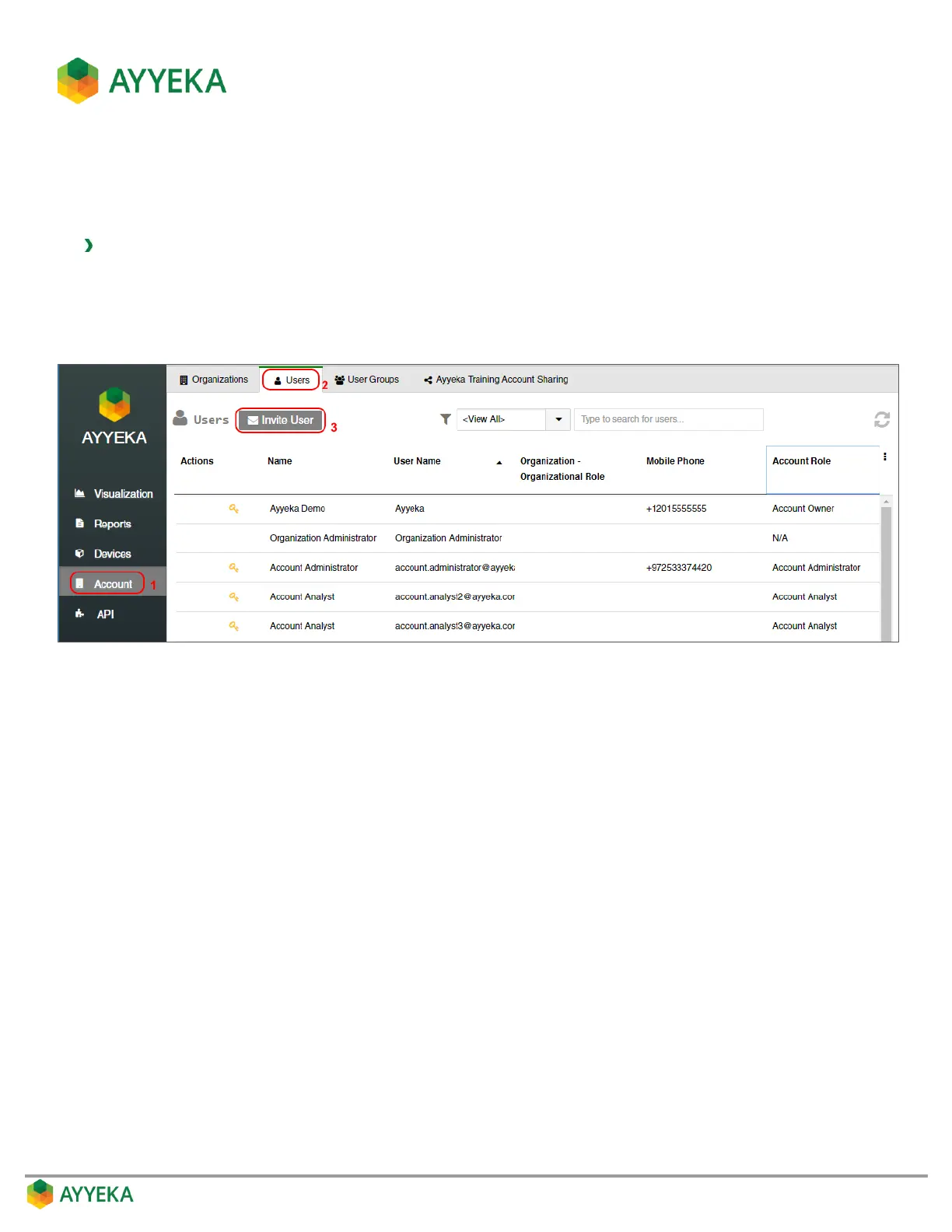
1. Click Account in the sidebar.
2. In the right pane, select the Users tab.
3. Click Invite User.
Figure 77: Selecting to Invite User – at the Account level
The Invite User window appears.



 To Next Page