www.ayyeka.com | +1 (310) 876-8040 | info@ayyeka.com 50
Setting the Device Reporting Profile
Each device has its own Delayed Transmission and Interrupted Transmission thresholds, which are set at the
device level. These thresholds determine, in cases where device transmission problems occur, at what point a
device transmission alert is sent (assuming a Device Technical Alert was defined). An account and organization
owner or administrator can view and set these thresholds, which are called the device reporting profile.
To view or change a device reporting profile:
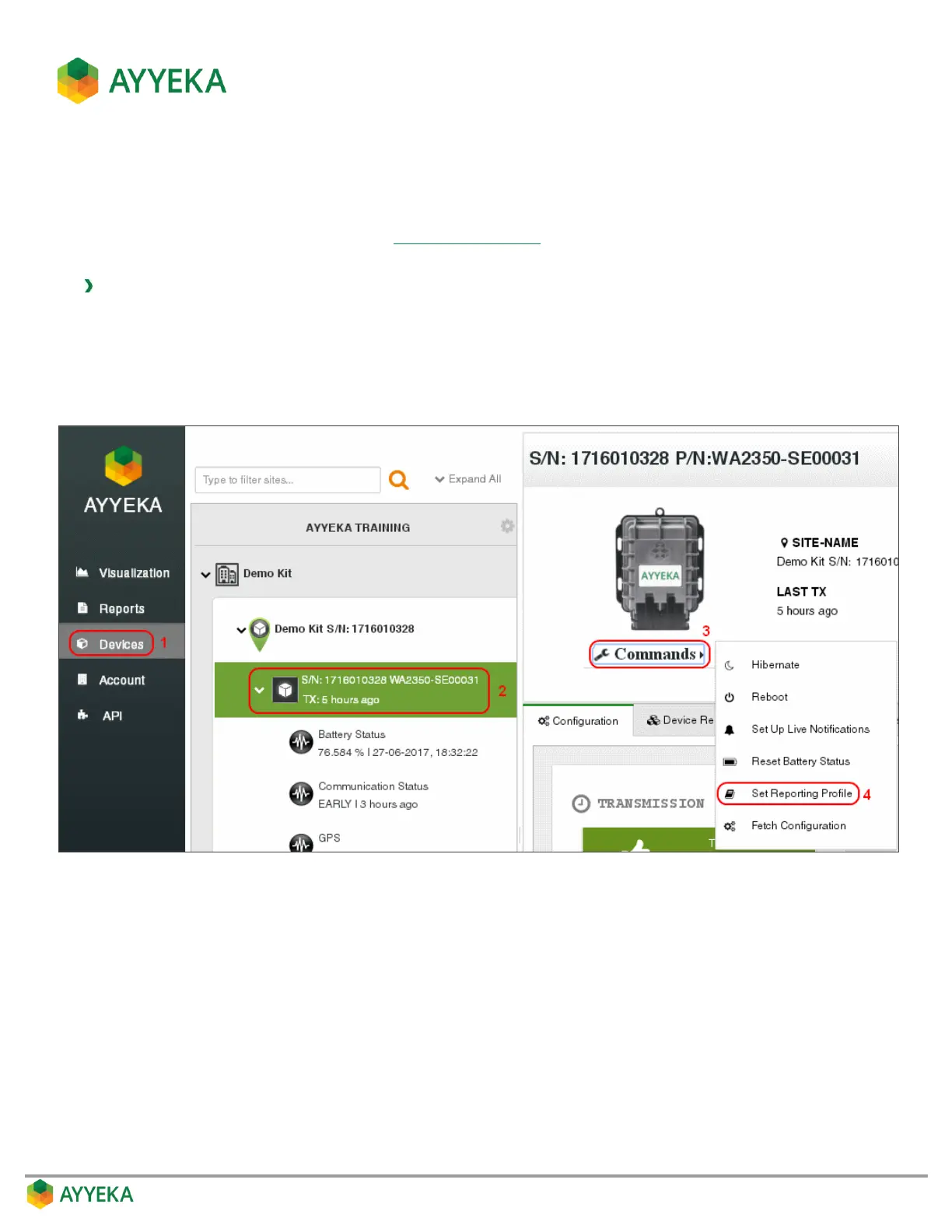
1. Click Devices in the sidebar
2. Select the device in the Sites Tree pane.
3. In the bottom part of the device information box, click the arrow in the drop-down Commands list, and
select Set Reporting Profile.
Figure 40: Selecting to set reporting profile



 To Next Page