www.ayyeka.com | +1 (310) 876-8040 | info@ayyeka.com 47
Adding a Technical Alert
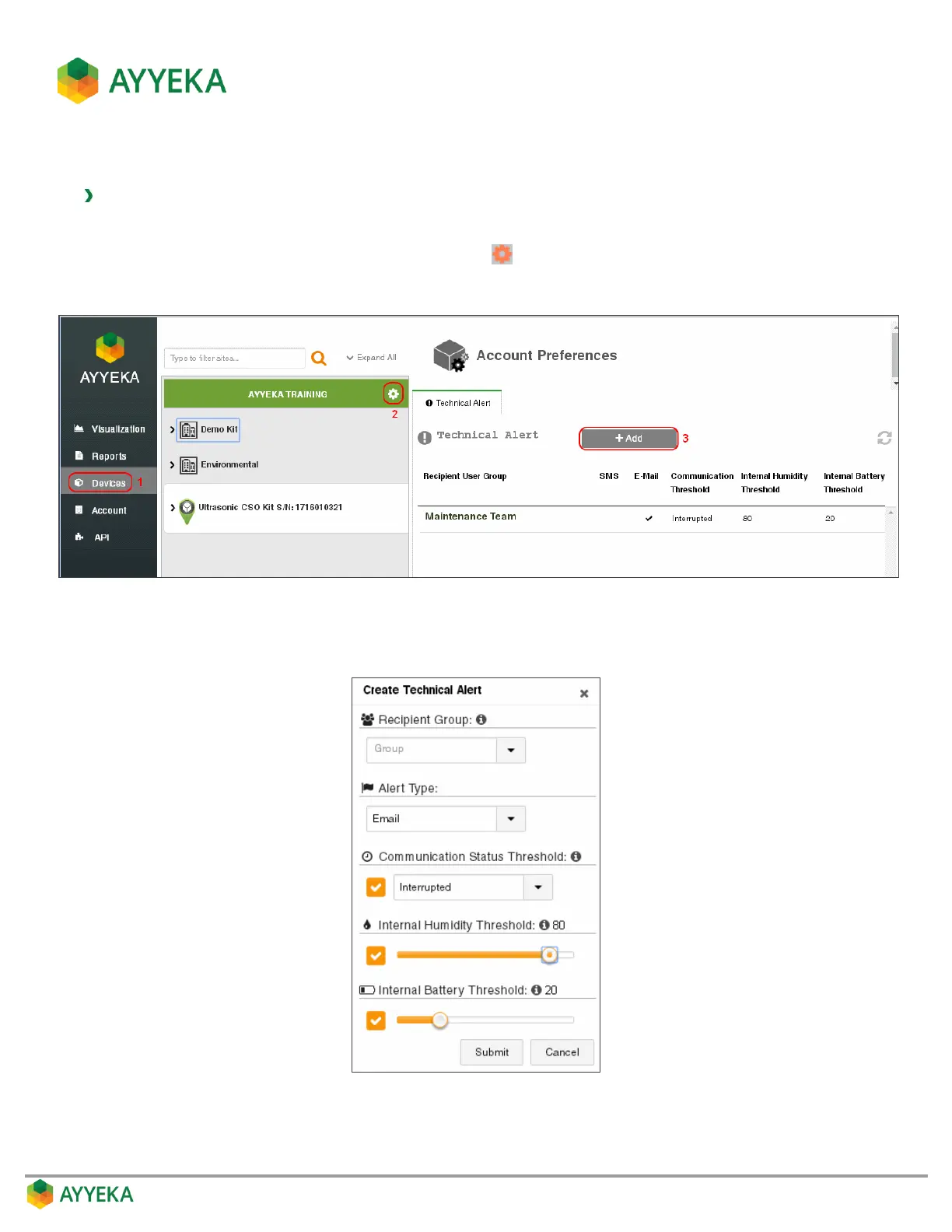
To add a device technical alert:
1. Click Devices in the sidebar.
2. In the Sites Tree pane, click the Preferences icon adjacent to the account name.
3. Click + Add.
Figure 36: Selecting to Add a Technical Alert
The Create Technical Alert window appears:
Figure 37: Creating a technical alert



 To Next Page