www.ayyeka.com | +1 (310) 876-8040 | info@ayyeka.com 84
2 – The stream is associated with Sample Group 2.
Empty cell – The stream is configured to accept a custom sampling interval value.
For example, Figure 65 shows that the Wind Speed stream is associated with Sample Group 1, the Wind
Direction stream is associated with Sample Group 2, while the Wind Gust Speed stream is configured
to accept a custom sampling interval value.
Changing a Stream’s Association with the Sample Groups
You can change any specific stream’s association with a sample group.
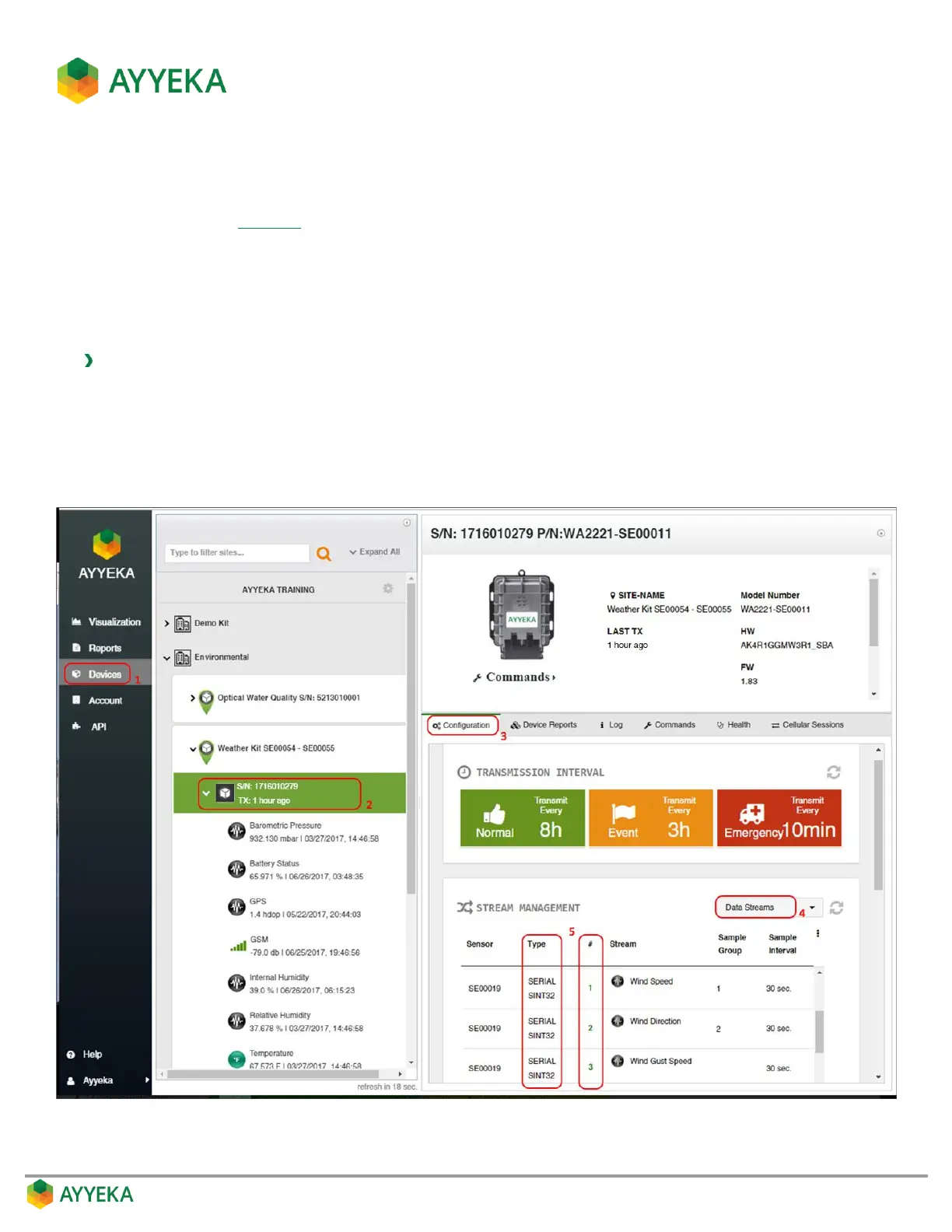
To change a stream’s association with the sample groups:
1. Click Devices in the sidebar.
2. In the Sites Tree pane, click the device name.
3. In the right pane, click the Configuration tab.
The Stream Management table is displayed.
Figure 66: Viewing a stream’s Type and Number



 To Next Page