www.ayyeka.com | +1 (310) 876-8040 | info@ayyeka.com 132
Why are device configuration changes not taking effect?
Most of the settings available through Configuration > Advanced Device Configuration require a reboot in
order to take effect.
Rebooting a Device
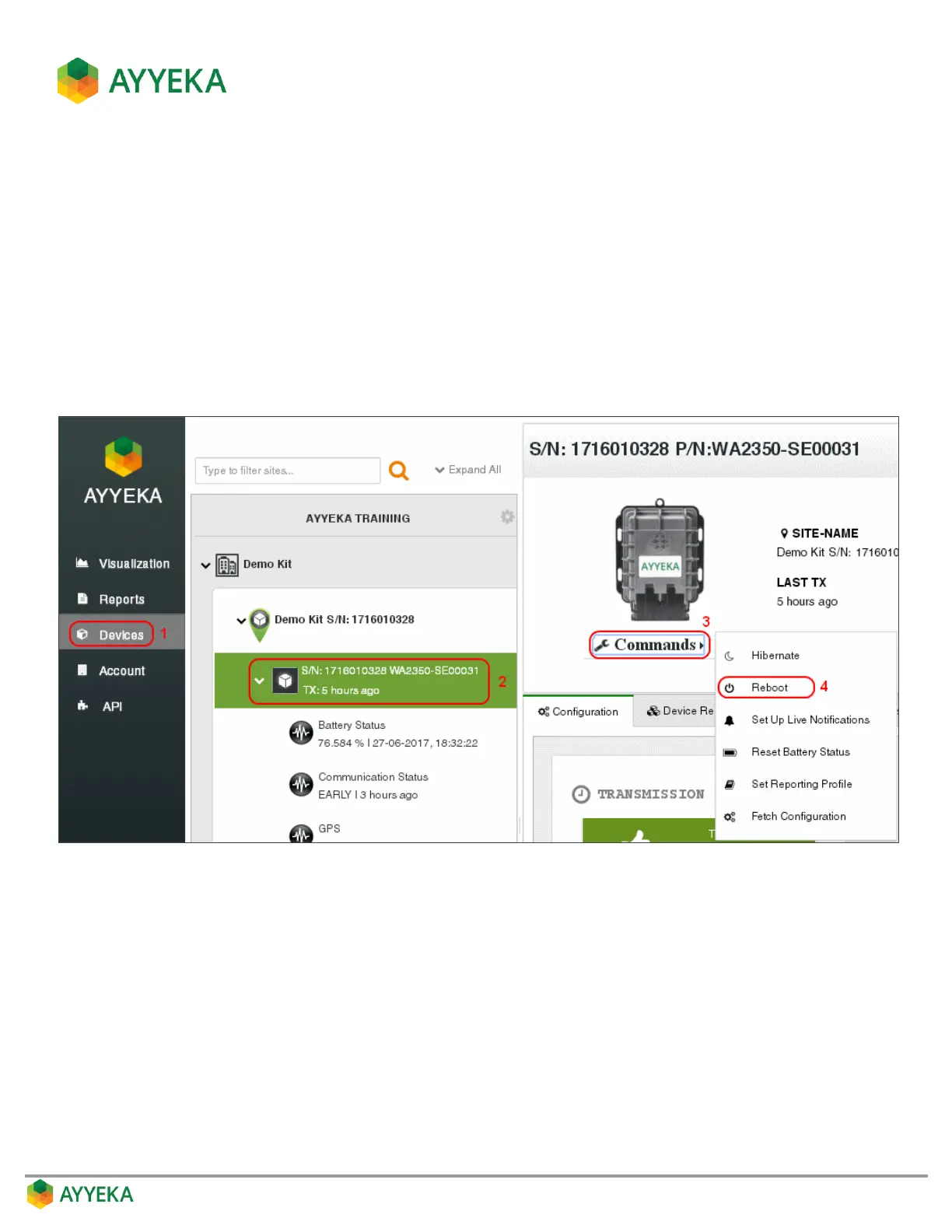
To reboot a device:
1. Click Devices in the sidebar, and select the device in the Sites Tree pane.
2. In the bottom part of the device information box, click the arrow in the drop-down Commands list, and
select Reboot. Both the configuration changes and the reboot will take effect after the device contacts
the server.
Figure 120: Selecting to reboot a device



 To Next Page