www.ayyeka.com | +1 (310) 876-8040 | info@ayyeka.com 34
MANAGING SITES
A site is a group of devices in close proximity. This section describes how to view and edit site information.
Viewing a Site
To view site information:
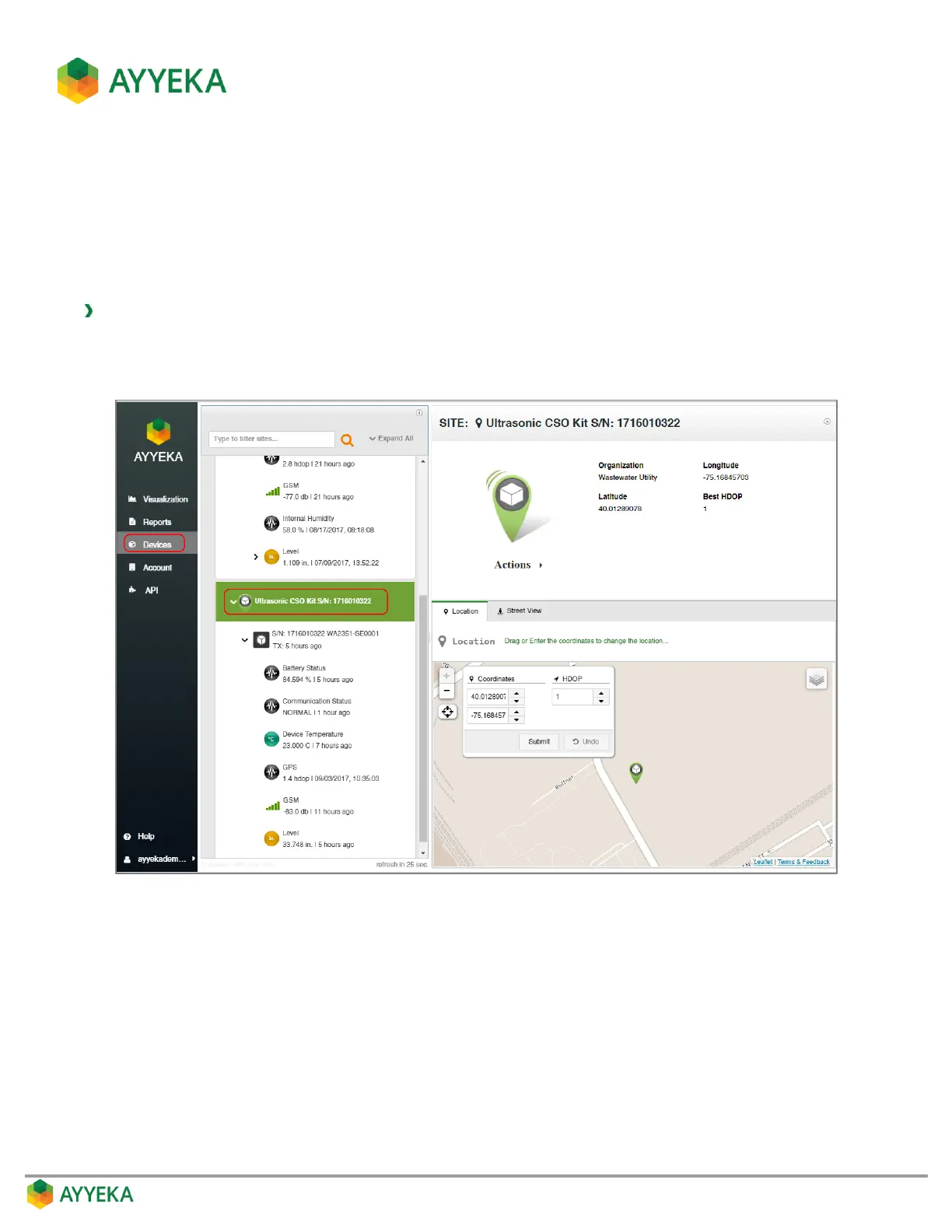
1. Click Devices in the sidebar.
2. In the Sites Tree pane, click the site name.
Figure 20: Selecting a site
The site’s location and information appears in the right pane. This includes:
The site name, the organization to which it belongs, and its latitude and longitude coordinates.
A map view, showing the location of the site. You can change the view by clicking the layers icon at
the top right corner of the view.
A street view from Google of the site’s location.



 To Next Page