www.ayyeka.com | +1 (310) 876-8040 | info@ayyeka.com 75
Viewing and Editing the Treatment of Raw Data
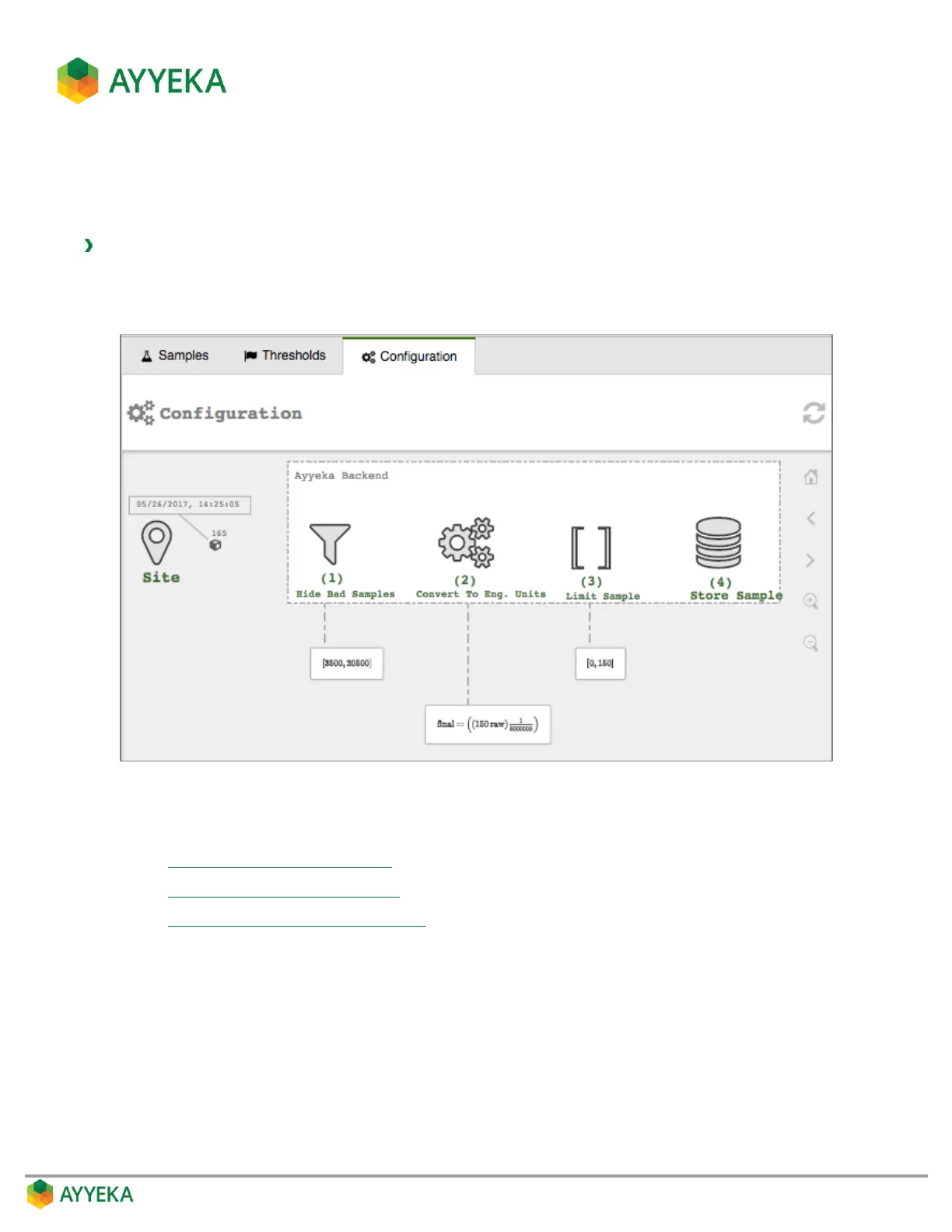
The Configuration tab of a data stream provides a visualization of the operations performed on the raw data
during the process of converting it to an engineering value.
To view or edit the treatment of raw data:
1. Click Devices in the sidebar, and click the stream name in the Sites Tree pane.
2. In the right pane, select the Configuration tab.
Figure 57: Selecting a stream’s Configuration tab
In the Configuration tab you can perform the following:
Hiding Bad Samples of Raw Data
Changing the Conversion Formula
Limiting Display of Engineering Values



 To Next Page