www.ayyeka.com | +1 (310) 876-8040 | info@ayyeka.com 74
You can instruct a device to take a certain action for a specific data stream, whenever a stream sample crosses
into a threshold range.
To set stream sampling actions when samples enter a threshold range:
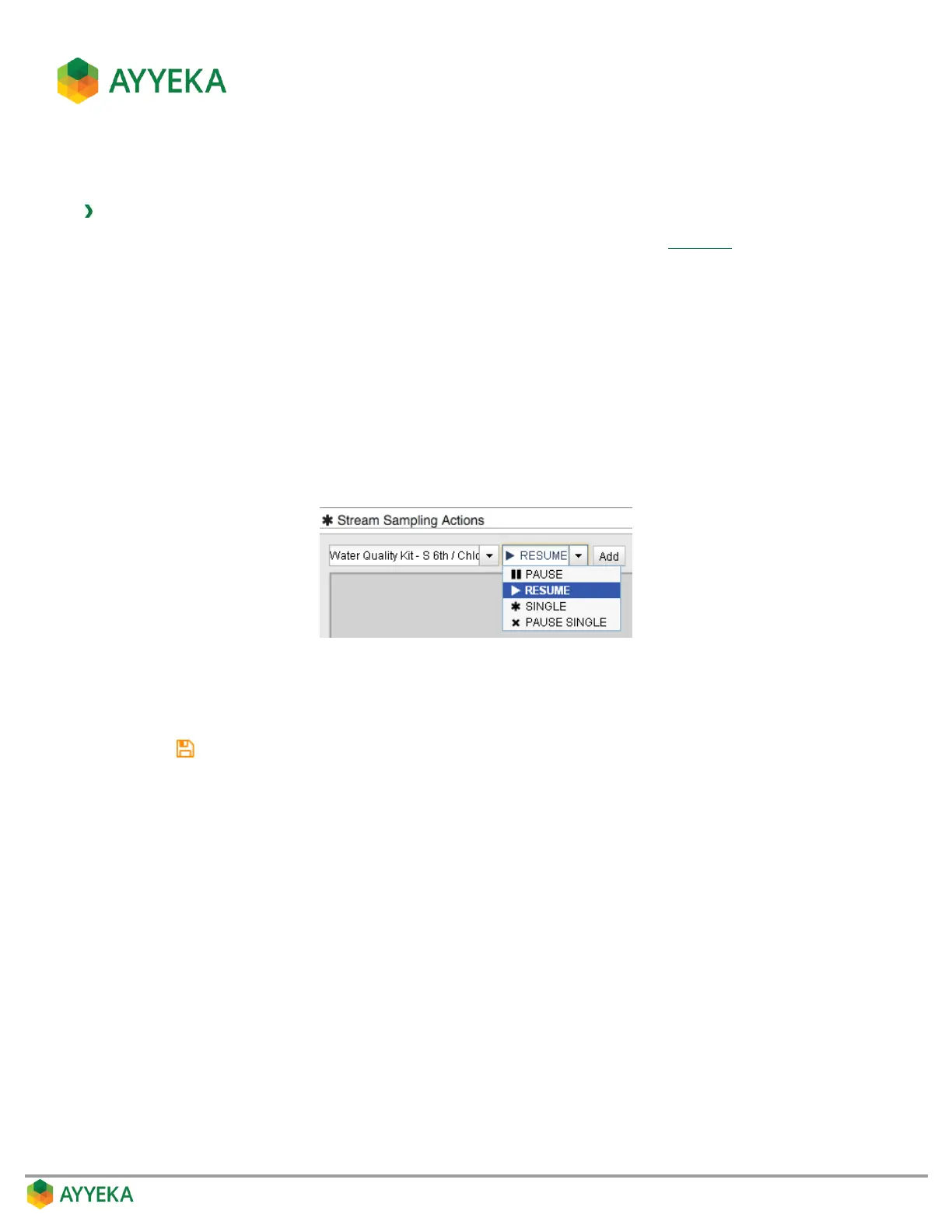
1. In the Stream Sampling Actions section of the threshold’s Actions view (Figure 56)), perform the
following:
a. Select a data stream in the drop-down list.
b. Select one of the following actions:
Pause – Instructs the device to pause sampling the selected data stream.
Resume – Instructs the device to resume sampling the selected data stream.
Single – Instructs the device to take a single sample of the selected data stream immediately
and then resume the regular sampling schedule for the selected data stream.
Pause Single – Instructs the device to immediately take one sample of the selected data stream,
and then pause sampling of this data stream.
c. Click Add.
2. Repeat the previous step for every data stream for which a certain sampling action should be taken
whenever data crosses into the threshold you are setting.
3. Click to save your settings.



 To Next Page