www.ayyeka.com | +1 (310) 876-8040 | info@ayyeka.com 108
Sharing an Account with any Ayyeka User
An account owner can share the account with any Ayyeka user, as well as define that user’s role in the account.
Note: If you share an account with a user, that user cannot then share the account with
others, even if you granted him Account Owner permissions.
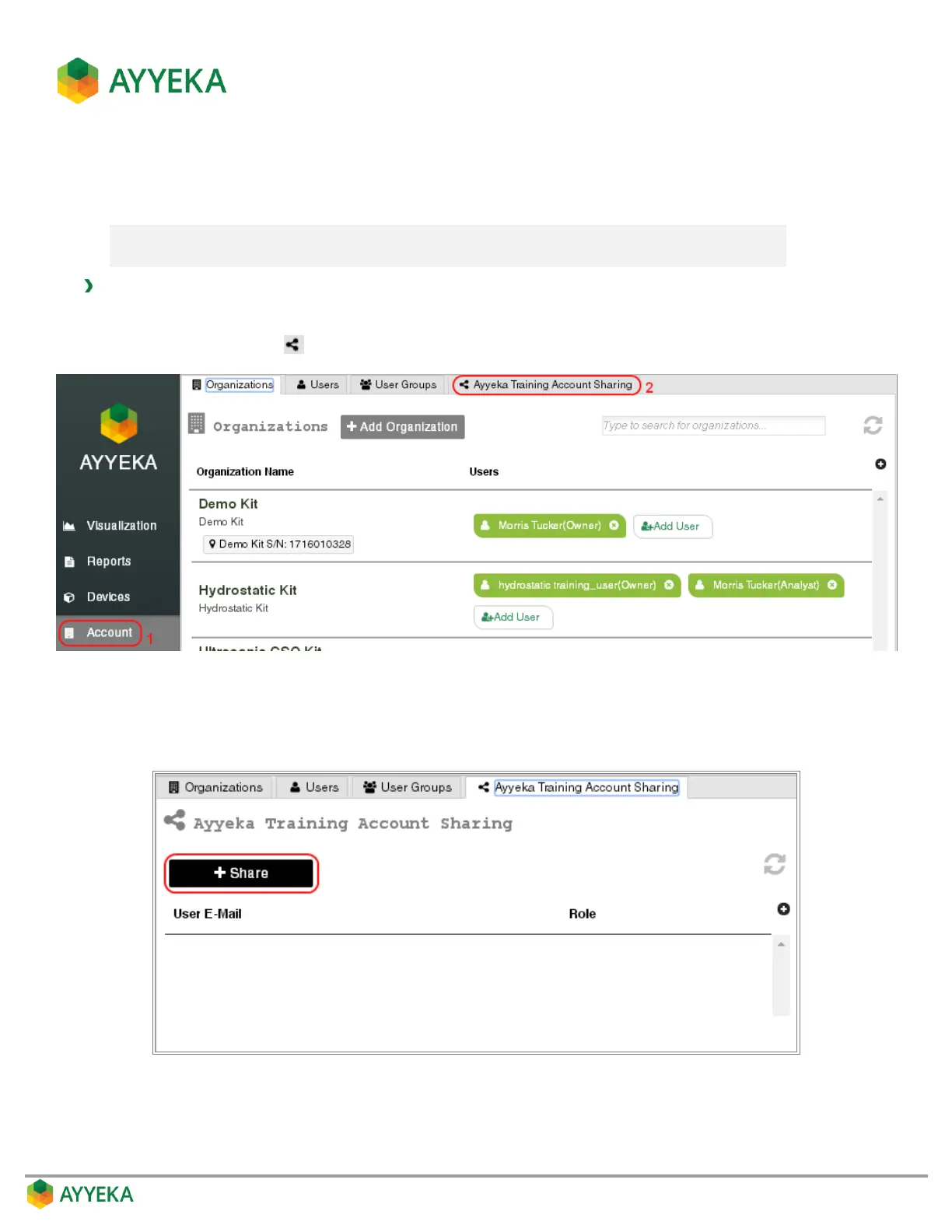
To share an account with any Ayyeka user:
1. Click Account in the sidebar.
2. Click the share icon at the top of the right pane.
Figure 93: Share an Account
3. In the Account Sharing window that appears, click + Share.
Figure 94: Account Sharing window



 To Next Page