www.ayyeka.com | +1 (310) 876-8040 | info@ayyeka.com 131
How can I change the destination server address?
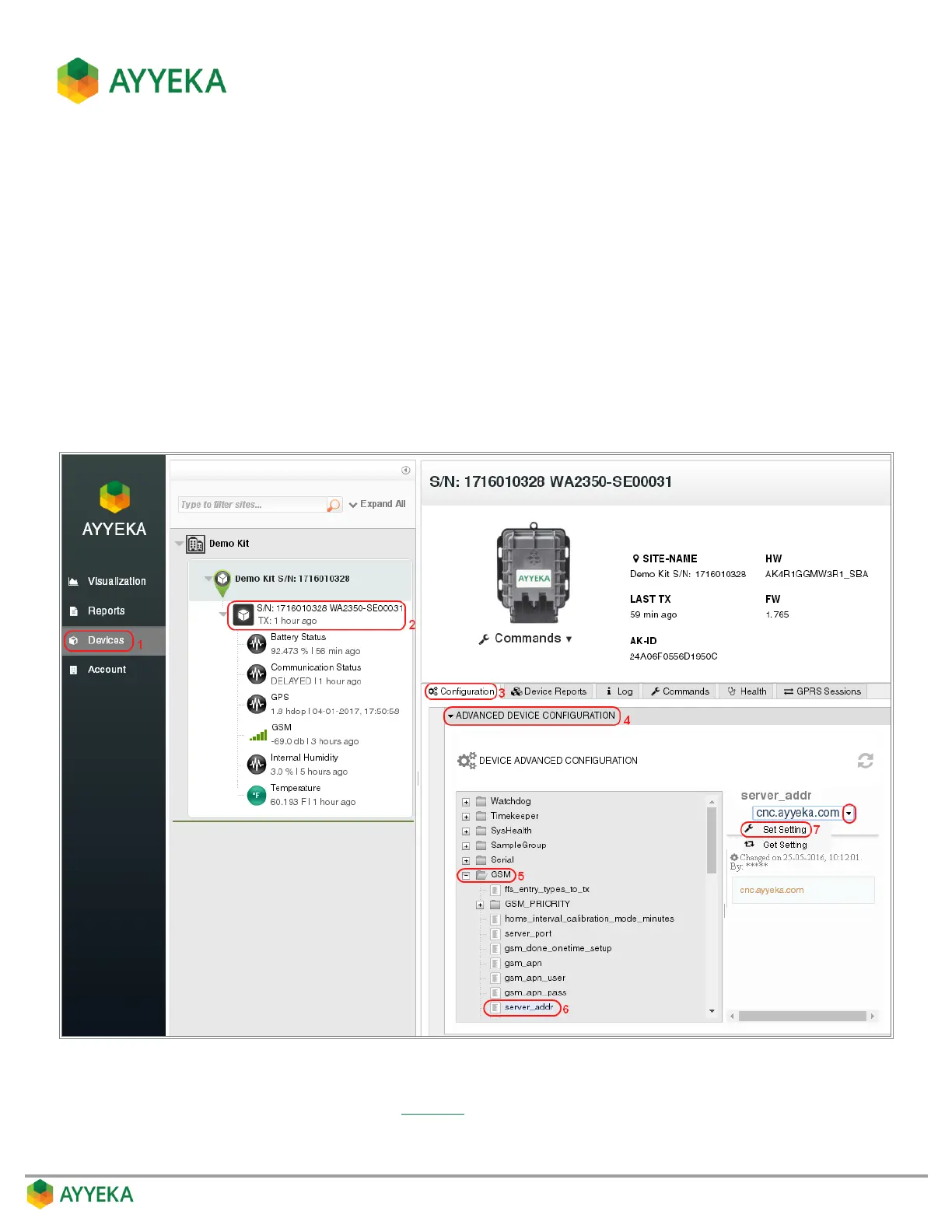
If you must change the address of the server to which Wavelet devices transmit their data, perform the following:
1. Click Devices in the sidebar.
2. In the Sites Tree pane, select the device.
3. In the right pane, select the Configuration tab.
4. Click Advanced Device Configuration.
5. In the configuration tree, expand the GSM node.
6. Select the server_addr node.
7. To the right of the configuration tree, select the drop-down arrow adjacent to the current value and
Select Set Setting.
Figure 119: Changing the destination server address
8. In the Send New Value window (see Figure 28) that appears, enter the new server IP address or DNS
name in the New Value field, and click Submit.



 To Next Page