www.ayyeka.com | +1 (310) 876-8040 | info@ayyeka.com 114
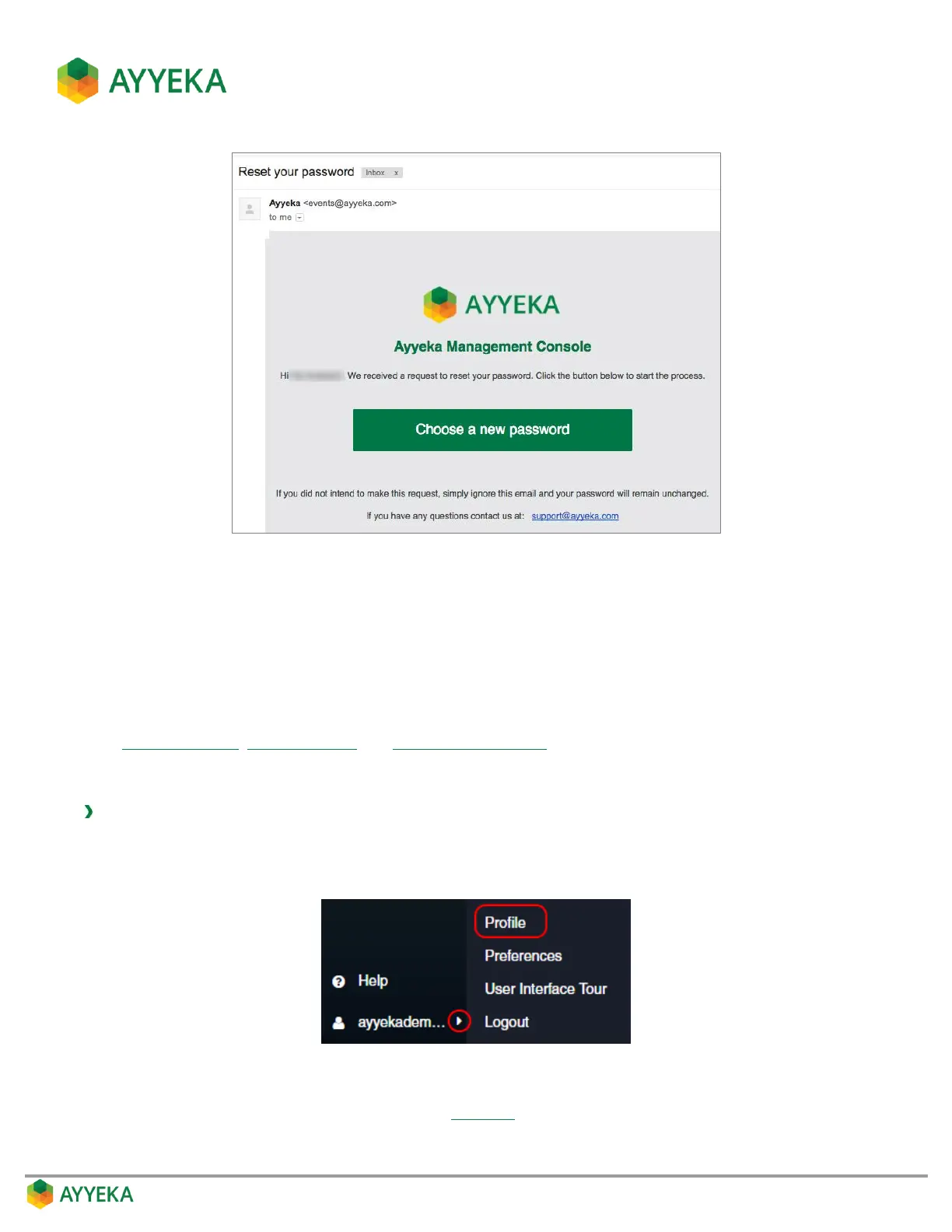
Figure 103: Reset Your Password email message
4. An Ayyeka Management Console page opens in your browser, with a window for defining a new
password. Enter a new password and confirm it, and then click Submit.
5. Upon a successful password change, a login window with a successful password change message
appears. You can now log in using the new password.
Sending a Test Email and SMS
Ayyeka Live Notifications, Threshold Alerts and Device Technical Alerts are sent to the user via email and/or SMS. The
logged-in user can send a test email and SMS to himself, to make sure he can receive emails and SMS messages
from the Ayyeka system.
To send a test email and SMS:
1. At the bottom of the side bar, click the arrow to the right of your login name.
2. Select Profile.
Figure 104: Selecting the Profile option
3. In the Profile Details window that appears (Figure 97), click Test Email and SMS.



 To Next Page