www.ayyeka.com | +1 (310) 876-8040 | info@ayyeka.com 92
MANAGING USERS
Users are managed by assigning them to an organization or account, and assigning them roles. A user’s role
defines his permitted actions (see Understanding User Roles).
Viewing the List of Users
You can view all the users in your organization (if you are an Organization owner), or in your account (if you are an
account owner).
To view all users:
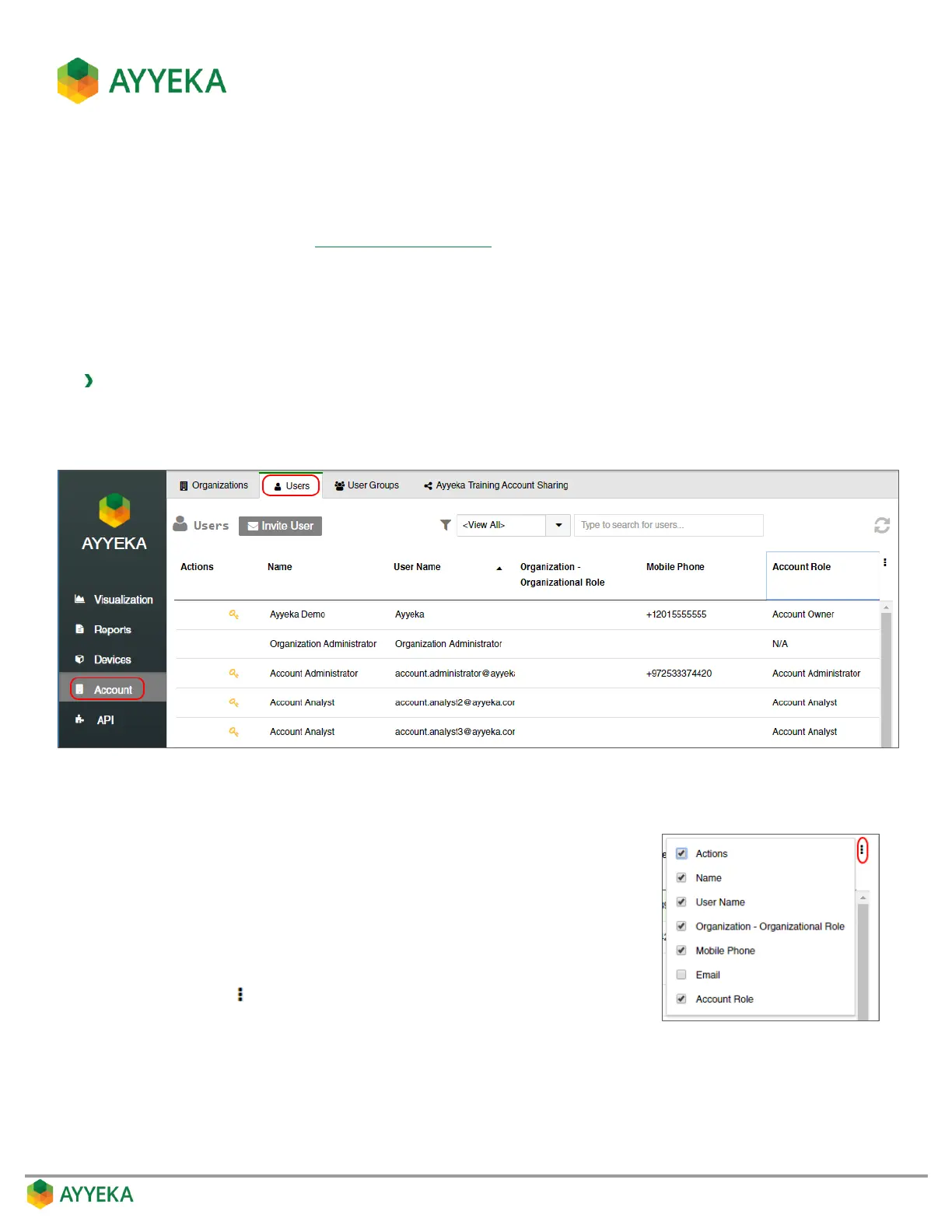
1. Click Account in the sidebar.
2. In the right pane, select the Users tab.
Figure 76: Users window
The Users table shows, for each user in your organization (or account):
The user’s name
The user’s login name
The user’s organization, and his Organizational Role
The user’s mobile phone number
The user’s Account Role (if any)
You can click in the top right to select to display also the user’s
Email address.



 To Next Page