www.ayyeka.com | +1 (310) 876-8040 | info@ayyeka.com 113
Forgot password
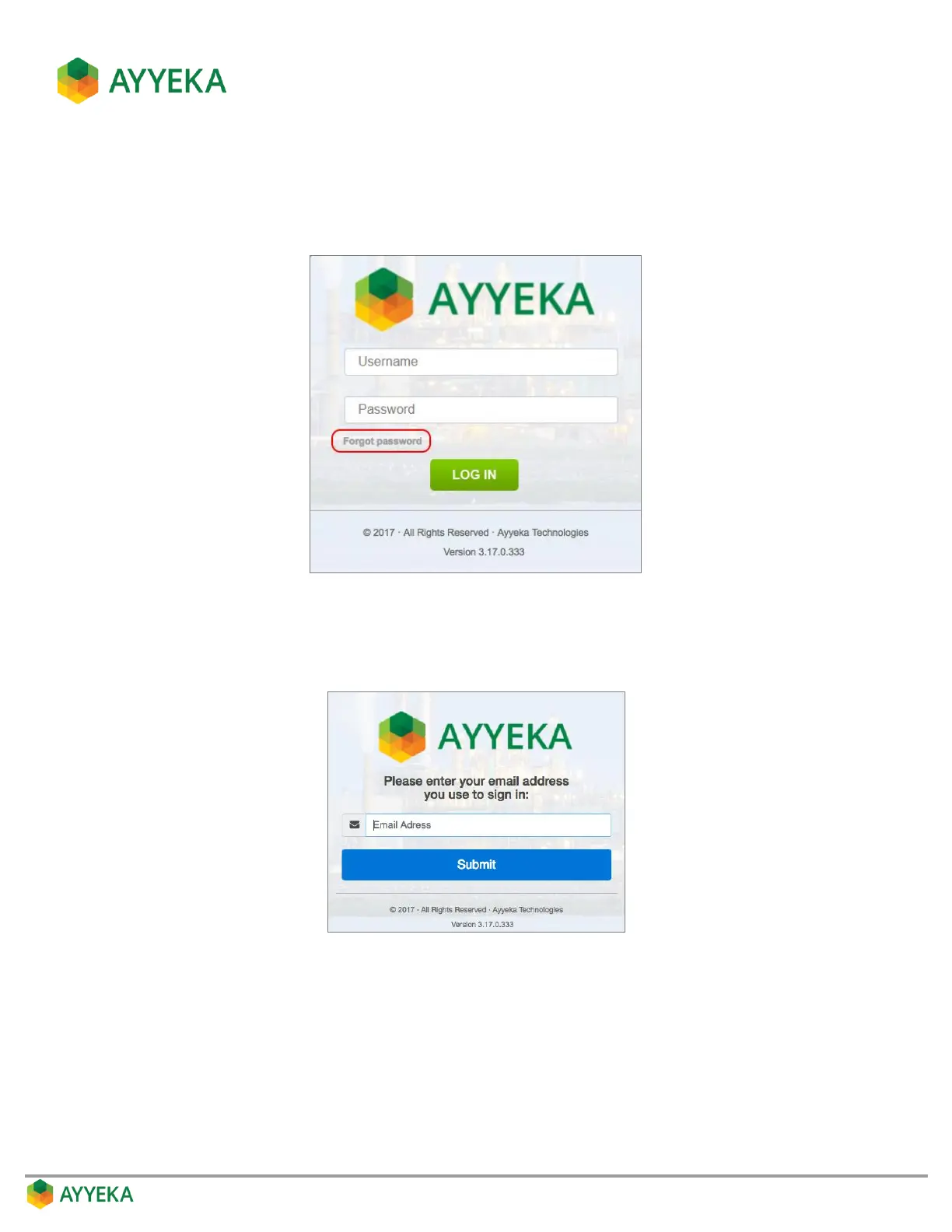
If you forget your password, you can define a new one, as follows.
1. In the Login page, click Forgot password.
Figure 101: Selecting the Forgot Password option
2. In the window that appears, enter the email address associated with your Ayyeka user account, and click
Submit.
Figure 102: Forgot Password – enter your sign-in email address
3. A message appears, notifying you that a reset-password link was sent to the email address you had
specified. Note that the link expires after 1 hour. In your inbox, open the Reset Your Password email that
you received, and click Choose a new password.



 To Next Page