www.ayyeka.com | +1 (310) 876-8040 | info@ayyeka.com 99
Adding Existing Users to Organization(s)
An account owner can give an organization user, permissions in more than one organization. For example, you
may wish to grant the Organization Owner of Org1 permission to view the sites and streams (=Operator
permissions) in Org2 and Org3. In this case you would give this user an Organization Owner role in Org1, an
Organization Operator role in Org2, and an Organization Operator role in Org3.
Note that a similar mechanism exists for giving users certain permissions to sites, called Sharing. The differences
between Sharing sites and adding users to an organization, are:
Sharing gives permissions to specific sites, not to all an organization’s sites.
Sharing bestows Analyst (viewing and reporting) permissions only, while a user who is added to an
organization can be given any role.
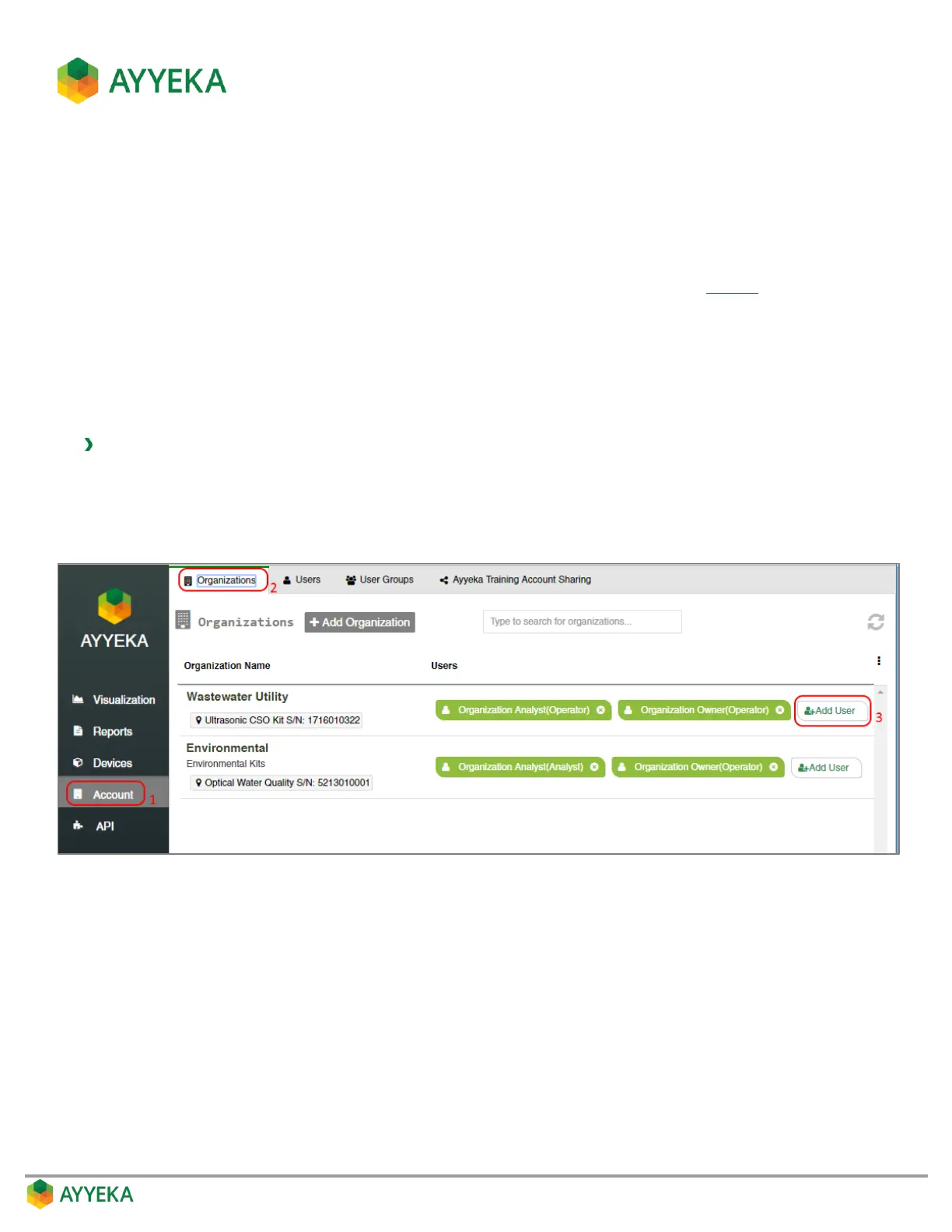
To add an existing user to an organization:
1. Click Account in the sidebar.
2. In the right pane, select the Organizations tab.
3. Click + Add User in the Users column of the organization to which you want to add a user.
Figure 84: Selecting to add a user to an organization
The Add User to Organization window appears.



 To Next Page