www.ayyeka.com | +1 (310) 876-8040 | info@ayyeka.com 91
Note: A site can belong to only one organization.
If you wish to assign to Org1 a site that is currently assigned to Org 2, you must first
remove the site from Org2 (refer to Editing an Organization), and then assign it to Org1.
5. Click Submit.
Editing an Organization
An account owner can edit the name, description, and assigned sites of an existing organization.
To edit an organization:
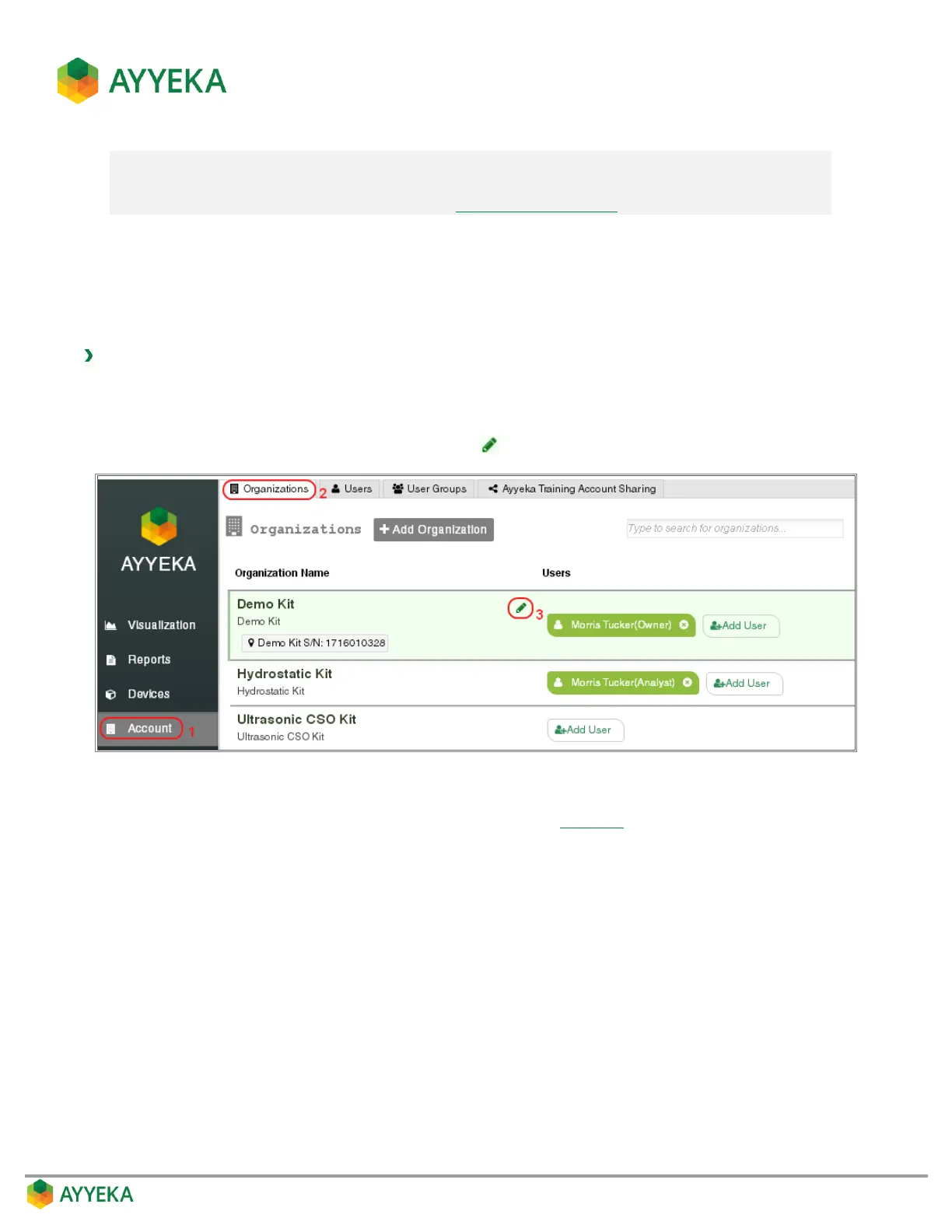
1. Click Account in the sidebar.
2. In the right pane, select the Organizations tab.
3. In the list of organizations, click the pencil icon adjacent to the organization you wish to edit.
Figure 75: Selecting to edit an organization
The Update Organization window appears (very similar to Figure 73).
4. In the Update Organization window, change the organization’s name, description, or assigned sites.
5. Click Submit.



 To Next Page