www.ayyeka.com | +1 (310) 876-8040 | info@ayyeka.com 56
Editing a Data Stream
To edit a stream’s settings:
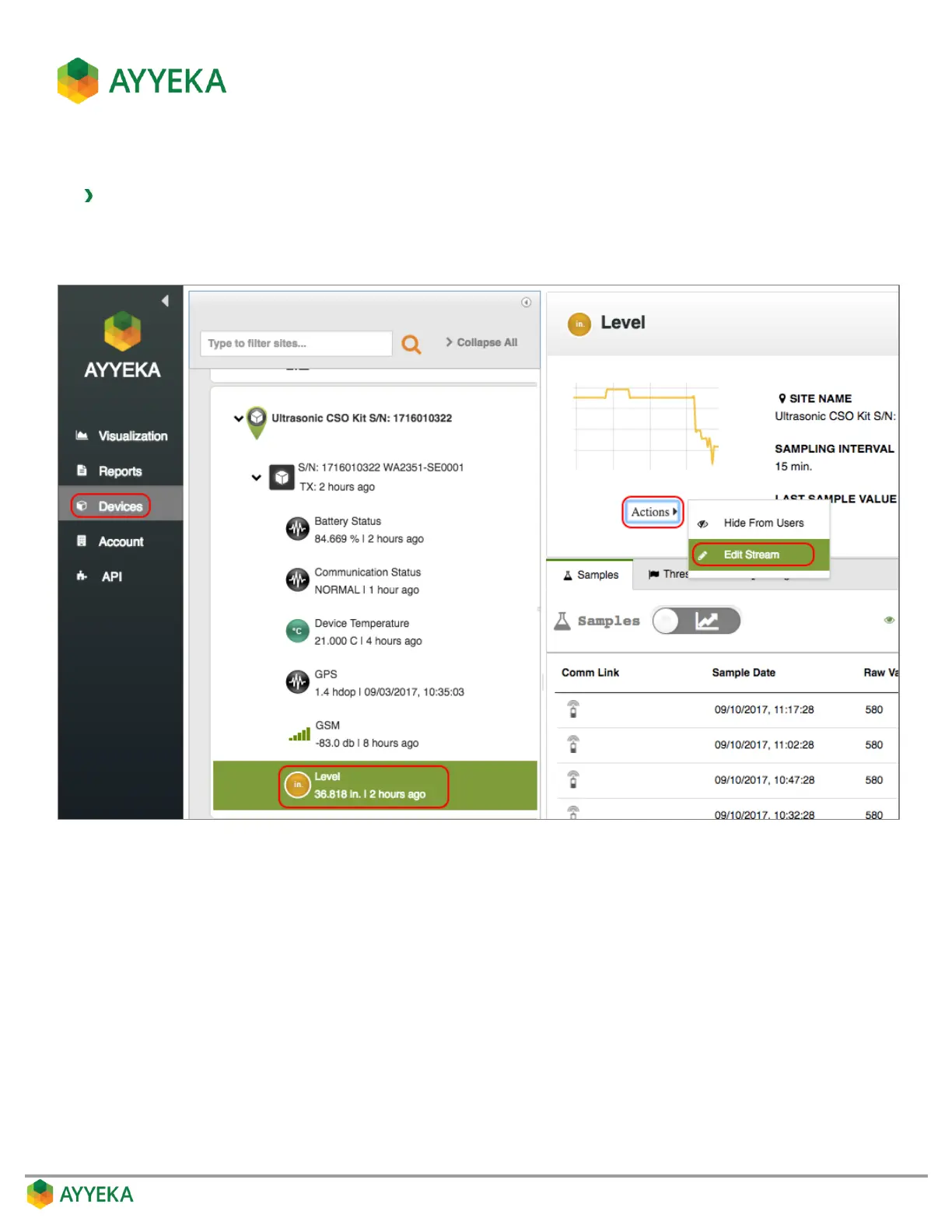
1. Click Devices in the sidebar, and click the stream name in the Sites Tree pane.
2. In the right pane, click Actions underneath the graph, and select Edit Stream.
Figure 46: Selecting to edit a data stream



 To Next Page