www.ayyeka.com | +1 (310) 876-8040 | info@ayyeka.com 55
MANAGING DATA STREAMS
Each data stream shows the actual data received from a specific sensor connected to a specific Wavelet device.
Viewing a Data Stream
To view data stream information:
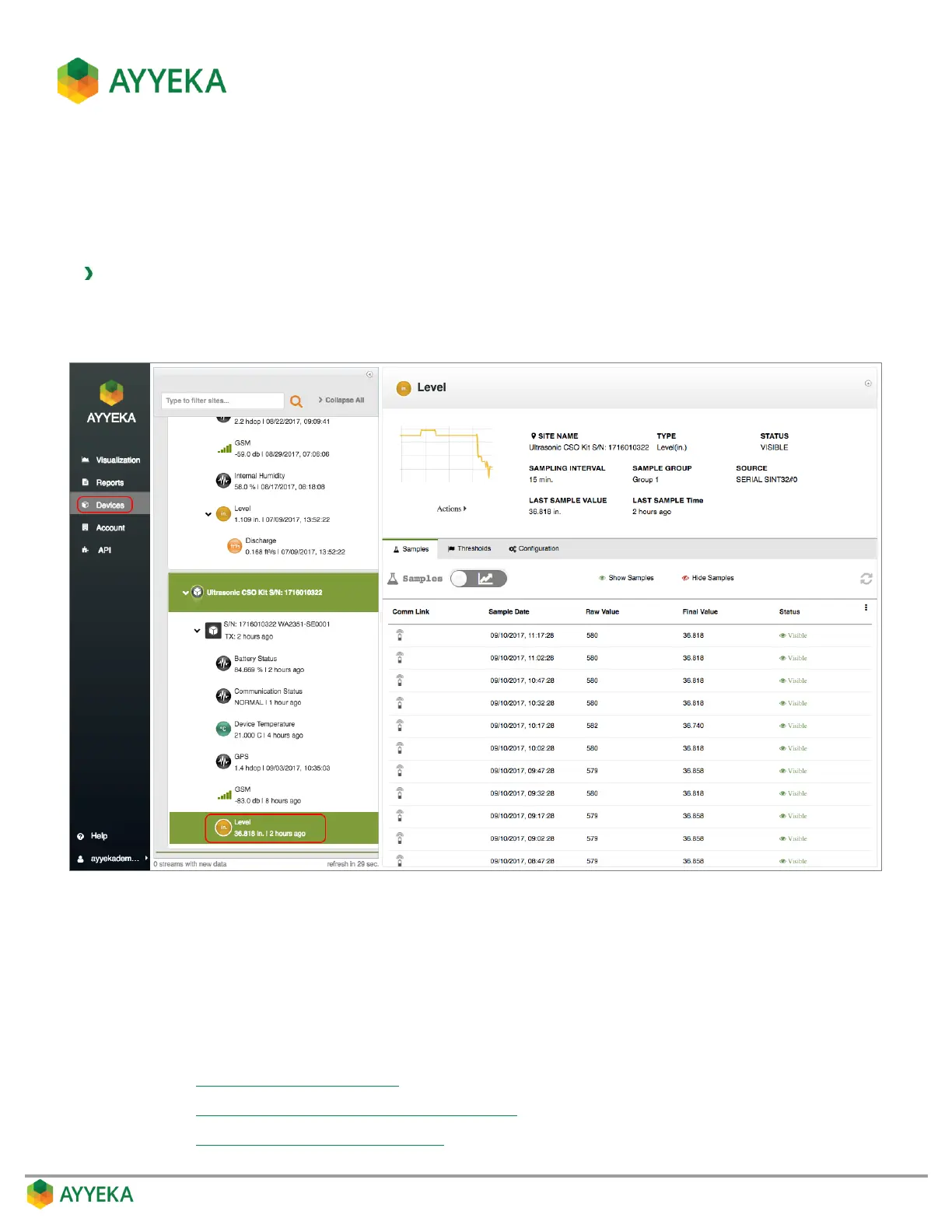
1. Click Devices in the sidebar.
2. In the Sites Tree pane, click the data stream name.
Figure 45: Selecting a data stream
Data stream information appears in the right pane. This includes:
The stream’s name, the site’s name, the stream’s type, sampling interval, status, source, last sample
time, and last sample value.
A graph depicting the samples’ trend in the past 48 hours.
Three tabs, enabling:
Viewing and Filtering Samples
Viewing and Editing the Treatment of Raw Data
Configuring Data Stream Thresholds



 To Next Page