www.ayyeka.com | +1 (310) 876-8040 | info@ayyeka.com 52
Setting Up Live Notifications
You can use the Live Notifications option to send to your mobile phone all the messages a device transmits. This is
mainly intended for use during initial device installation, or troubleshooting in the field. Typically, you would set up
Live Notifications before re-activating the device with the magnetic activator, so as to easily view in real time all
device transmissions such as sensor readings, GSM values, GPS values, etc.
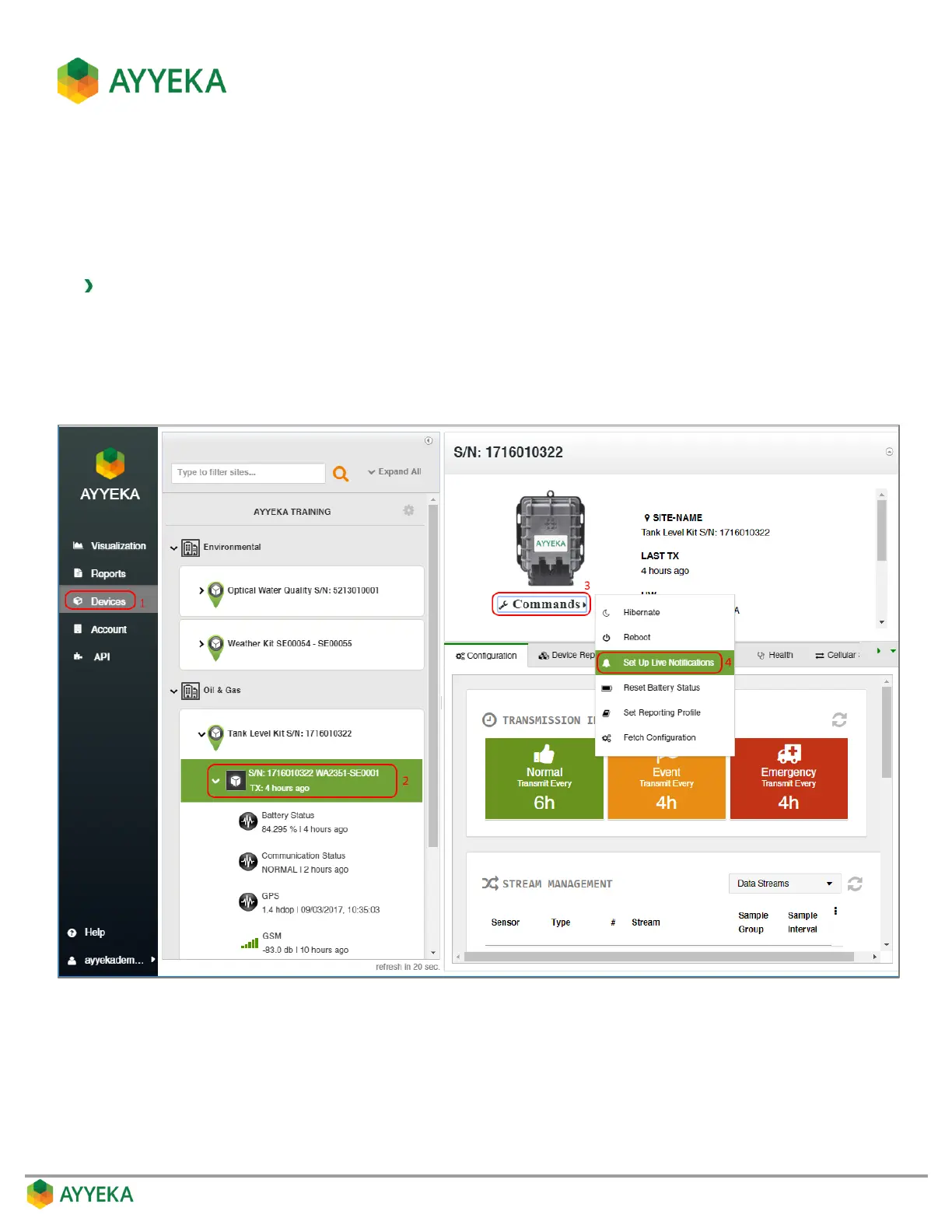
To set up live notifications:
1. Click Devices in the sidebar
2. Select the device in the Sites Tree pane.
3. In the bottom part of the device information box, click the arrow in the drop-down Commands list, and
select Set Up Live Notifications.
Figure 42: Selecting to Set Up Live Notifications



 To Next Page