www.ayyeka.com | +1 (310) 876-8040 | info@ayyeka.com 35
Editing a Site
Changing the Site Name and Organization
You can change a site’s name and the organization to which it belongs.
To change a site’s name and organization:
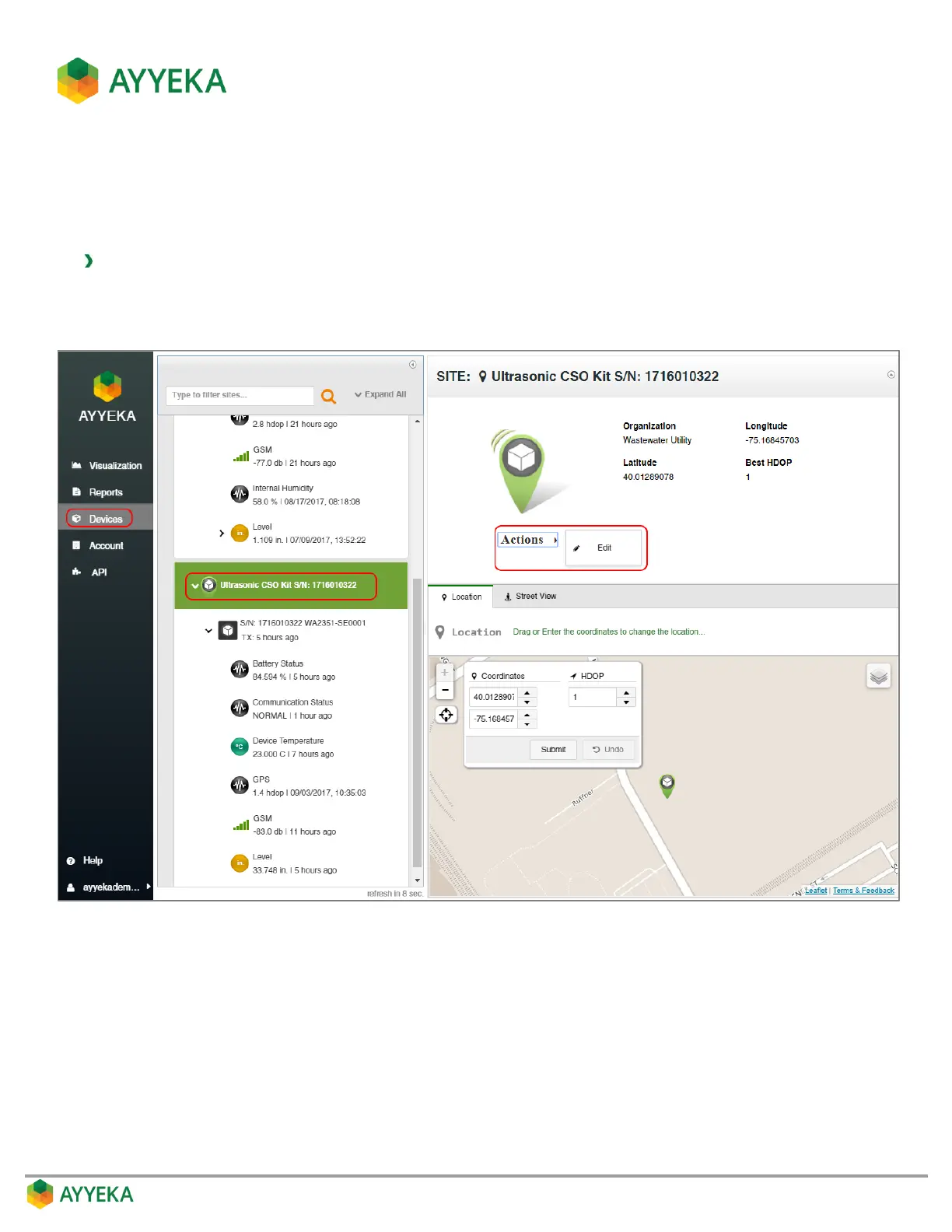
1. Click Devices in the sidebar, and click the site name in the Sites Tree pane.
2. In the right pane, click Actions under the site icon, and select Edit.
Figure 21: Selecting to edit a site



 To Next Page