R5906848 /04 DP2K SLP Series 87
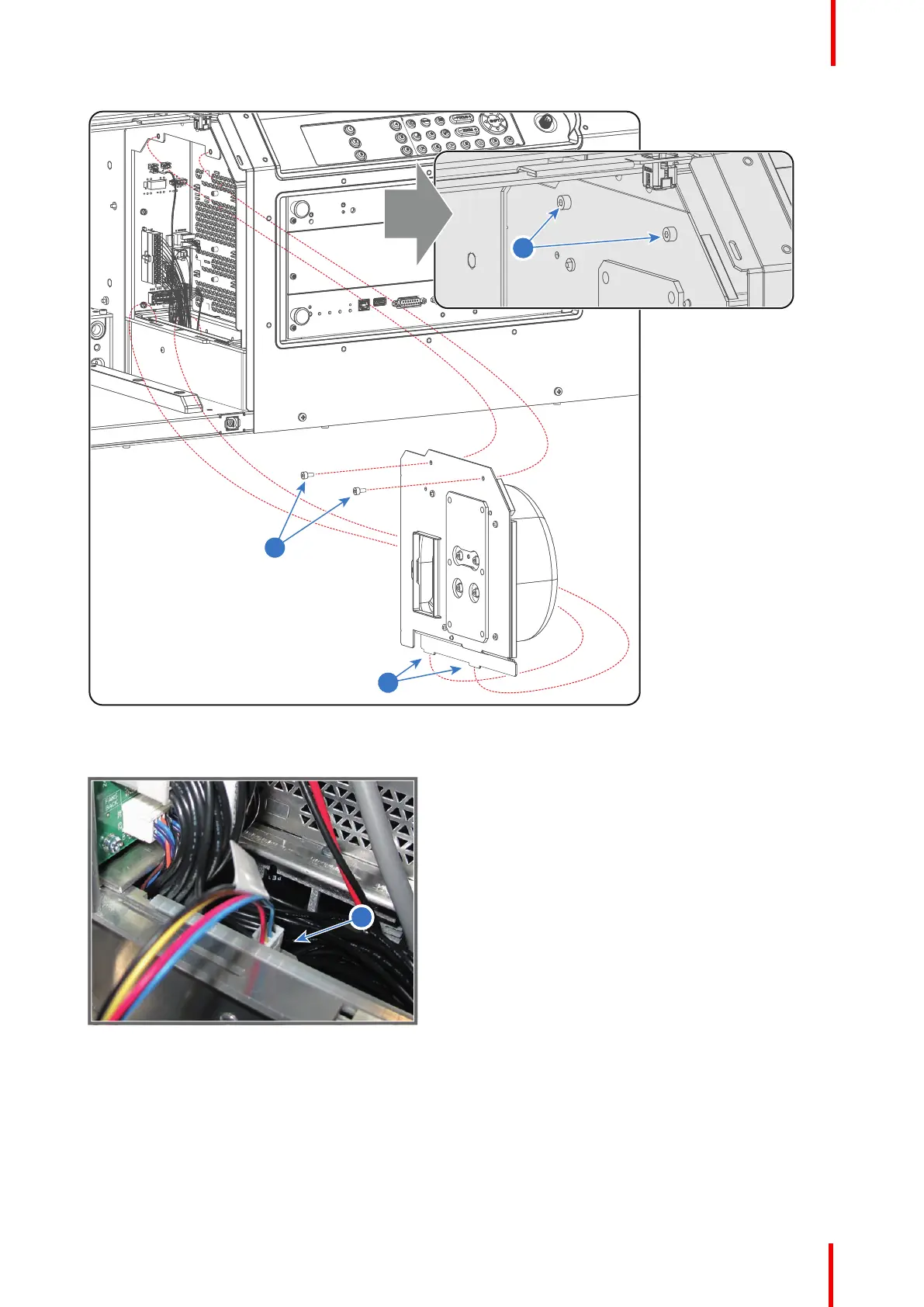
Image 7-54
3. Disconnected the wire of the Cathode Fan (reference 3 Image 7-55).
Image 7-55
4. Remove the cover of the Cathode Fan by loosening the four screws (reference 4 Image 7-56) as illustrated.
Use a 2.5mm Allen wrench.
5. Remove the mounting plate from the Cathode Fan by loosing the four screws (reference 5 Image 7-56) as
illustrated. Use a 3mm Allen wrench.
6. Install a new Cathode Fan on the mounting plate. Fasten the Cathode Fan with four screws (reference 5
Image 7-56). Use a 3mm Allen wrench.
Laser Phosphor Light Source


 To Next Page
 Loading...