R5906848 /04 DP2K SLP Series 89
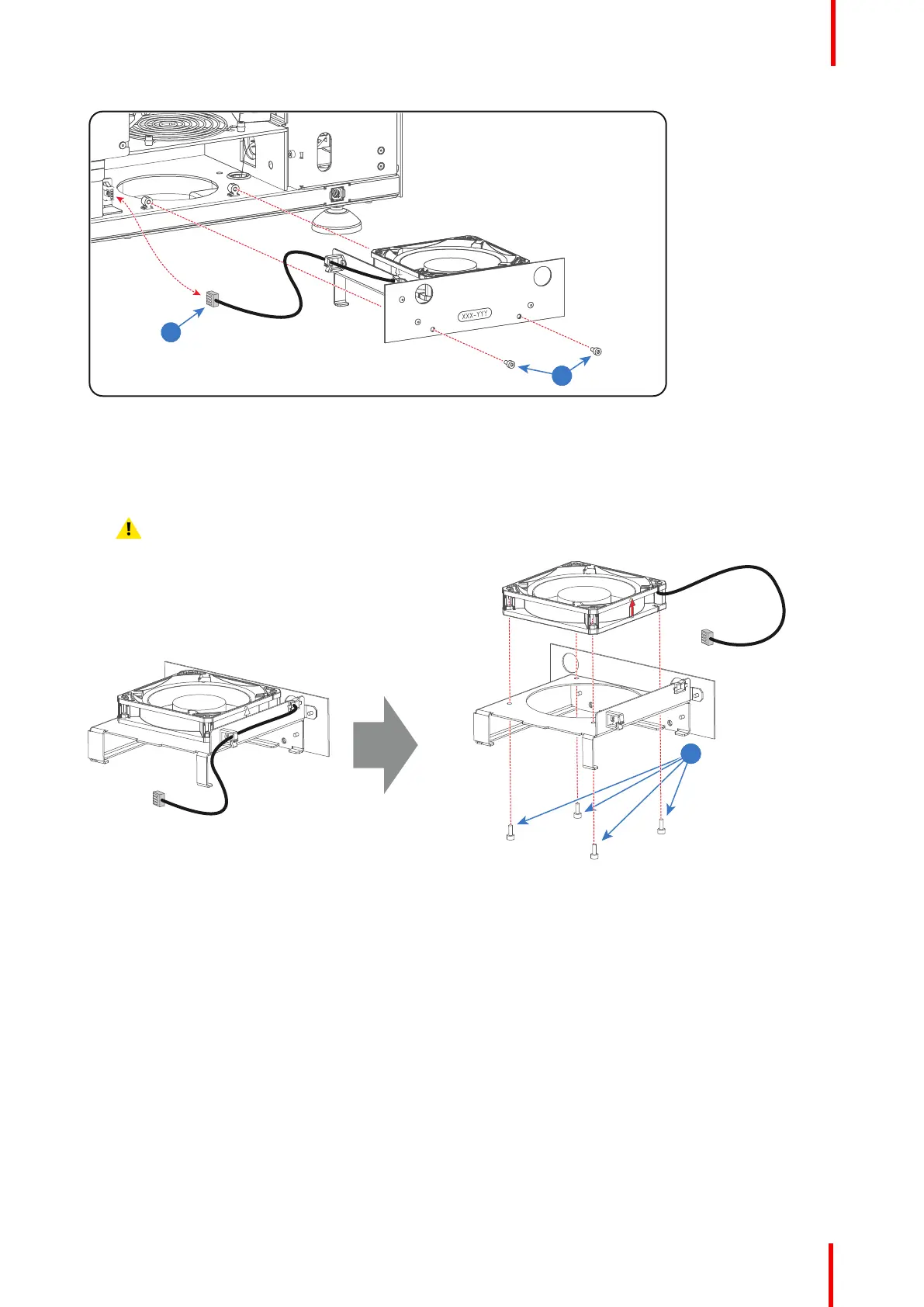
Image 7-57
5. Remove the Cold Mirror fan from the mounting plate. Use a 2.5mm Allen wrench the Loosen the four screws
(reference 3 Image 7-58).
6. Install a new Cold Mirror fan onto the mounting plate and guide the wire through the two cable clamps.
Caution: Ensure that the airflow of the fan is upwards oriented.
Image 7-58
7. Place the Cold Mirror fan assembly halfway in its compartment.
8. Connect the wire (reference 2 Image 7-57) of the Cold Mirror fan.
9. Insert the Cold Mirror fan assembly completely in its compartment.
10. Fixate the Cold Mirror fan assembly with two screws (reference 1 Image 7-57). Use a 2.5mm Allen wrench.
Laser Phosphor Light Source


 To Next Page
 Loading...