Associated
Points
Each output module can be associated with 3 Input Points. If any one of its In-
put Points goes into ALARM status, the output module will activate.
For each Point it is necessary to indicate:
Ø the loop the device is connected to (1 or 2);
Ø the device type - Detector (D) or a module (M);
Ø the device address (01 through 99 or CL = Conventional Line).
Extinction mode This parameter establishes the operating modes and times applied by the
output module during extinction operations.
To program the Extinction mode, select the Extinction Mode option from
the OPTIONS menu.
If ** is programmed (at default) the output module will not be used in ex-
tinction operations.
General
conditions
This option will allow you to select the conditions that will activate the out-
put module:
Ø ALARM (Al) or Network ALARM (NAl);
Ø Fault (Ft) or Network Fault (NFt);
Ø Prealarm (Pre), Prealarm Zone (PreZ), Warning (Wrn) or Network Warning
(NetW), ZWrn (Zone Warning) or PWrn (Point Warning).
If the "ZWrn" option is enabled, the control panel will activate the output
when one of its associated zones goes into prealarm status. If the "PWrn"
option is enabled, the control panel will activate the output when one of its
associated points goes into Warning status.
Bypass
supervisory
output
If this option is enabled, the control panel will not signal output faults.
Therefore, the control panel will be able to manage M201E-240 output
modules (output modules with 230Vac switching relays), and M201E out-
put modules with the Bypass supervisory output attribute. Figure 18
shows the respective programming template. The Bypass supervisory
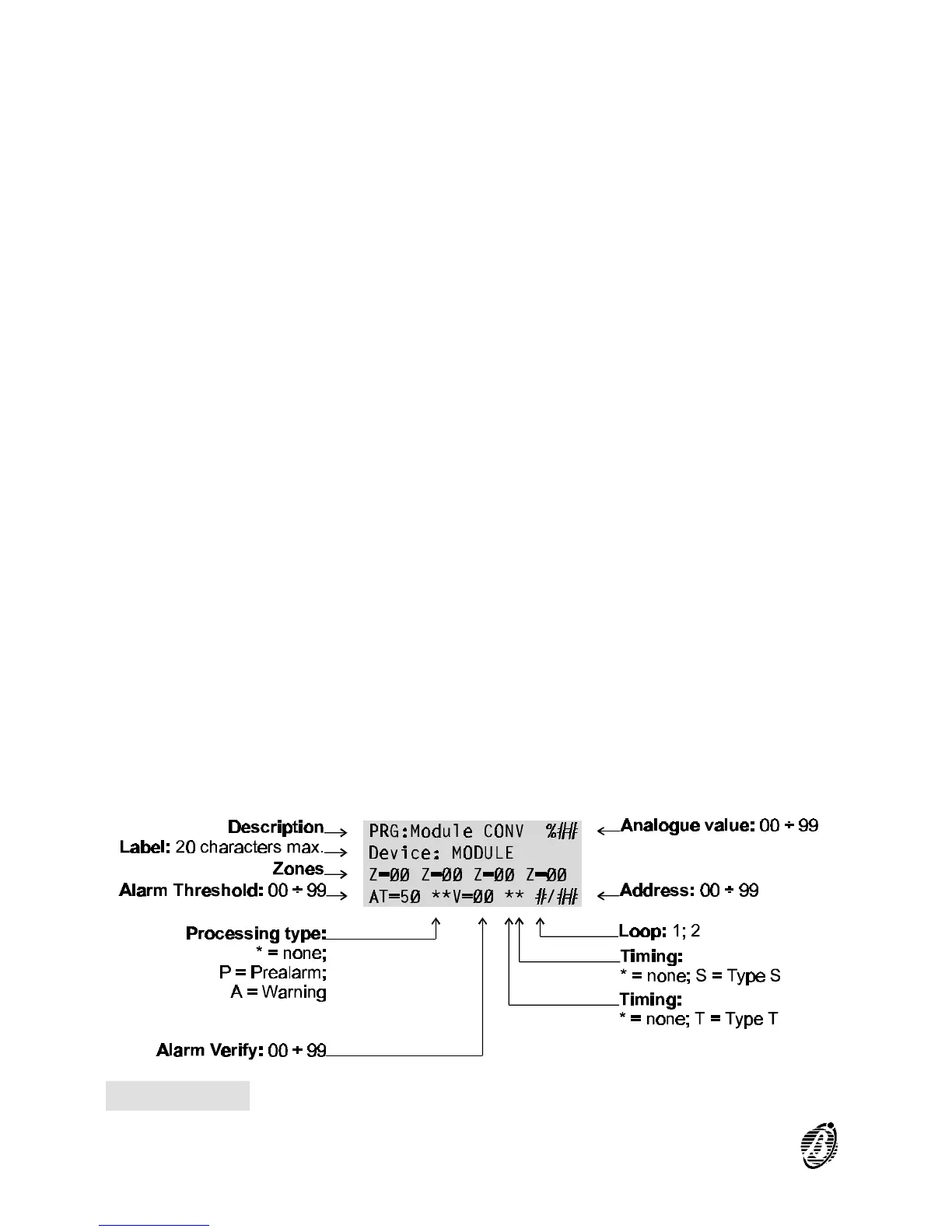
Figure 19 Conventional-Zone module parameters
48 Analogue Fire Control Panel FireClass200










 To Next Page