5. Step back to 3.
Conventional
line
To enable or disable the Conventional line
(terminal 10[LC+]): position the cursor on
the L1 Detector space and press the ↑
key.
Non-Configured
Devices
If an invalid address is entered, the display
will show an error message. Press ESC to
exit and step back to 3.
Delete Verify
The Delete Verify option from the MODIFYING menu clears the Verify
Counter of each detector.
Select the Delete Verify option from the
MODIFYING menu (press 2) to clear ALL
the Verify Counters.
Press the ↵ key to clear all the Verify
Counters, or ESC to exit and step back to
the MODIFYING menu.
MOD: Devices L1
Enter Address
Sensors L1: 1/ZC
Modules L1: 1/__
DEVICES LOOP1
Device not
configured
on LOOP 1
Modifying:
1=Disable
2=Del.Ver.3=Del.Log
4=Telecom Module
MOD: Clear Verify
Are
you sure ?
Yes=Enter No=Esc
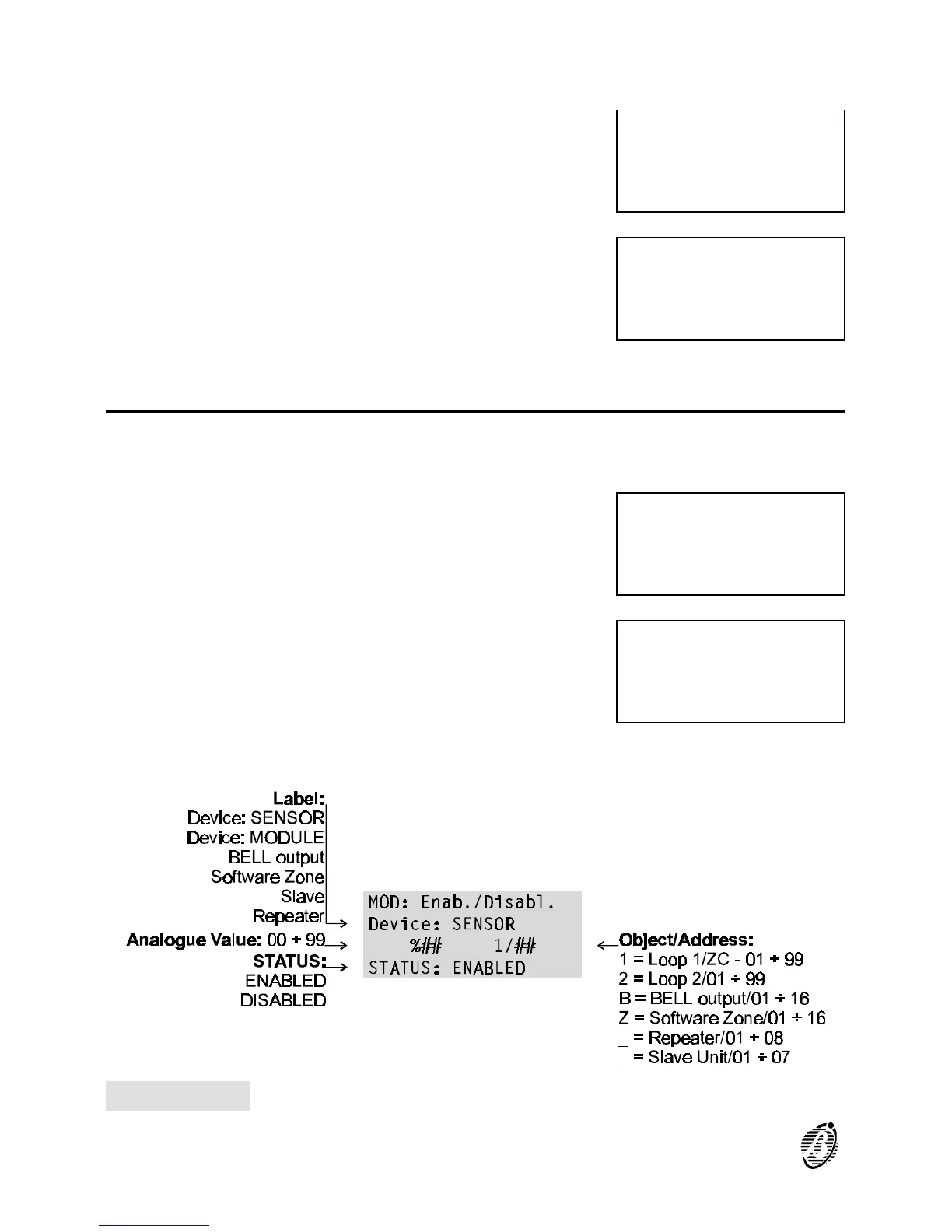
Figure 28 Enabled/Disabled status of detectors
84 Analogue Fire Control Panel FireClass200










 To Next Page