... the most recent event will be shown.
When the → key is pressed on the most recent event, the control panel will
emit an error signal.
No event At step 2. - if the log is empty (no events)
the display will show the LOG EMPTY
message.
Delete Log Use the Delete Log option in the MODIFYING menu to delete the log con-
tents.
Log data
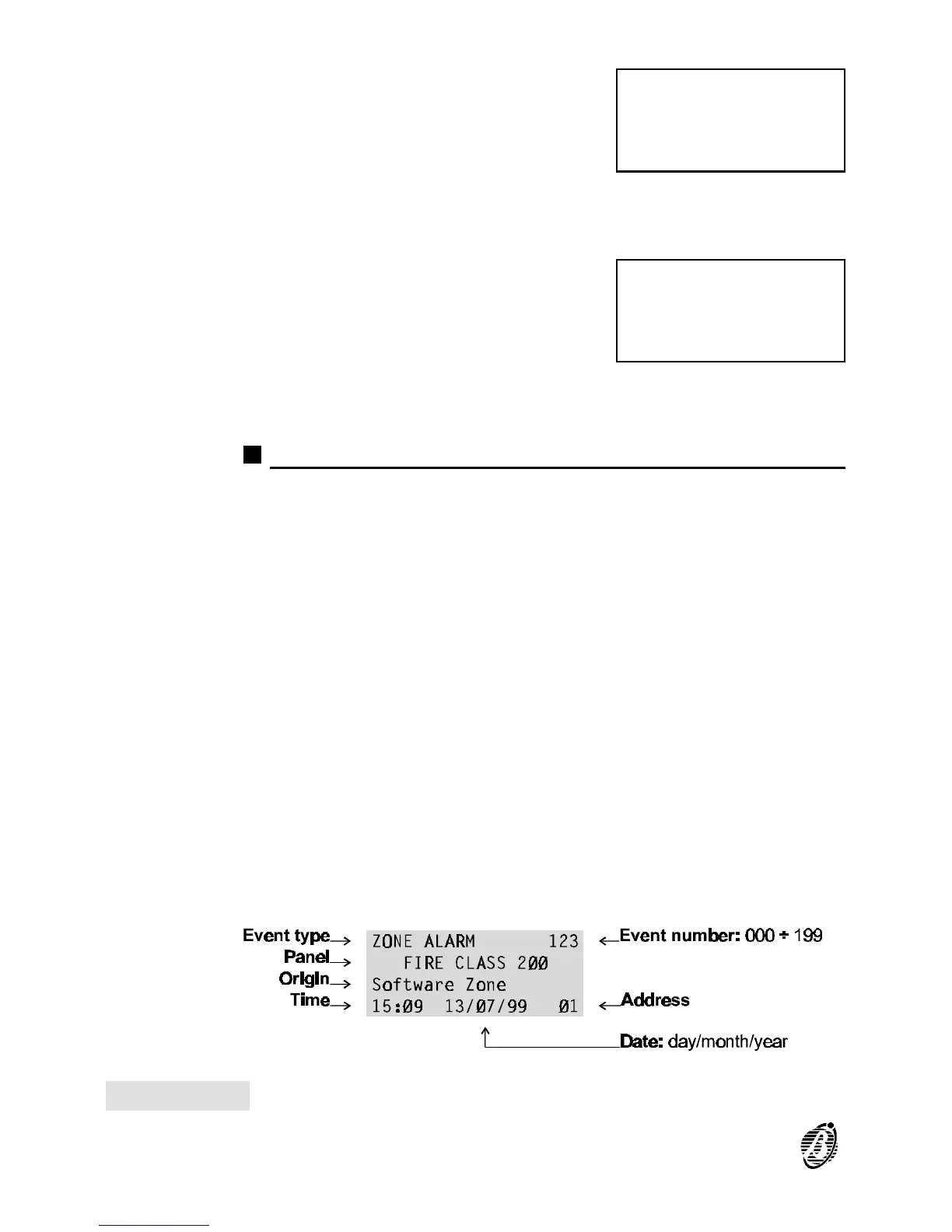
The following data is stored in the log (see fig. 29).
Event Type This is the description of the event.
Event Number This is the event number from 1 through 200.
Panel This is the control panel label (Master panel, slave panel or repeater panel)
assigned during programming.
Origin This is the label of the Item which generated the event.
Hour/Date This is the exact time and date of the event.
Address This is the address of the Item which generated the event.
ZONE ALARM 123
FIRE CLASS 2ØØ
Software Zone
15:Ø9 13/Ø7/99 Ø1
ØØØ
LOG
EMPTY
Figure 29 Log data
90 Analogue Fire Control Panel FireClass200










 To Next Page