output and Double Knock options can be programmed on the Output
Modules page of the FireSoftware application.
Double Knock
(on Zone or
System)
If this option is enabled, and the output is associated with zones, the
control panel will not activate the output until two detectors on the same
zone signal alarm status (Double Knock on zone).
Each zone has a Verify double-knock timer ---- if the timer setting is
higher than 0, the control panel will consider Double Knock on Zone
events to be valid ONLY when two devices signal alarm status within the
preset time.
If this option is enabled, and the output is NOT associated with zones,
the control panel will activate the output when any two of the system detec-
tors signal alarm status (Double Knock on system).
If the output has been programmed to operate in AND mode, the control
panel will consider Double Knock events as single events and will not ac-
tivate the output until a second alarm event occurs (e.g. Callpoint alarm).
NOTE: Double Knock on system events are not associated with timers.
Programming: Conventional Zone module
Figure 19 shows the Conventional Zone module parameters. These pa-
rameters are as per Fire detectors.
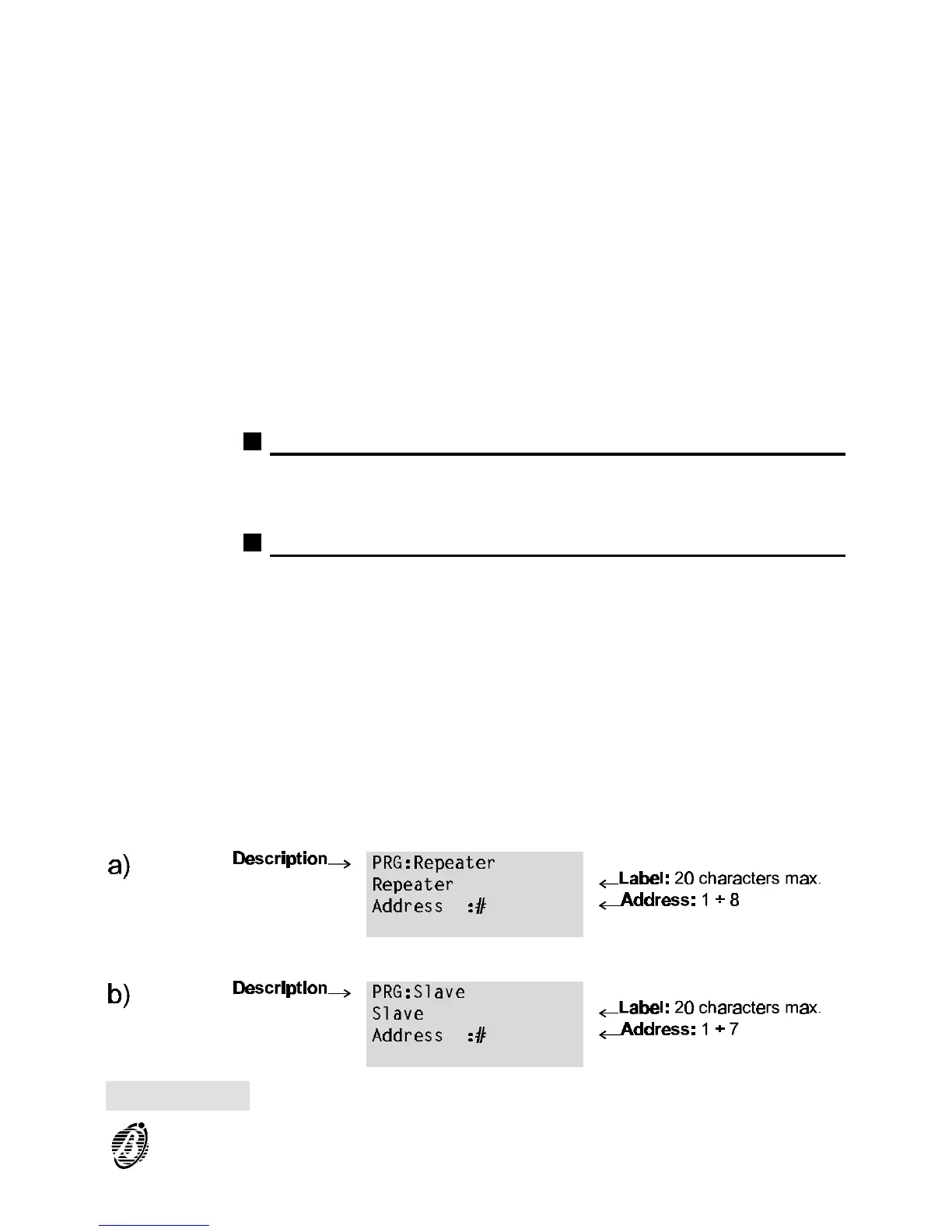
Programming: Repeaters and Slave panels
Figure 20a shows the repeater panel parameters. Figure 20b shows the
slave panel parameters. The following parameters are valid for both.
Description This is the non-editable description of the device type.
Label This is the editable device label (up to 20 characters can be entered). The
label is the device identifier.
Address This shows the device address.
Figure 20 (a) Repeater and (b) Slave Panel parameters
PROGRAMMING 49










 To Next Page