P1 Patient Monitor User’s Manual
1-5
clean the contact point according to actual application condition. Before
cleaning, the monitor must be powered off. When cleaning, please wipe the
point with medical cotton dipped into medicinal alcohol by use of a nipper.
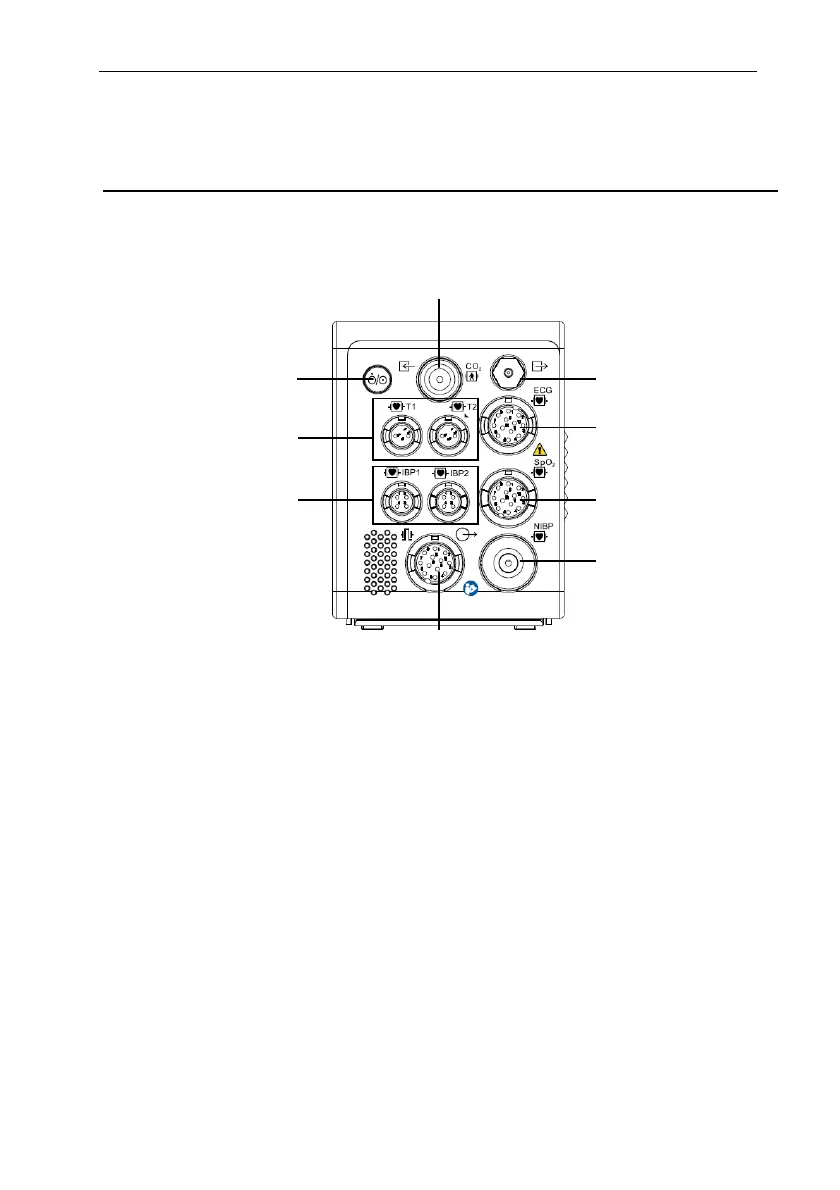
1.5.1.3. Right View
1. Power switch
2. Temp connector
3. IBP connector
4. Multifunctional connector: output analog signals, defibrillation synchronization
signal and nurse call signal.
5. NIBP connector
6. SpO
2
connector
7. ECG connector
8. CO
2
Gas outlet
9. CO
2
connector
1
2
3
4
5
6
7
8
9



 To Next Page