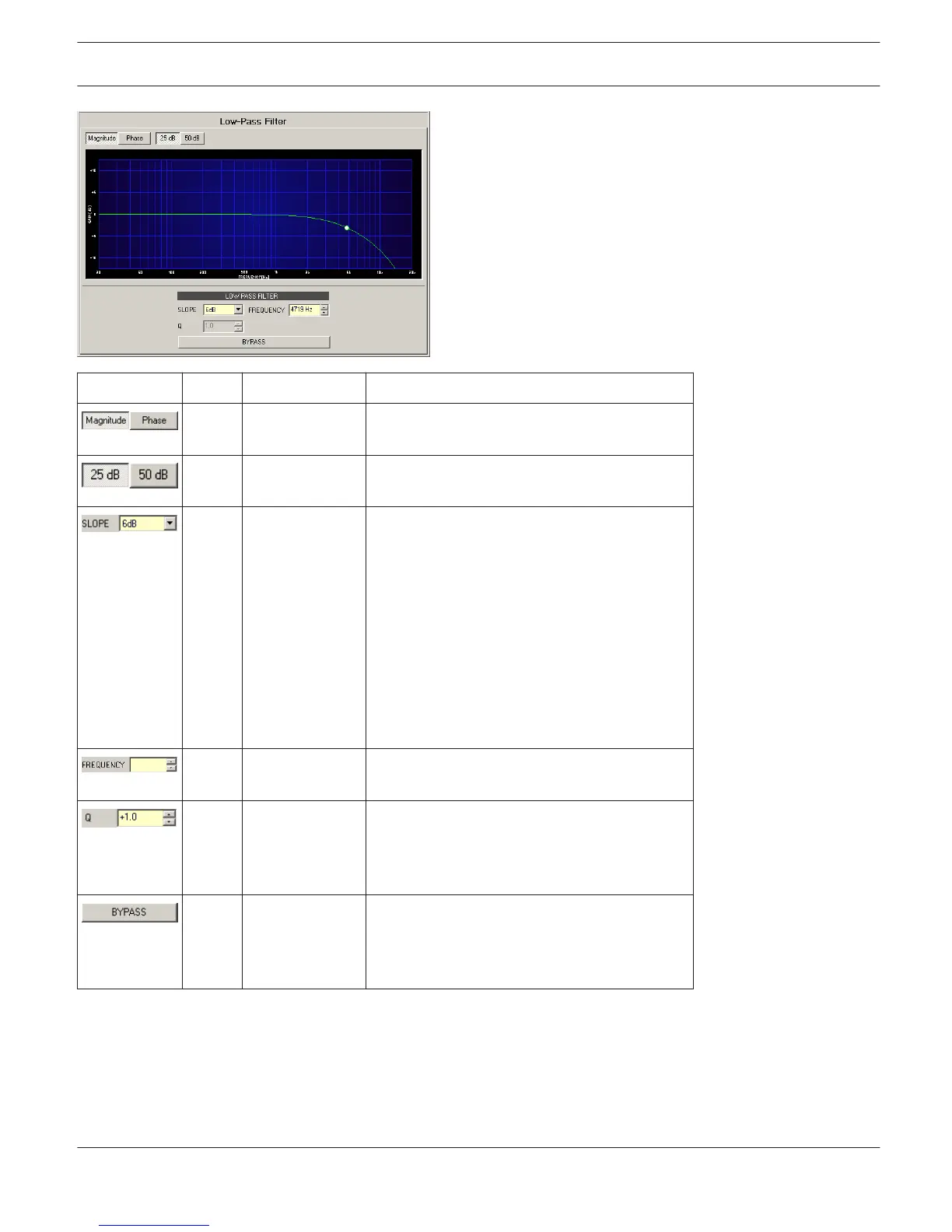
Element Default Range Description
Switches between frequency (magnitude) and
phase response (phase) indication.
Switch for selecting dB-axis scaling of 25 dB (±
12.5 dB) or 50 dB (± 25 dB).
6dB 6dB, 12dB,
12dB BS, 18 dB
BS,
24 dB BS
(Bessel), 12dB
BW, 18 dB BW,
24 dB BW
(Butter- worth),
12 dB LR, 24 dB
LR (Linkwitz-
Riley)
SLOPE sets the steepness or filter-order of the
low-pass filter.
1000Hz 20 Hz...20 kHz FREQUENCY sets the cut-off frequency of the
low-pass filter.
1 0.4...100 The Q-value sets the quality and thus the
response of the low-pass filter with slope of
12dB/oct. This parameter is not available at
other slopes.
BYPASS switches the filter ON (not engaged)
or OFF (engaged), which allows for quick A / B-
evaluation of the actual effect that the low-
pass filter has on the sound.
Filter Editing via ”Mouse Movement” in the Graphics Display
A white dot in the frequency response display represents an active filter (BYPASS not engaged). Clicking with the left
mouse button on this dot and keeping the mouse button pressed down allows changing the filter’s frequency by
moving the mouse to the left or to the right. Clicking with the right mouse button on the white dot and keeping the
mouse button pressed down allows changing the Q-values (if SLOPE is set to 12dB) of the filter.
IRIS-Net
DIGITAL MATRIX | en 432
Bosch Security Systems B.V. User Manual 2017.05 | 3.20 | F.01U.119.956












 To Next Page