MATRIX MIXER
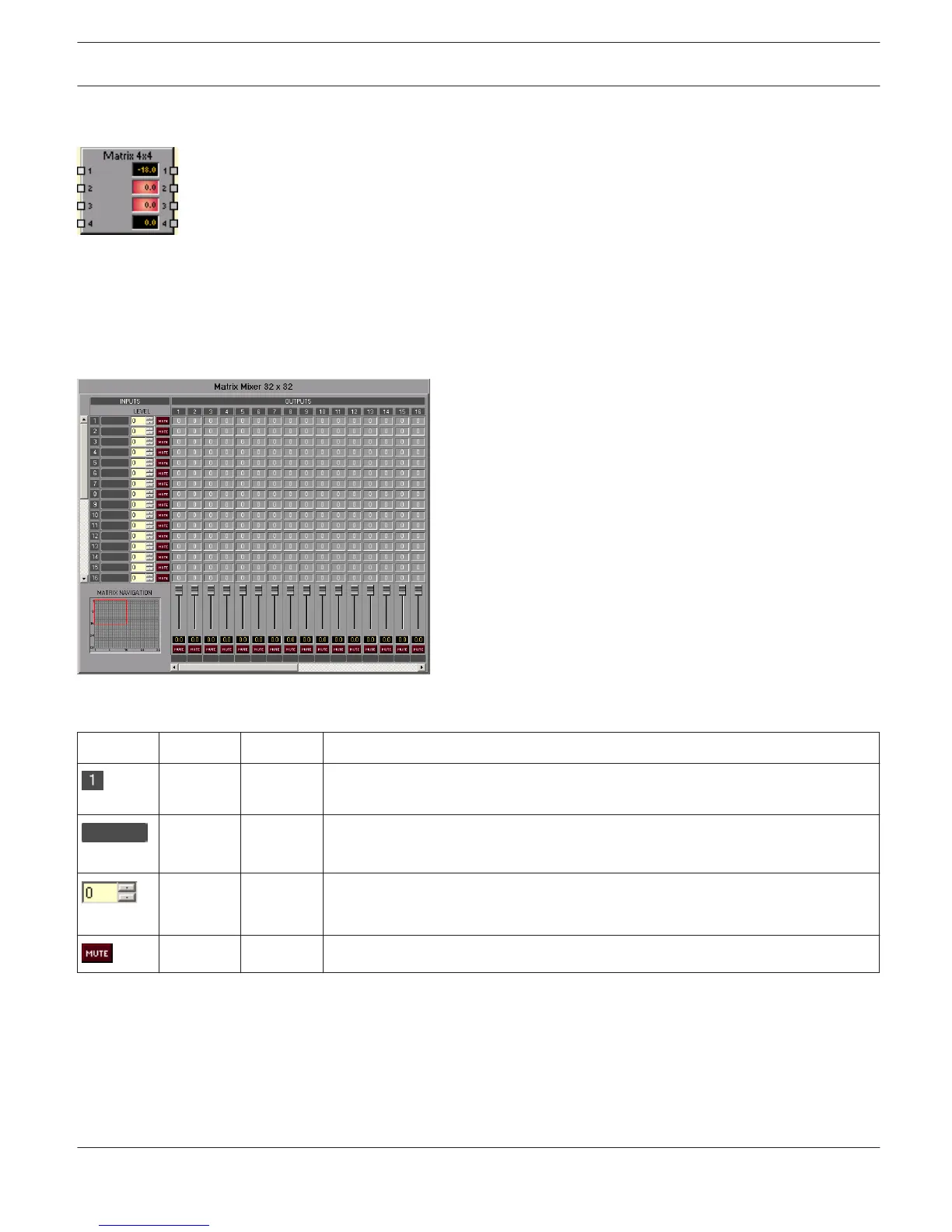
The DSP block Matrix Mixer allows connecting inputs and outputs. Left clicking the node in the matrix
where the output channel’s column and the input channel’s line meet with the mouse does connect an output to an
input. Again clicking onto the corresponding node disconnects inputs and outputs. Right clicking onto a node opens a
dialog box for setting levels.
Making connections is not restricted in any way, e.g. connecting various inputs to a single output is as possible as
connecting a single input to a variety of outputs. The notation I x O represents a matrix with I inputs and O outputs.
Inputs
Element
Default Range Description
Fixed channel labeling: channels of a matrix of the dimension I x O are numbered
from 1 to I.
Text field for providing an input channel with an internal IRIS-Net name.
CAUTION: The use of * (asterisk) and = (equal) in names is not permissible.
0 dB -80...0 dB Setting an input channel’s signal level. The desired value can be entered in dB.
HINT: Ramping is deactivated by default.
MUTE button mutes the input channel
IRIS-Net
DIGITAL MATRIX | en 434
Bosch Security Systems B.V. User Manual 2017.05 | 3.20 | F.01U.119.956












 To Next Page