Outputs
Element Default Range Description
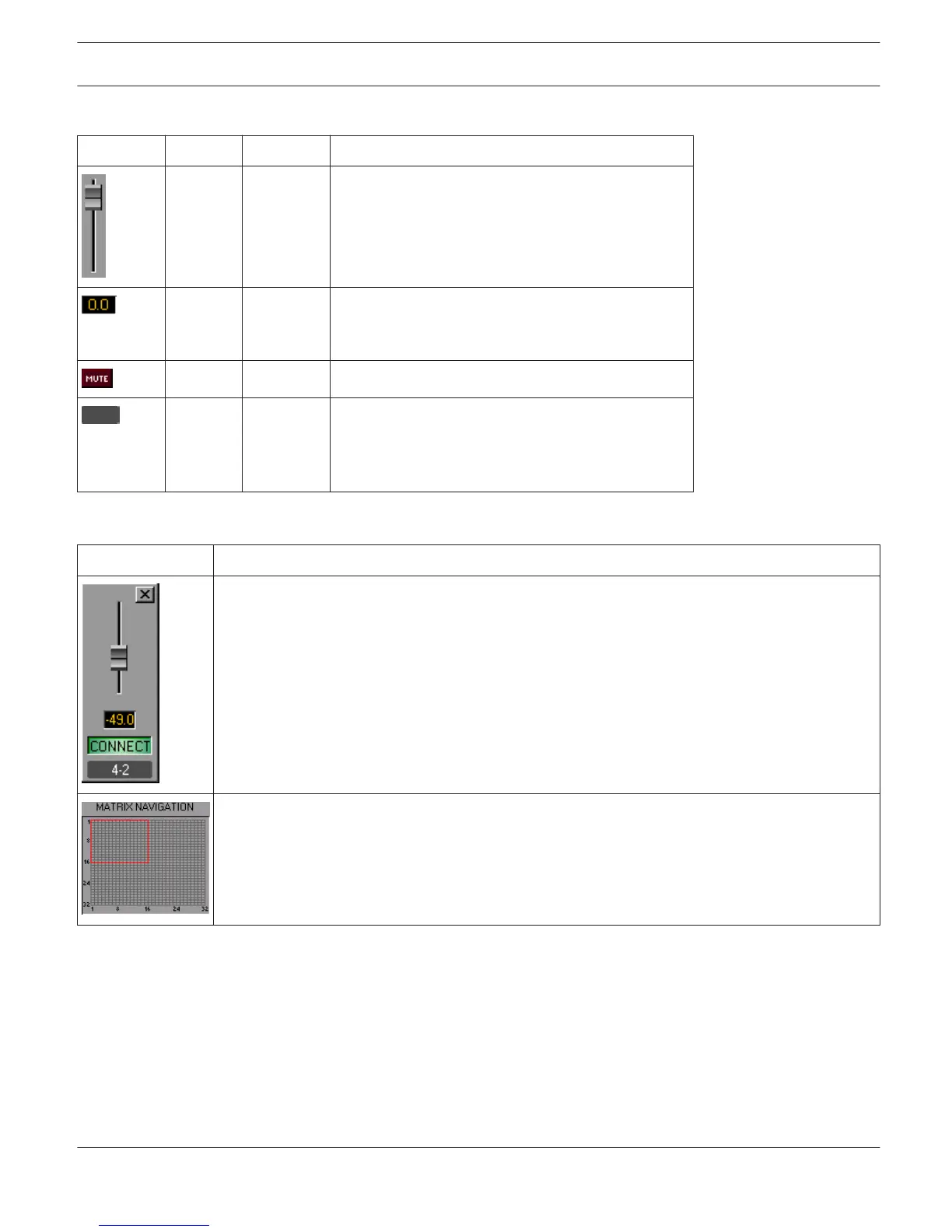
0 dB -80...0 dB Fader for setting the corresponding output
channel’s level.
0 dB -80...0 dB Fader Display. This field indicates the current fader
setting as a numerical value. Entering the desired
value in dB is possible as well.
MUTE button mutes the output signal.
Text field for providing an output channel with an
internal IRIS-Net name.
CAUTION: The use of * (asterisk) and = (equal) in
names is not permissible.
Nodes
Element
Description
Right clicking a node opens this dialog with a fader and fader display for setting the level and a
CONNECT-Button for setting or resetting the node’s connection. The label represents the node’s
position ("line - column") within the matrix.
This area is navigating through largely dimensioned matrixes. The red rectangle marks the
currently indicated matrix area. Changing the displayed area is possible by dragging the rectangle
with the left mouse button pressed down. MATRIX NAVIGATION appears only when the complete
matrix view does not fit in the screen.
IRIS-Net
DIGITAL MATRIX | en 435
Bosch Security Systems B.V. User Manual 2017.05 | 3.20 | F.01U.119.956












 To Next Page