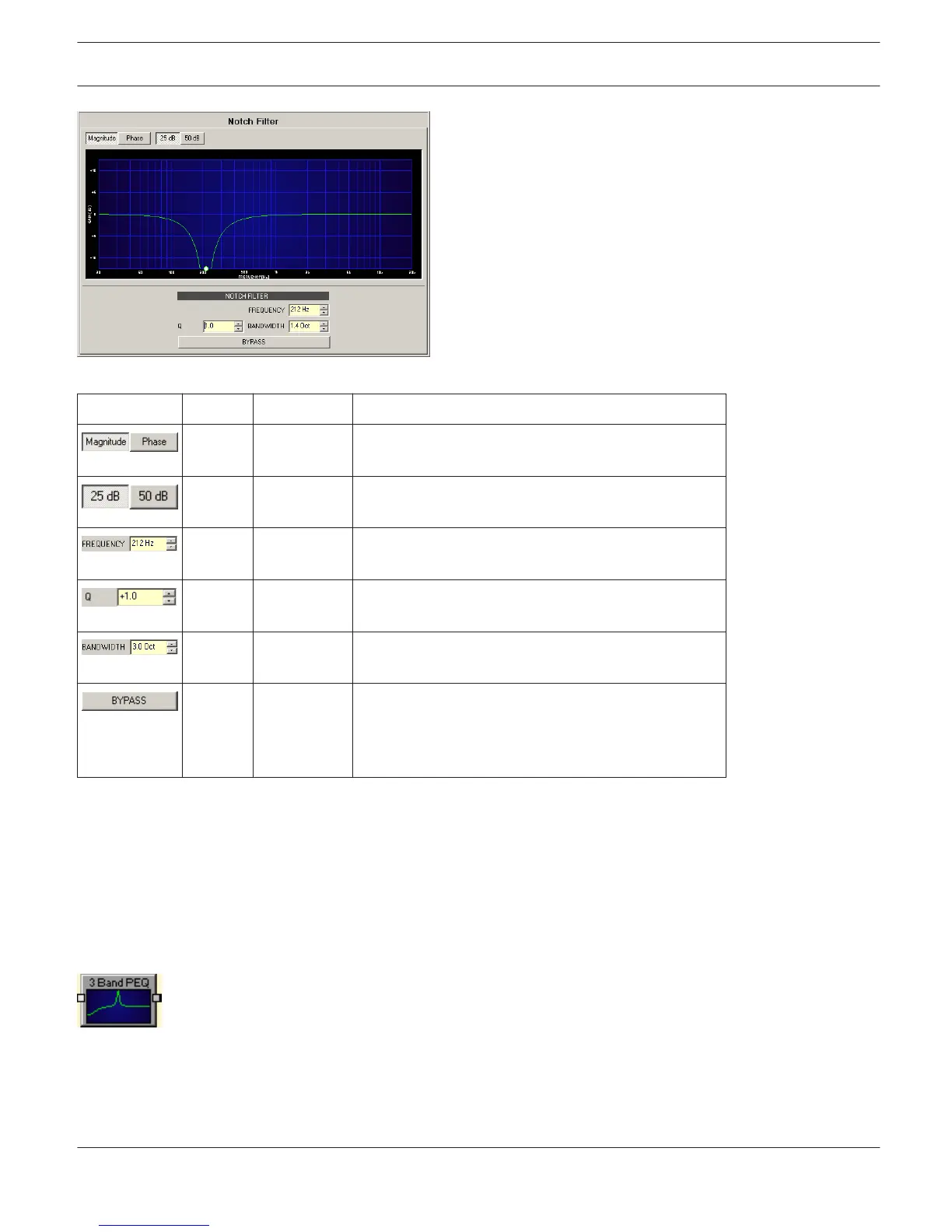
Element
Default Range Description
Switches between frequency (magnitude) and phase
response (phase) indication.
Switch for selecting dB-axis scaling of 25 dB (± 12.5
dB) or 50 dB (± 25 dB).
1000Hz 20 Hz...20
kHz
FREQUENCY sets the center frequency (notch
frequency) of the notch filter.
1 0.4...100 The Q-value sets the quality and thus the response of
the notch filter.
1.4 0.1...3 BANDWITH sets the quality and thus the response of
the notch filter.
BYPASS switches the filter ON (not engaged) or OFF
(engaged), which allows for quick A / B-evaluation of
the actual effect that the notch filter has on the
sound..
Filter Editing via ”Mouse Movement” in the Graphics Display
A white dot in the frequency response display represents an active filter (BYPASS not engaged). Clicking with the left
mouse button on this dot and keeping the mouse button pressed down allows changing the filter’s frequency by
moving the mouse to the left or to the right. Clicking with the right mouse button on the white dot and keeping the
mouse button pressed down allows changing the Q-values of the filter.
PARAMETRIC EQ
Equalizers accentuate or lower the audio signal within specific frequency ranges. IRIS-Net provides
parametric 3-, 5-, 7- as well as 12-Band equalizers in monaural (1 input and 1 output) and stereo quality (2 inputs and 2
outputs) plus, in addition, PEQs with a freely selectable amount of filters between 1 and 32.
IRIS-Net DIGITAL MATRIX | en 442
Bosch Security Systems B.V. User Manual 2017.05 | 3.20 | F.01U.119.956












 To Next Page