Element
Default Range Description
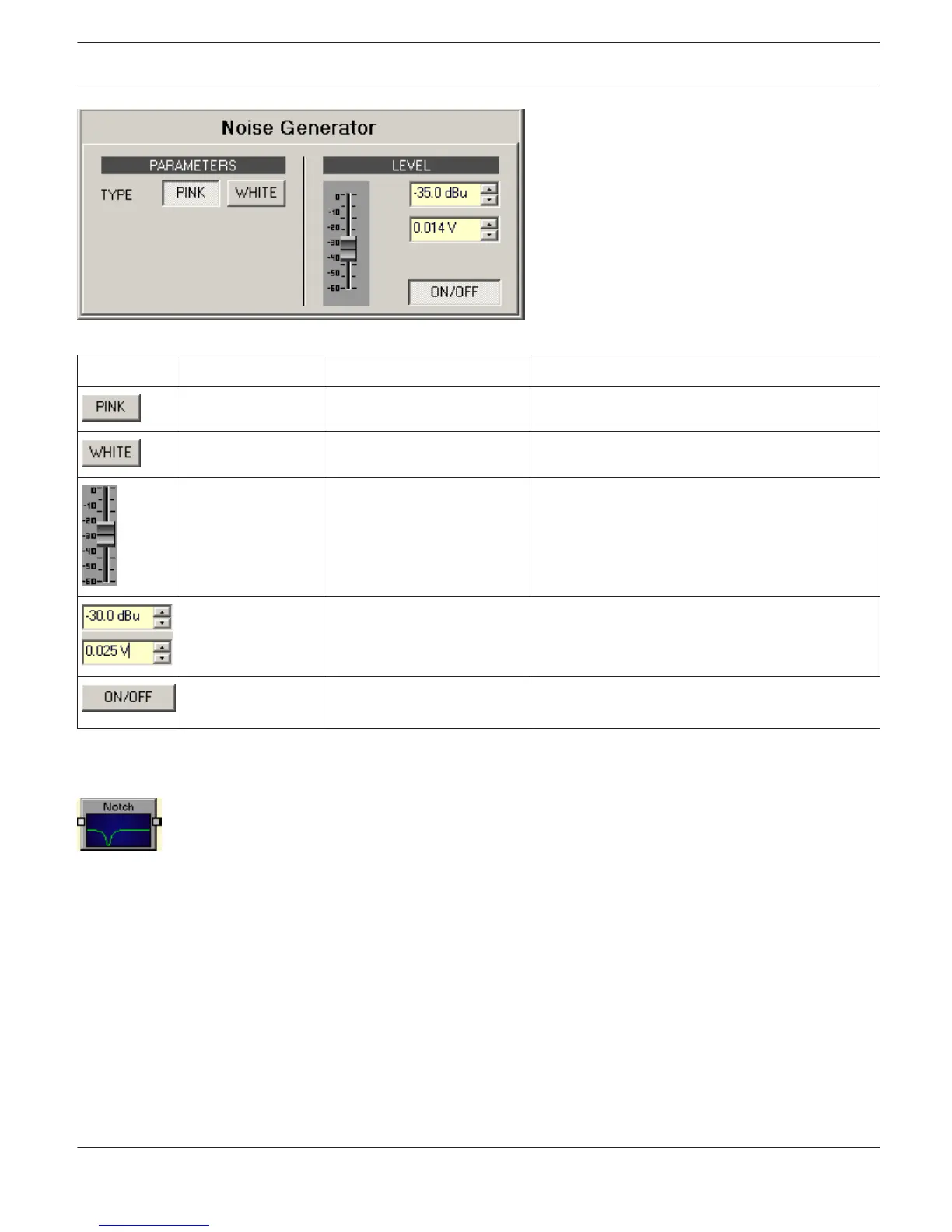
The PINK button selects "Pink Noise" mode.
The WHITE button selects "White Noise" mode.
-35 dB -60... 0 dB Fader for setting the noise signal’s level.
-35.0 dBu or 0.014
V
-60...0 dBu or 0.001...0.775
V
Entering the signal level is possible in dBu or V.
Switch for activating or deactivating the noise
generator.
NOTCH FILTER
Notch filters pass all frequencies except for the notch frequency, which they stop completely. Since it is
not realistically possible to create a perfect filter that stops one frequency completely and passes all other frequencies
totally unaltered, notch filter design involves compromises that allow some (adjustable )width in the notch and less
than infinite attenuation at the notch frequency.
IRIS-Net
DIGITAL MATRIX | en 441
Bosch Security Systems B.V. User Manual 2017.05 | 3.20 | F.01U.119.956












 To Next Page