149
FUEL SYSTEM
FUEL COMPONENT SERVICING
7
Installation
All injectors must be installed in the
correct cylinde r by serial number. Improper
injector inst allation can result in powerhead
failure.
Installation of a replacement injector requires that
coefficient data for the new injector is uploaded to
the EMM.
Coefficient data for some replacement injectors is
supplied on a computer disk shipped with the
injector. If a disk is not included with th e injector,
coefficient dat a can be do wnloaded from the
Evinrude/Johnson dealer website. Refer to the
instructions provided with the injector kit.
Upload Coefficient Files to EMM
Use the Evinrude Diagnostics sof tware Settings
screen to upload the coefficient file to the EMM.
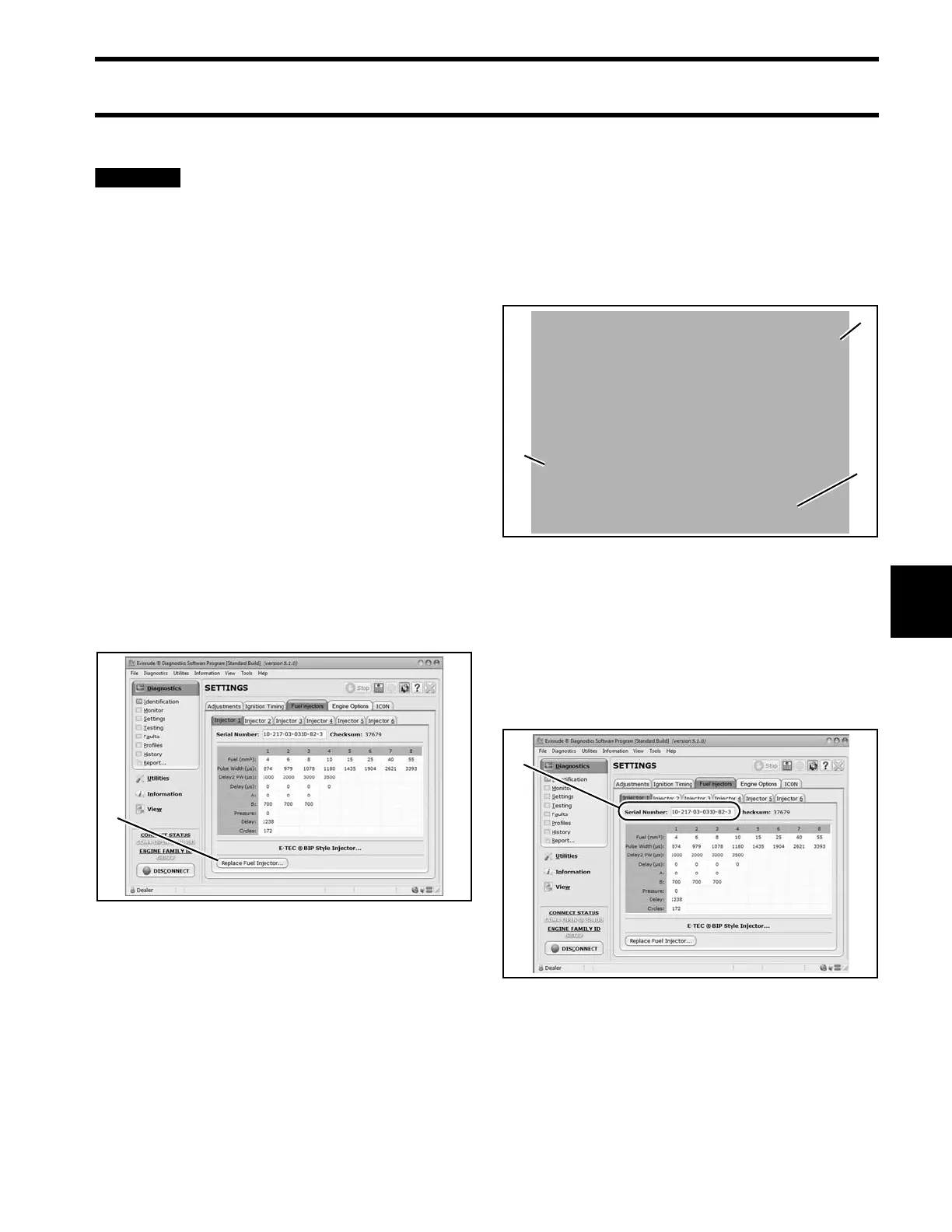
Select the Injectors tab.
Select the cylinder tab for injector being replaced.
Select the Replace Injector button.
Use the drop down menu to navigate to the saved
coefficient file location.
The co efficient file name must match t he seria l
number of the injector.
Select the correct file for the injector.
Select the Replace Injector button.
After th e u pload is complete, th e pro gram will
return to the Cylinder tab.
Make su re the serial number displayed on the
screen matches the serial nu mber pri nted o n the
serial number label of the replacement injector.
1. “Replace Injector” button 008568A
1. Navigation menu
2. Injector coefficient file
3. “Replace Injector” button
008573
1. Serial number 008568A







 To Next Page