207
EVINRUDE ICON REMOTE CONTROL SYSTEM
ICON SYSTEM SETTINGS
10
ICON SYSTEM SETTINGS
Set Engine Identity (Instance)
In a multi-engine application, the transom position
of the outboard must be identified on the network.
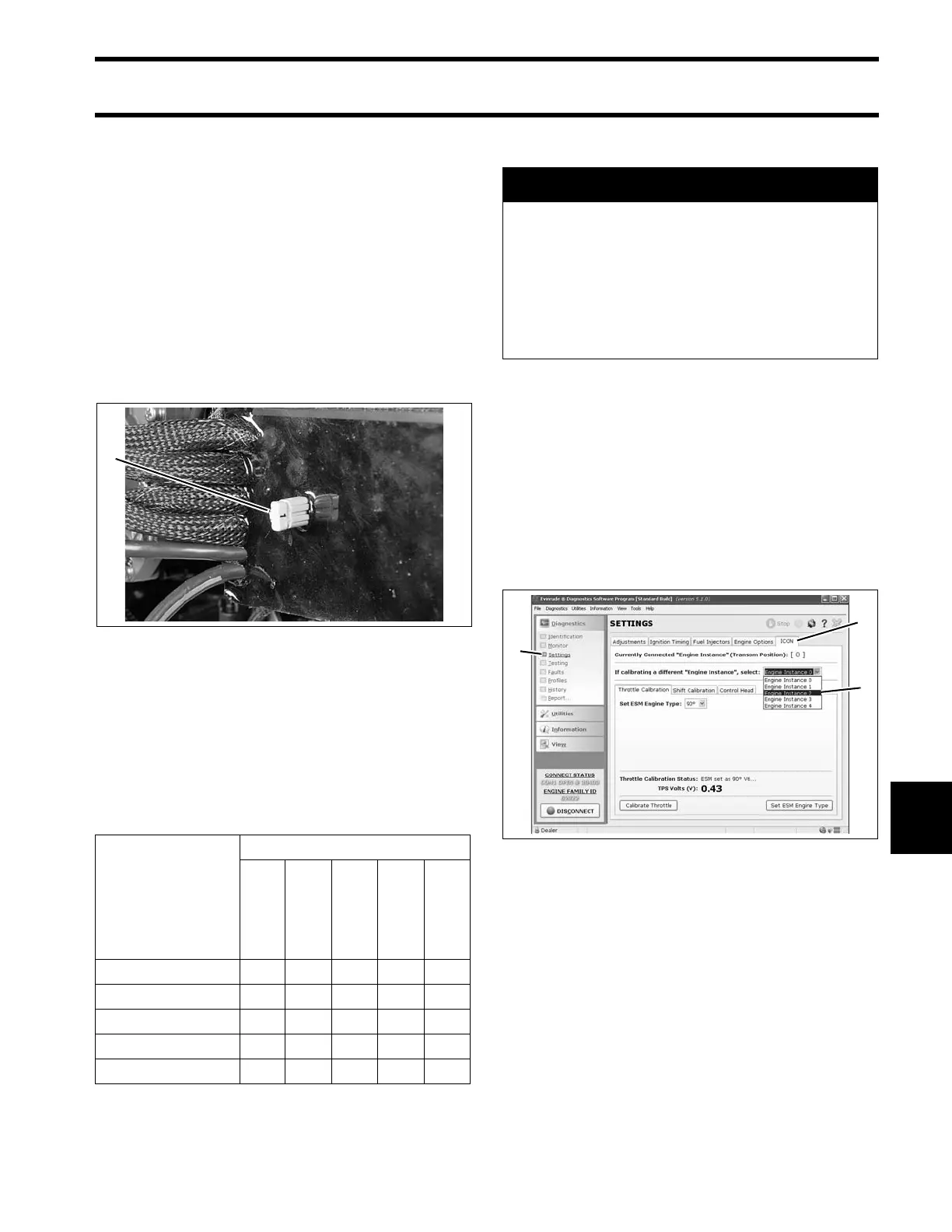
Engine identity is se t by a n Engin e Ident ity Plug
installed in the ESM. Outboard s are identified as
Instance 0 through 4, from port to starboard, up to
five engines.
Each identity plug is stamped with it s inst ance
number.
If the outb oard is a single eng ine or the port
engine in a multi-engine applica tion, no change s
are required.
For all other outbo ards, engine identity must be
set by replacing th e original plug (0) with the plug
that corresponds to the outboard’s position on the
transom.
IMPORTANT: The Engin e Identity Plug over-
rides any previous EMM instance setting.
Calibrate Actuator Stroke
To calibrate the actuators, use the ICON tab of the
Evinrude Diagnostics Settings screen.
In a multi-engine application, all outboards can be
calibrated through one con nection. Use the
Engine Instance menu to sele ct the engin e
instance on the screen.
IMPORTANT: If the ICON t ab is not available,
make sure the engine management software has
been updated to the correct revision.
Throttle Actuator Stroke
To set th rottle stroke, click the Calibrate Throttle
button. Th e act uator a rm will move forward an d
back to find th e mecha nical limit s of the throttle
1. Engine Identity plug 007505
Number of Out-
boards
Identity Numbers
Port
Port
Center
Center
Starboard
Center
Starboard
10
20 1
3012
40123
5 01234
A CAUTION
After inst allation, dealer MUST us e
Evinrude Diagnostics software, version 5.1
or higher, to calibrate the actuators for cor-
rect throttle and shift stroke.
Failure to calibrate shift stroke will lead to
gearcase failure and possible loss of b oat
control not covered by warranty.
1. Settings
2. ICON tab
3. Engine instance menu
008578







 To Next Page