203
EVINRUDE ICON REMOTE CONTROL SYSTEM
ICON COMPONENT SERVICING
10
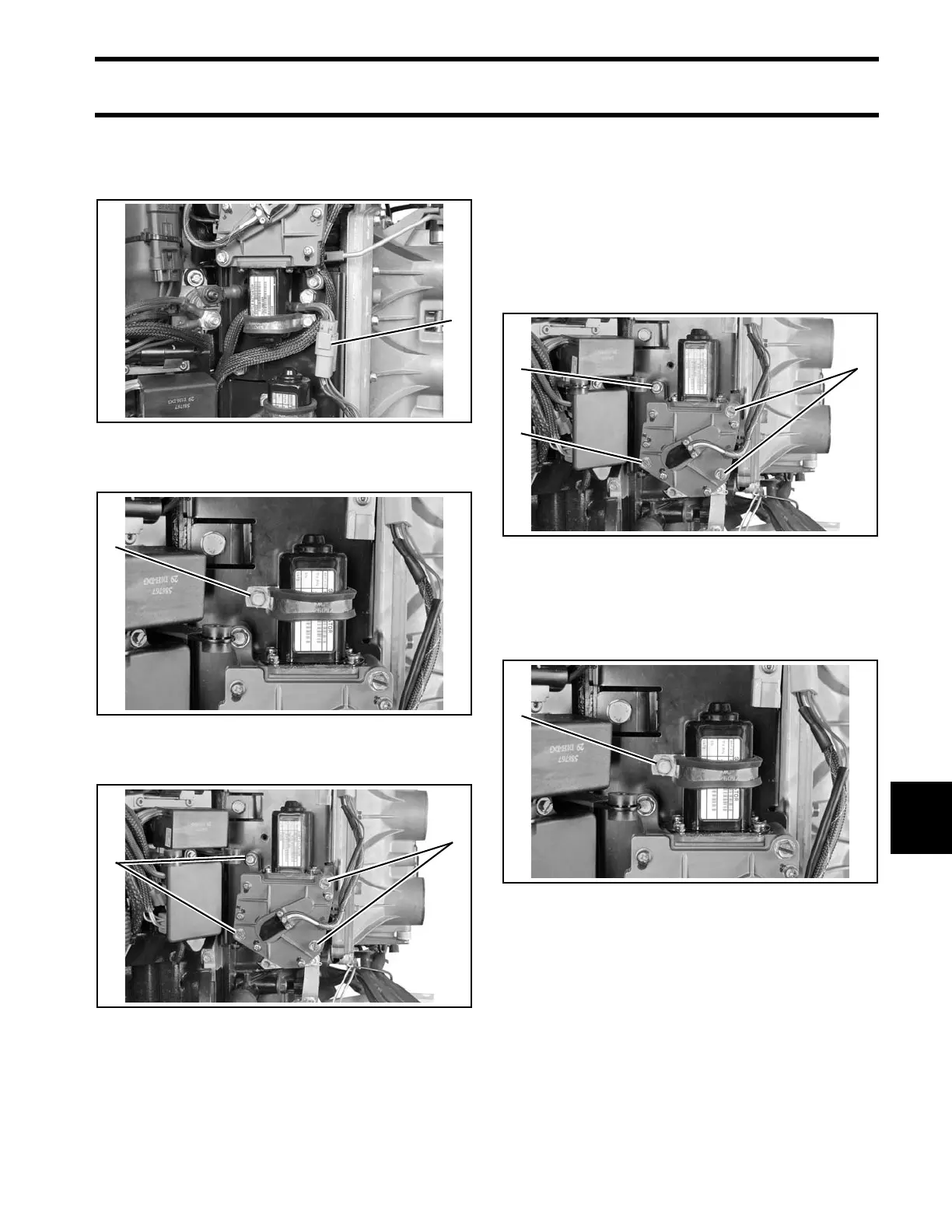
Remove the shift actuator connector from the clip
on the mounting plate. Disconnect the shift actua-
tor harness.
Remove the clamp retaining screw.
Remove the four shift actuator retaining screws.
Installation
Remove old adhesive from clamp retaining screw
and shift actuator retaining screws.
Apply Nut Lock to the threads of the screws.
Install shift actuator o n mounting plate with thre e
long screws and one short screw. Tighten screws
to a torque of 60 to 84 in. lbs. (7 to 9.5 N·m).
Place clamp o ver actuator motor . Install an d
tighten screw to a to rque of 60 to 84 in. lb s. (7 to
9.5 N·m).
1. Shift actuator connector 007498
1. Clamp retaining screw 007301
1. Shift actuator retaining screws 008505
1. Long screws
2. Short screw
008505
1. Clamp retaining screw 007301







 To Next Page