B-4 Appendix B: Wiring
HOME
AMP MULTILOCK ELECTRICAL CONNECTORS B.3
REMOVING SOCKET/PIN
TERMINALS
1. If necessary, cut any surrounding cable straps to gain
access to the connector.
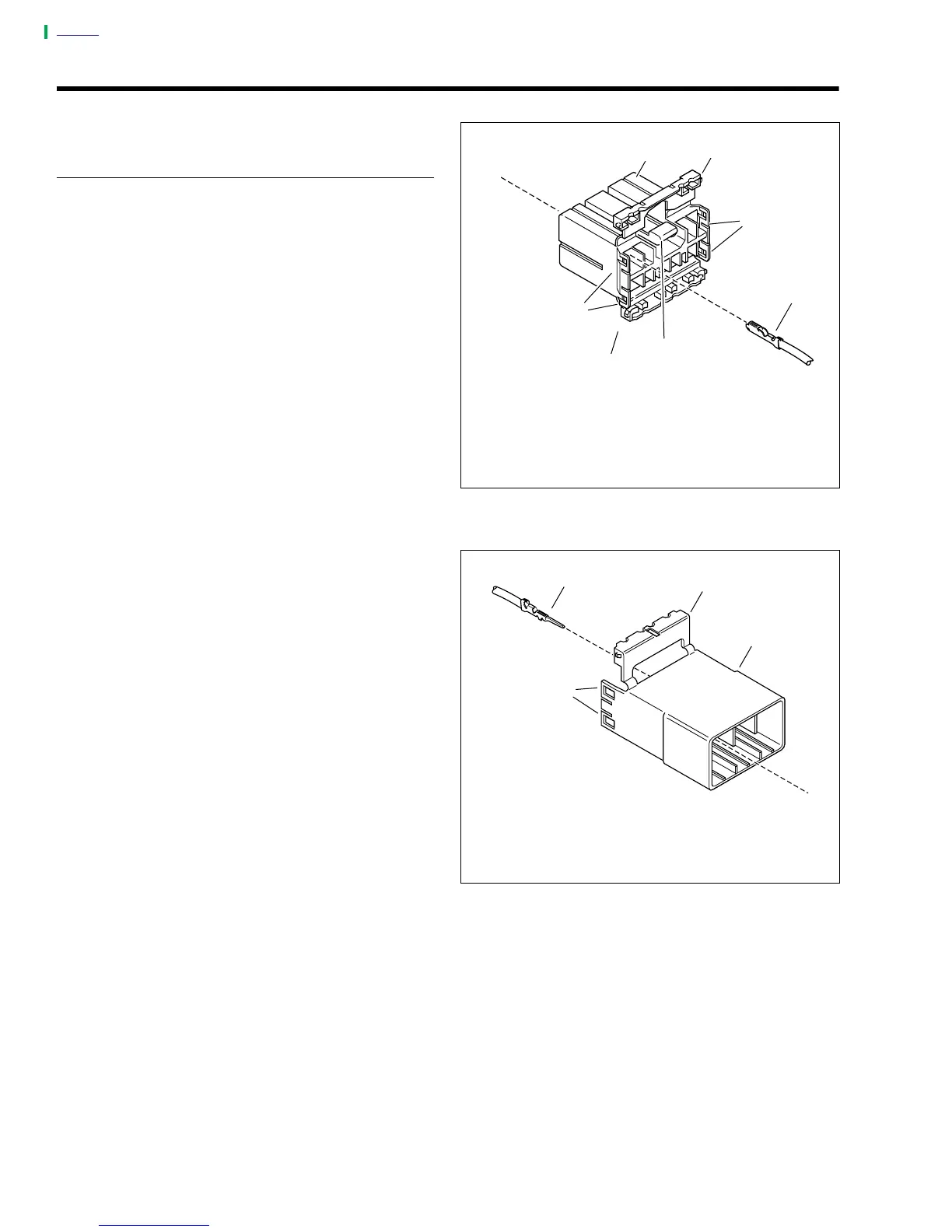
2. See Figure B-4. Depress the button (5) on the socket
housing (3).
3. Pull apart the pin and socket halves.
4. Bend back the latch slightly and free one side of second-
ary lock, then repeat the step to release the other side.
5. Rotate the secondary lock outward on hinge to access
terminals in chambers of connector housing.
6. Looking in the terminal side of the connector (opposite
the secondary lock), take note of the cavity next to each
terminal.
7. Remove socket terminal (Figure B-6.) or pin terminal
(Figure B-7.)
a. With the flat edge against the terminal, insert the
pick (Snap-On TT600-3) into the cavity until it stops.
b. Pivot the end of the pick away from the terminal to
release the tang.
c. Gently tug on wire to pull terminal from chamber. Do
not tug on the wire until the tang is released or the
terminal will be difficult to remove. A “click” is heard
if the tang is engaged but then inadvertently
released. Repeat the steps without releasing the
tang.
NOTE
An AMP TERMINAL CRIMP TOOL (Part No. HD-41609) is
used to install Amp Multi-lock pin and socket terminals on
wires. If
new
terminals must be installed, see CRIMPING
INSTRUCTIONS.
Figure B-4. Socket Housing
Figure B-5. Pin Housing
a0269x7x
1
4
2
2
1
3
1. Secondary Lock Open
2. Latch
3. Socket Housing
4. Socket Terminal
5. Button
5
1
3
4
2
1. Secondary Lock Open
2. Latch
3. Pin Housing
4. Pin Terminal
a0270x7x



 To Next Page