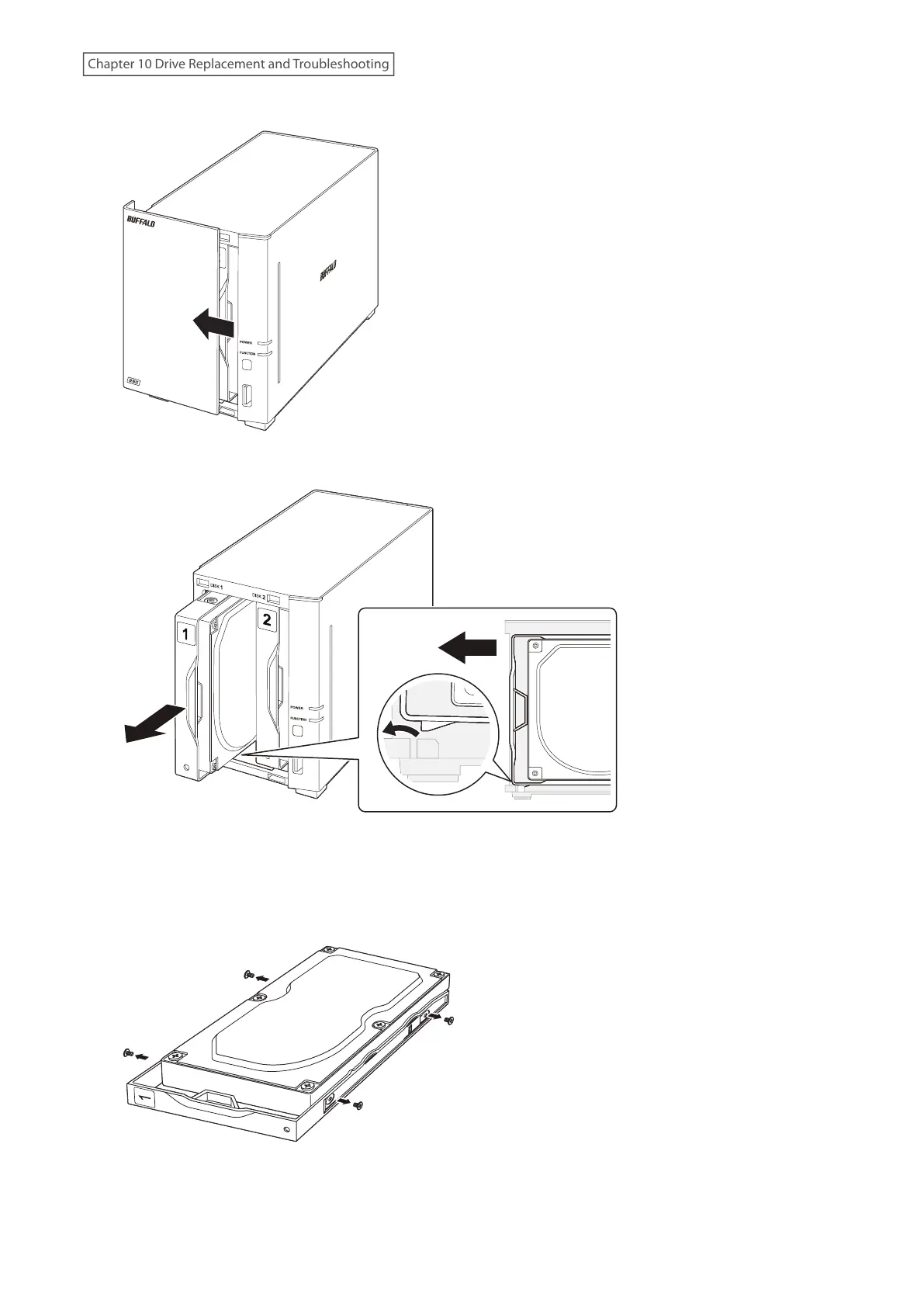
3 Slide the front panel left to remove it.
4 Push the failed drive’s cartridge up and remove it from the LinkStation.
Notes:
• Do not press hard on the top of the LinkStation.
• Pull the drive straight out the front of the chassis.
5 Unscrew the four screws and remove the drive from the cartridge.
188
Chapter 10 Drive Replacement and Troubleshooting











 To Next Page