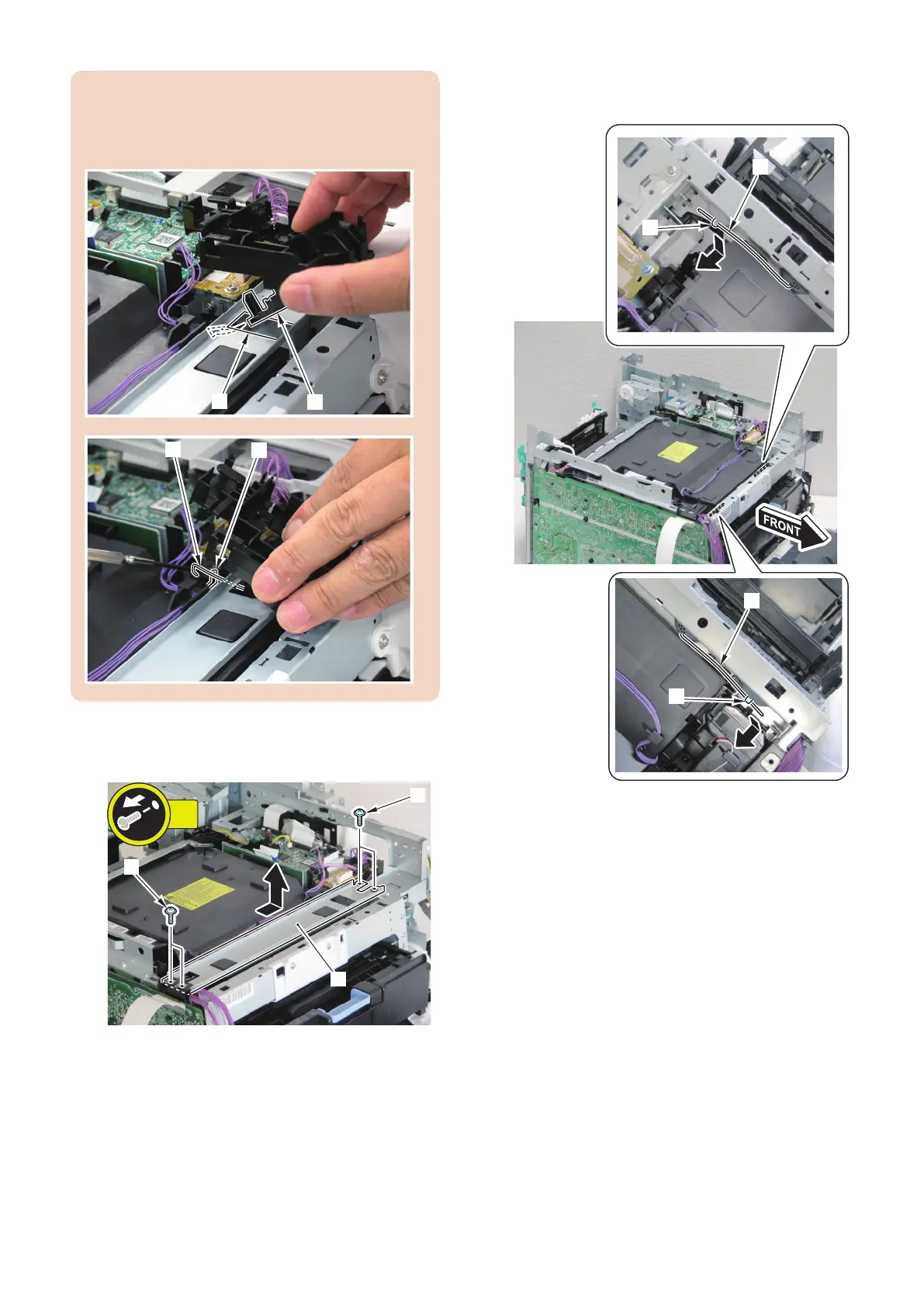
CAUTION:
Be sure to put the flag [1] of the Harness Guide through
the hole [A] of the plate, and hook the spring [2] on the
flag [3] of the Laser Scanner Unit when installing.
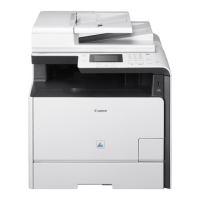
4. Remove the Upper Front Supporting Plate [1].
• 4 screws [2]
5. Remove the Scanner Fixing Spring [1] on the right
side from 1 hook [2].
6. Remove the Scanner Fixing Spring [3] on the left
from the 1 hook [4].
4. Disassembly/Assembly
187



 To Next Page