THS – FI022GB2K8v3 --- V - MAINTENANCE
76
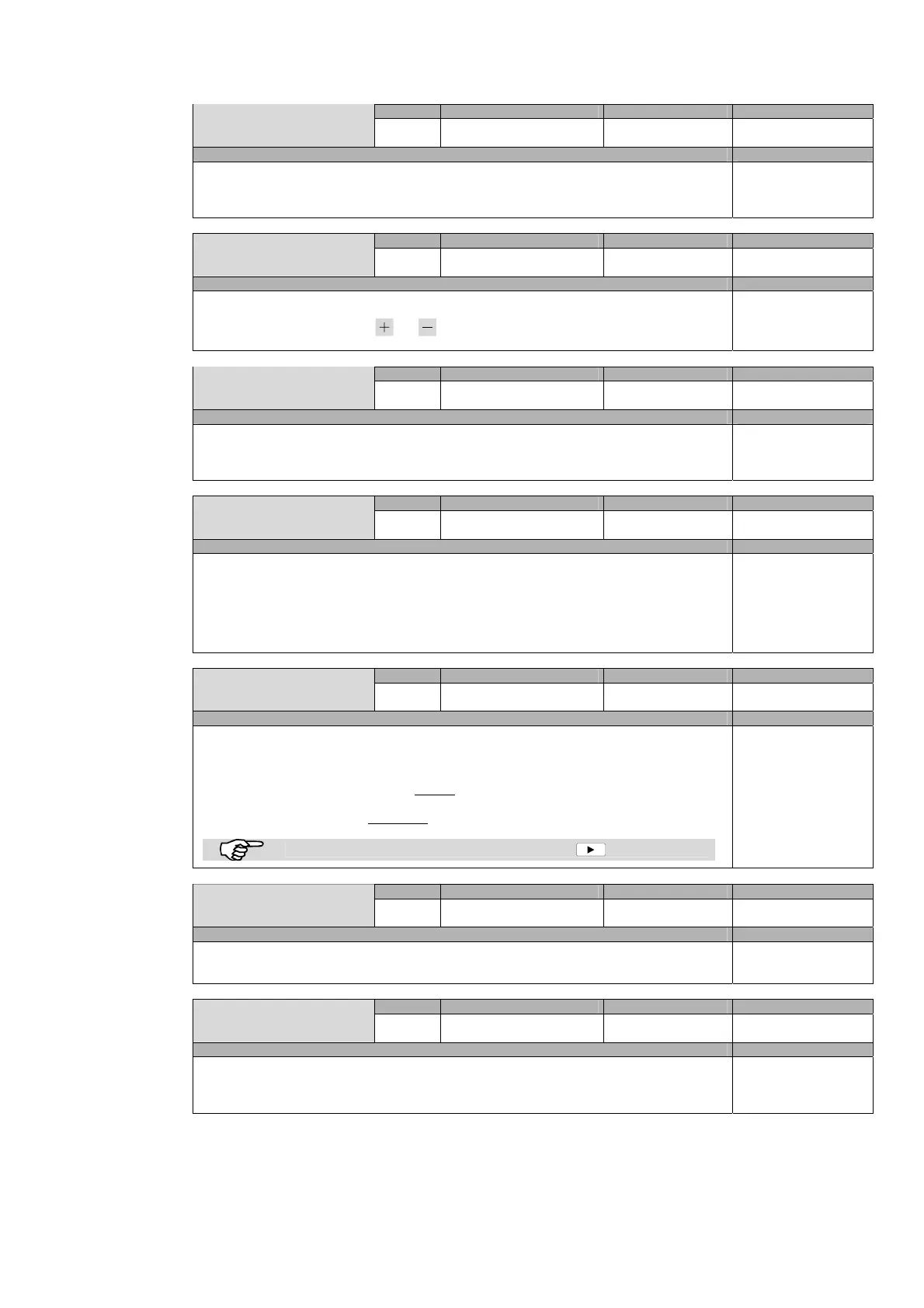
Remote Possible settings Standard setting Parameter
Enable UP/DOWN
UD
ON / OFF -
Global
Description Models
Enabling of arrow keys to change the speed
Enables the motor speed command from the power unit control panel.
If MM=ON the changing of the speed is not activated, whatever is the value of UD.
All models,
excepts THS/G
Remote Possible settings Standard setting Parameter
Manual movement
MM
ON / OFF OFF
Global
Description Models
Enabling of manual movement of the belt
ON: if the motor is off, pressing keys and moves the motor forwards or backwards at speed BS. During
movement the alarm and the ejection are disabled.
Only for models with
Conveyor Control System
Remote Possible settings Standard setting Parameter
PREC_CONV Enab.
PC
ON / OFF OFF
Global
Description Models
Enable “preceding conveyor” relay
ON: the relay is activated when the motor is running;
OFF: the relay is deactivated
Only for models with
Conveyor Control System
Remote Possible settings Standard setting Parameter
FOLL CONV Enab.
FC
ON / OFF OFF
Global
Description Models
Enable “following conveyor” input
ON: with MDL or MDT, only if the following conveyor belt is running the THS belt is activated;
with KT=0.000 (no MDL or MDT fitted) and KE=0 (no encoder fitted) or with THS/G if FC=ON, the metal detector
stops incrementing the delay counter in case the “following conveyor” input is not active. This functionality can be
used for example on a pipeline to stop the delay counting in case the pump that runs the liquid is stopped.
OFF: the motor can be activated whatever is the status of following conveyor input.
All models
Remote Possible settings Standard setting Parameter
Autom. restart
RE
ON / OFF OFF
Global
Description Models
Belt restart if there is “following conveyor” input reactivation
If FC= OFF, the parameter has no effect; If FC=ON:
-
RE=OFF: if the belt is stopped by the “following conveyor” input deactivation, when the FOLL-CONV input
reactivated the THS belt must be restarted manually
.
-
RE=ON: if the belt is stopped by the “following conveyor” input deactivation, when the FOLL-CONV input
reactivates the THS belt restarts automatically
unless the STOP key has been pressed in the meantime.
When the belt is stopped because of the following conveyor, the light flashes.
All models,
excepts THS/G
Remote Possible settings Standard setting Parameter
Stop on fault
SF
ON / OFF OFF
Global
Description Models
Belt stop in case of fault
SF=ON: if there is a fault in the THS, the belt stops; SF=OFF: if there is a fault the belt continues to run.
All models,
excepts THS/G
Remote Possible settings Standard setting Parameter
Stop Time
ST
0 – 99 min 0
Global
Description Models
Belt auto-stop time
This functionality is available only if a photocell is fitted: if no passages are detected for a time ST, the conveyor belt
stops automatically (No signal is given).
All models,
excepts THS/G



 To Next Page