78
MAIN (2) - Config (Configuration)
10.3.2 Config - General - SD module
"Off" The error message is only displayed as long as the error exists.
“until
reset”
The error message is displayed until the next weld start.
For more information on the configuration of the SD module, refer to sec-
tion "4. SD module" on page 113.
.
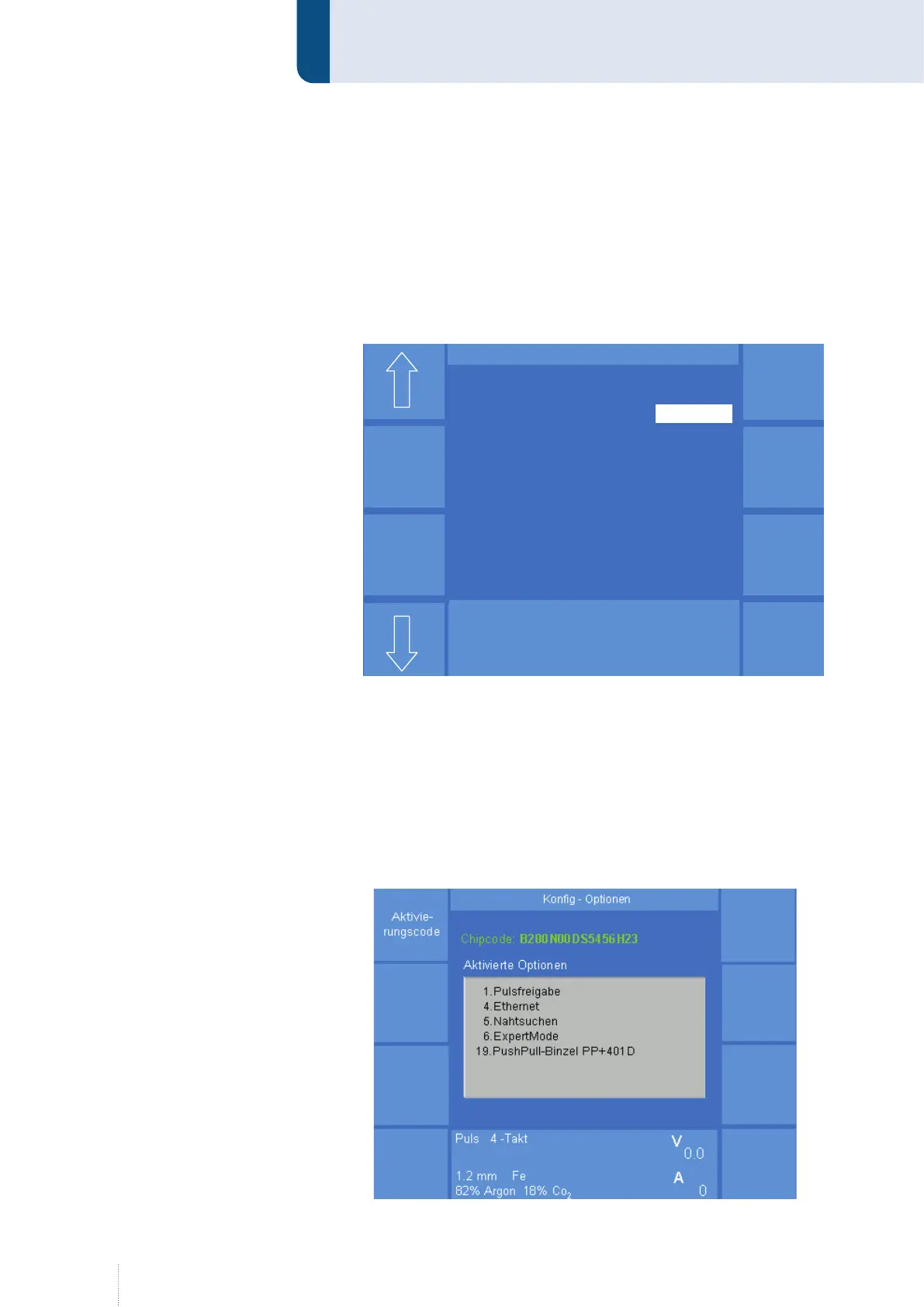
10.3.3 Config - General - Options
The welding power source is equipped with an option chip. Each time
when being switched on, the processor of the welding power source de-
tects the activated software options in the option chip, e. g. Release Pulse,
ExpertMode, Operating data, Push-Pull systems etc., see Figure 36.
If you intend to activate an additional option, CLOOS Schweisstechnik will
provide a new 16 digit activation code.
Puls 4 -Takt
V
A
1.2 mm Fe
82% Argon 18% Co
0.0
Konfig – SD Modul
SD-Modul Ausgänge
Zustand speichern bis Reset
Puls 4 -Takt
V
A
1.2 mm Fe
82% Argon 18% Co
0.0
Puls 4 -Takt
V
A
1.2 mm Fe
82% Argon 18% Co
0.0
Konfig – SD Modul
SD-Modul Ausgänge
Zustand speichern bis Reset
Figure 35. Config SD module
Figure 36. Config Options



 To Next Page